

Answered
PDF not editble due to background color
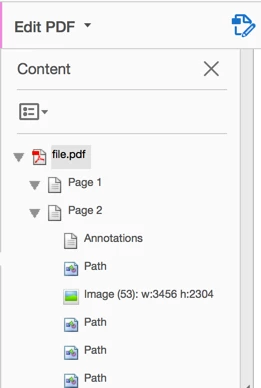
Recently, I have received a PDF file with white text on white background, which I was not able to edit (using Adobe Acrobat Pro DC Version 2015.023.20053 with Windows 10)
Here's what I have tried so far:
- Marking the text and copying it - text can be seen using a text editor
- Editing the text with the "Editing Text & Images tool"; text cannot be marked.
- Adding text with the "Add text" tool; cannot be seen, no matter which color I choose.
- Using text-recognition; an error (renderable text...) shows. Tried saving document as .tiff (as suggested in one of the forums), saving the file did not work however! Gave up on that approach.
- Changing the document's text color; text is now visible, but as all the other pages have the same (green) background color, which is not satisfactory.
As I ran out of ideas, I want to ask you if you have an idea what I could try next.
To make this easier, I have uploaded the document (file.pdf - Google Drive 😞
Best,
Jan
 AdChoices