


Copy link to clipboard
Copied
Hello to all,
using Acrobat Pro 2017 (Classic Release), I created a fillable form. In the form I have a column with number fields that have the following field properties according to the screenshots:
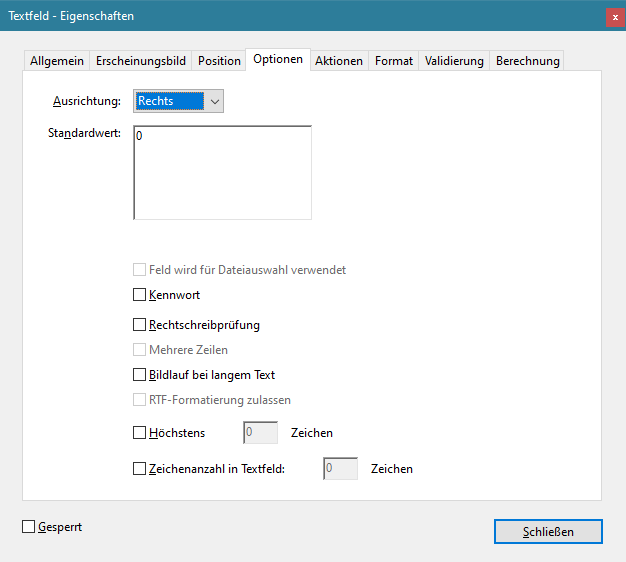
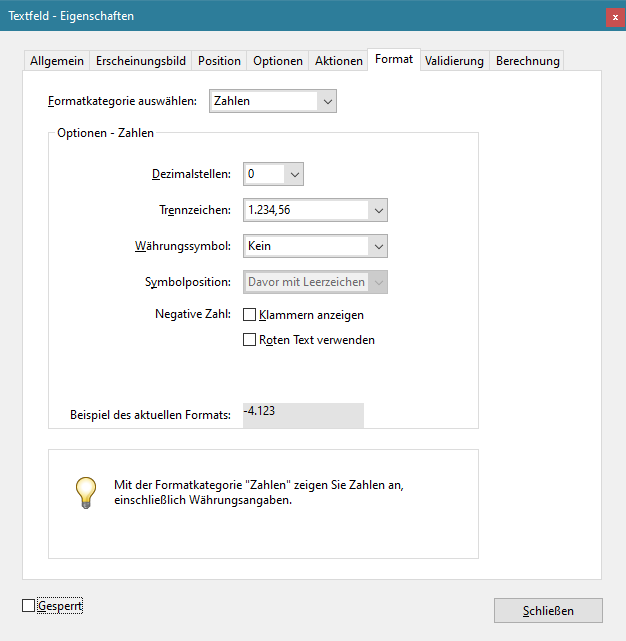
As expected, the form contains a 0.
However, numbers with commas can still be entered. In the PDF form, these numbers are then rounded, e.g. 1.99 becomes 2 (compare screenshots):
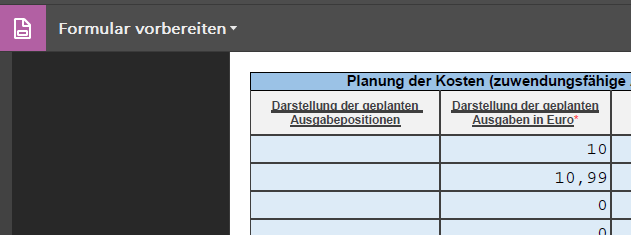
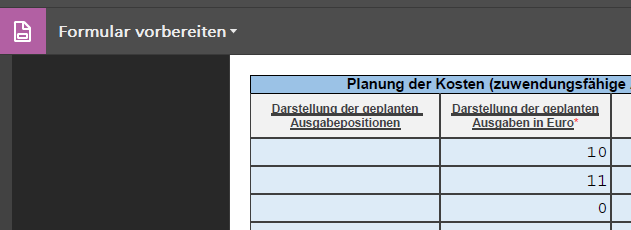
How can I prevent rounding in Acrobat Pro or prevent commas from being entered in the field?
I am already very grateful for tips, ideas and possibly code examples!
I probably won't be able to get around JavaScript.
Regards, Daniel Schunk





Copy link to clipboard
Copied
The entered values are not actually rounded, they are only formatted in a way that hides the decimal digits, because of the Number format you've selected. If you click the field after exiting it, you'll see that the value you entered is still there. Also, if you use it in a calculation it will use the entered value, not the displayed one.
So how to prevent the user from entering those decimals? You can't do it with the Number setting under Format, but you can by setting your own Keystroke script (under Properties - Format - Custom). For example, you can use this one:
event.rc = /^\d*$/.test(event.change);
It will only allow the user to enter digits into the field.
 14
Replies
14
14
Replies
14


Copy link to clipboard
Copied
The entered values are not actually rounded, they are only formatted in a way that hides the decimal digits, because of the Number format you've selected. If you click the field after exiting it, you'll see that the value you entered is still there. Also, if you use it in a calculation it will use the entered value, not the displayed one.
So how to prevent the user from entering those decimals? You can't do it with the Number setting under Format, but you can by setting your own Keystroke script (under Properties - Format - Custom). For example, you can use this one:
event.rc = /^\d*$/.test(event.change);
It will only allow the user to enter digits into the field.
Copy link to clipboard
Copied
Hello, try67,
thank you very much for the quick help.
It worked with the code line
event.rc = /^\d*$/.test(event.change);
However, I had first put it in the "Custom formatting script" section. That was not correct.
It only works in the "Custom key input script" section, I found.
More generally, I must note that the documentation on JavaScript in PDF at Adobe is quite large, but not as immediately obvious as at Microsoft, for example.
Best regards,
Daniel
Copy link to clipboard
Copied
I wrote it needs to go under the Custom Keystroke Script...

Copy link to clipboard
Copied
This is great - I had the same problem. Is there a way to adjust this to allow input of negative numbers?
Copy link to clipboard
Copied
Sure. Change it to this:
event.rc = /^-?\d*$/.test(event.change);
Copy link to clipboard
Copied
Awesome!!! Thank you for the help (and so quickly!).

Copy link to clipboard
Copied
The entered values are not actually rounded, they are only formatted in a way that hides the decimal digits, because of the Number format you've selected. If you click the field after exiting it, you'll see that the value you entered is still there. Also, if you use it in a calculation it will use the entered value, not the displayed one.
So how to prevent the user from entering those decimals? You can't do it with the Number setting under Format, but you can by setting your own Keystroke script (under Properties - Format - Custom). For example, you can use this one:
event.rc = /^\d*$/.test(event.change);
It will only allow the user to enter digits into the field.
By @try67

Is it posible to use displayed number in calculation? If it is how?

Copy link to clipboard
Copied
Hello @try67 ,
I hope you don't mind me jumping in this thread, but this is the script I was looking for! Do you know how I can use this code but with a comma instead of a period for French decimal format?
And also, how do I display the characters showing decimals? It is now only showing a single digit, rather than a whole number + 2 decimals.
Your help is greatly appreciated!
Copy link to clipboard
Copied
The whole point of this thread was to prevent the user from entering decimals... If you want to allow that (no matter in what format) then just use the built-in Number option, and then select the pattern you want it to have.

Copy link to clipboard
Copied
How do I use a script with the below?
I need for 2 decimals places to show with no rounding.
EX: the total is 73.449, right now it's rounding to 73.45. I want it just to show 73.44.
// Get first field value
var v1 = getField("Payroll6").value;
// Get second field value
var v2 = getField("Payroll7").value;
// Set this field value equal to the difference
event.value = (v1 * v2);
Copy link to clipboard
Copied
That is rounding, just down. You can do it using this code:
event.value = roundDown(v1 * v2, 2)

function roundDown(v, nDecimals) {
	return Math.floor(v * Math.pow(10, nDecimals)) / Math.pow(10, nDecimals);
}Copy link to clipboard
Copied
Thank you so much, this worked perfectly.

Copy link to clipboard
Copied
how do you prevent rounding. Say you want the text to show 0.936 and do not want it to round up to 0.94 even if the total dollars are correct in the math formula total, I want the number field to show the 0.936 instead of the 0.94
Copy link to clipboard
Copied
never mind. I figured it out. I just changed the display from 2 decimals to 3.


Get ready! An upgraded Adobe Community experience is coming in January.
Learn more
 AdChoices