


New Participant
May 17, 2021
Answered

Prevent rounding in number fields

  • May 17, 2021
  • 1 reply
  • 5763 views

Hello to all,

using Acrobat Pro 2017 (Classic Release), I created a fillable form. In the form I have a column with number fields that have the following field properties according to the screenshots:
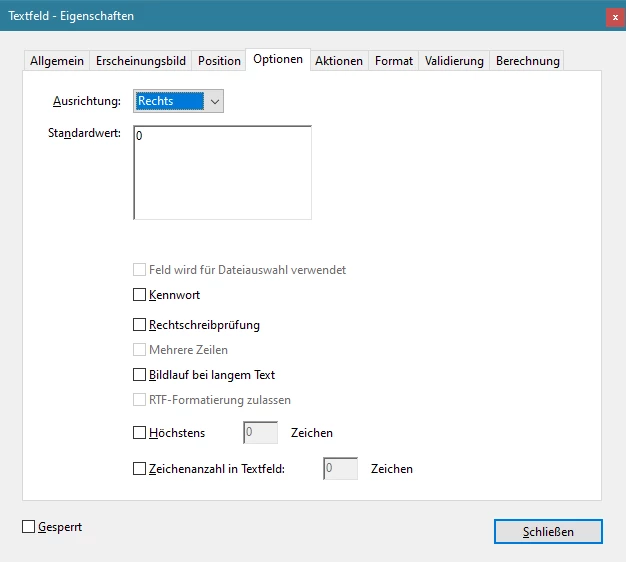
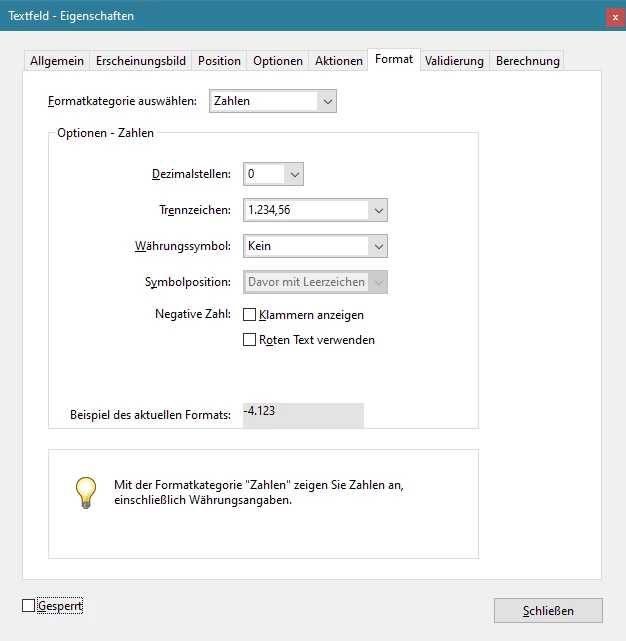


As expected, the form contains a 0.

However, numbers with commas can still be entered. In the PDF form, these numbers are then rounded, e.g. 1.99 becomes 2 (compare screenshots):
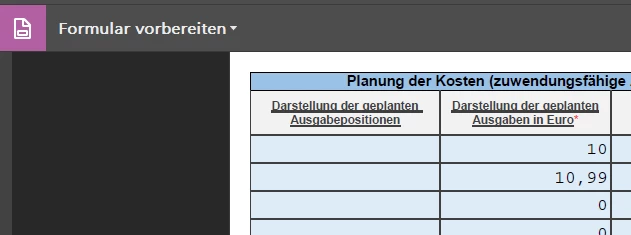
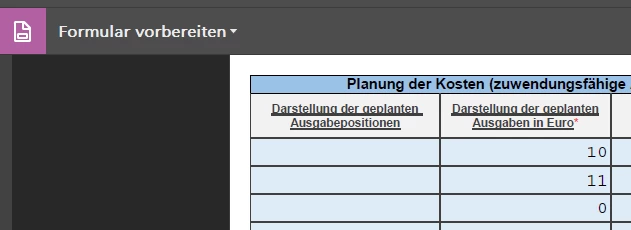


How can I prevent rounding in Acrobat Pro or prevent commas from being entered in the field?

I am already very grateful for tips, ideas and possibly code examples!

I probably won't be able to get around JavaScript.

Regards, Daniel Schunk

Correct answer try67

The entered values are not actually rounded, they are only formatted in a way that hides the decimal digits, because of the Number format you've selected. If you click the field after exiting it, you'll see that the value you entered is still there. Also, if you use it in a calculation it will use the entered value, not the displayed one.

So how to prevent the user from entering those decimals? You can't do it with the Number setting under Format, but you can by setting your own Keystroke script (under Properties - Format - Custom). For example, you can use this one:

event.rc = /^\d*$/.test(event.change);

It will only allow the user to enter digits into the field.

1 reply

try67
try67Correct answer
Adobe Expert
May 17, 2021

The entered values are not actually rounded, they are only formatted in a way that hides the decimal digits, because of the Number format you've selected. If you click the field after exiting it, you'll see that the value you entered is still there. Also, if you use it in a calculation it will use the entered value, not the displayed one.

So how to prevent the user from entering those decimals? You can't do it with the Number setting under Format, but you can by setting your own Keystroke script (under Properties - Format - Custom). For example, you can use this one:

event.rc = /^\d*$/.test(event.change);

It will only allow the user to enter digits into the field.

Participating Frequently
January 16, 2024

How do I use a script with the below?

I need for 2 decimals places to show with no rounding. 

EX: the total is 73.449, right now it's rounding to 73.45. I want it just to show 73.44. 


// Get first field value

var v1 = getField("Payroll6").value;


// Get second field value

var v2 = getField("Payroll7").value;


// Set this field value equal to the difference

event.value = (v1 * v2);

New Participant
April 4, 2025

Thank you so much, this worked perfectly.


how do you prevent rounding. Say you want the text to show 0.936 and do not want it to round up to 0.94 even if the total dollars are correct in the math formula total, I want the number field to show the 0.936 instead of the 0.94