
JimHanus
Participating Frequently
September 28, 2018
Answered

Print To PDF Not Working, deleted pdf printer, still shows in menu boxes.

  • September 28, 2018
  • 1 reply
  • 5111 views

I'm using an old version Acrobat 8 Pro. Had no problems until I was forced to re-install due to Adobe server being shut down. Print to PDF will not work. Removed all references to it in Devices And Printers, tried several times to re-install, still won't work. I opened an Excel and Word doc and Adobe PDF still shows as a printer option, but also shows Error - Delete: 1 document waiting.
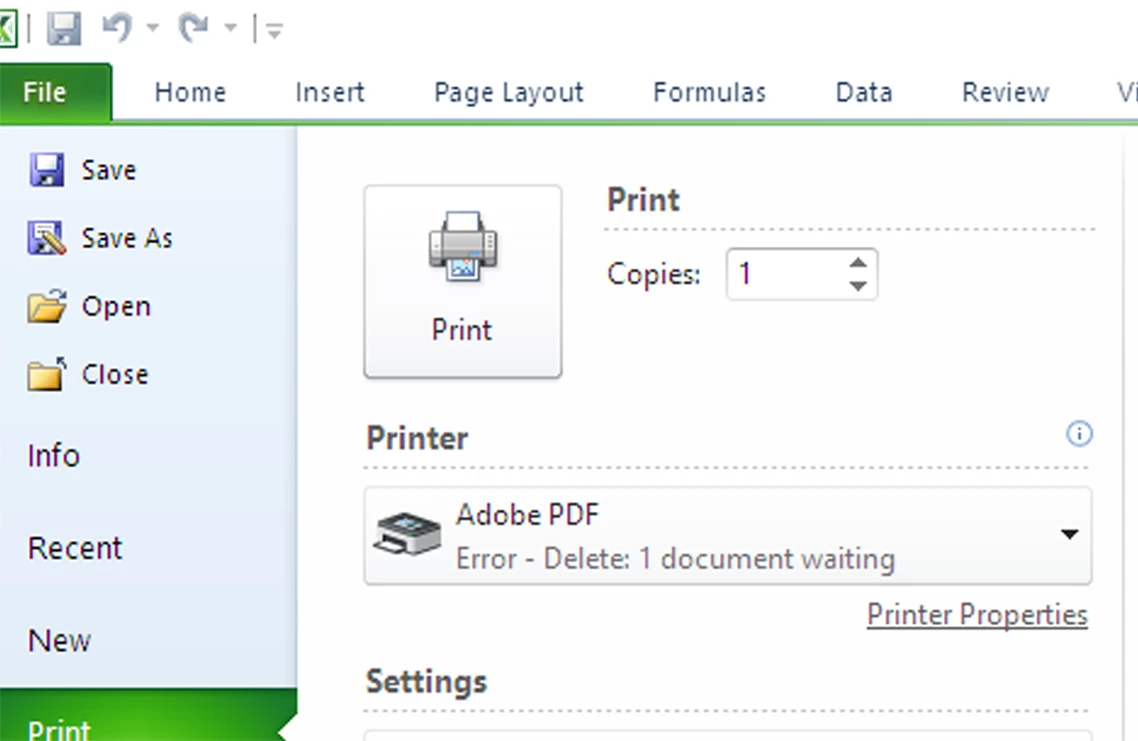
Is it possible this is what's keeping me from re-installing print to pdf correctly? I've re-started the PC several times without any reference to Adobe in Devices and Printers. How can I get rid of this phantom printer reference, and how to correctly re-install Print To PDF? I can create PDF's using Acrobat and Save To Microsoft PDF, but would still like to Print To PDF in Quicken etc.  Thanks!

This topic has been closed for replies.
Correct answer Dov Isaacs

Acrobat 8.0 will not fully or properly install for any version of Windows beyond Windows XP 32-bit. In particular, the Adobe PDF PostScript printer driver instance will not install due to changes made in the printer driver mechanism by Microsoft.

If you successfully run the Acrobat 8.0 installer and then run the Acrobat 8.1 updater, the Adobe PDF printer driver instance may properly install and work.

Remember though that you are dealing with software that has not been supported for many years and for which later versions resolved many potential security issues.

          - Dov

1 reply

Dov Isaacs
Dov IsaacsCorrect answer
Legend
September 28, 2018

Acrobat 8.0 will not fully or properly install for any version of Windows beyond Windows XP 32-bit. In particular, the Adobe PDF PostScript printer driver instance will not install due to changes made in the printer driver mechanism by Microsoft.

If you successfully run the Acrobat 8.0 installer and then run the Acrobat 8.1 updater, the Adobe PDF printer driver instance may properly install and work.

Remember though that you are dealing with software that has not been supported for many years and for which later versions resolved many potential security issues.

          - Dov

- Dov Isaacs, former Adobe Principal Scientist (April 30, 1990 - May 30, 2021)
JimHanus
JimHanusAuthor
Participating Frequently
September 28, 2018

I fully understand that it is no longer supported, but I've been using 8.3.1 with Print To PDF working properly with Quicken for years. Now, due to Adobe forcing me to re-activate and re-install, it no longer works. Version 8 Pro installed correctly and I manually installed all 18 updates to get back to 8.3.1. I do not appreciate the fact that I now have $500 software that doesn't work like it did last week because Adobe deactivated a server forcing me to start over. If Adobe is willing to replace my $500 software with an equal current working version at no charge due to the fact that their actions caused it to fail I would accept that.

try67
Community Expert
Community Expert
September 28, 2018

Adobe provides an alternative to the Acrobat 8 installer since the activation servers don't work any longer.

Follow the instructions given here: Activation or connection error when starting CS3 or Acrobat 8

This does not change the fact that this version is very old and will probably not work correctly on your machine, assuming you have an operating system newer than Windows XP.