
Question
printing problem: acrobat pro to Xerox Phaser 7830i
Goodmorning Masters,
I recently had to reset and reinstall one of my computers, it's an imac, running OS X El Capitan 10.11.4.
On this workstation I reinstalled Adobe Master collection CS4, as it was before resetting the system.
And now I have a problem:
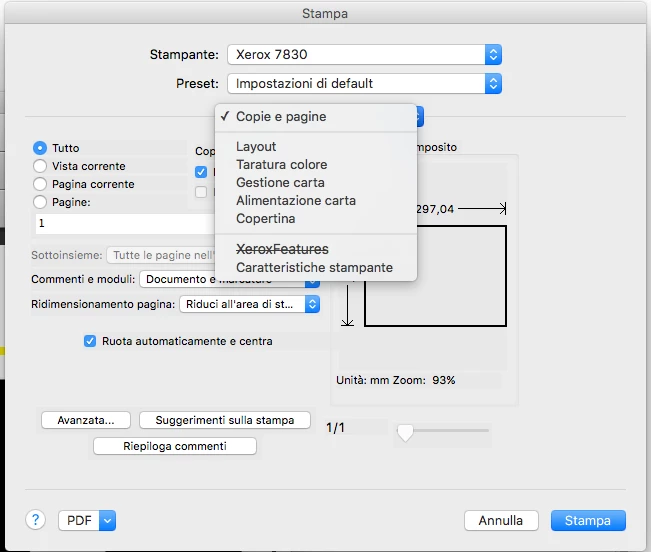
when I try to print from Acrobat Pro (version 9.0), I am unable to open the "Xerox Features" menu,
where I can set the type of paper, printing quality ecc..... as you can see fron this screenshot
but if I try to print something else from another non-Adobe software, for example if i print a web page
from Mozzilla Firefox, everything works properly and "Xerox features" workS correctly.
Can anyone help me please?
Thanks
 AdChoices