Participant
July 2, 2021
Answered

Sales tax automatically calculated from the Subtotal that is manually entered in fillable field

  • July 2, 2021
  • 3 replies
  • 2121 views

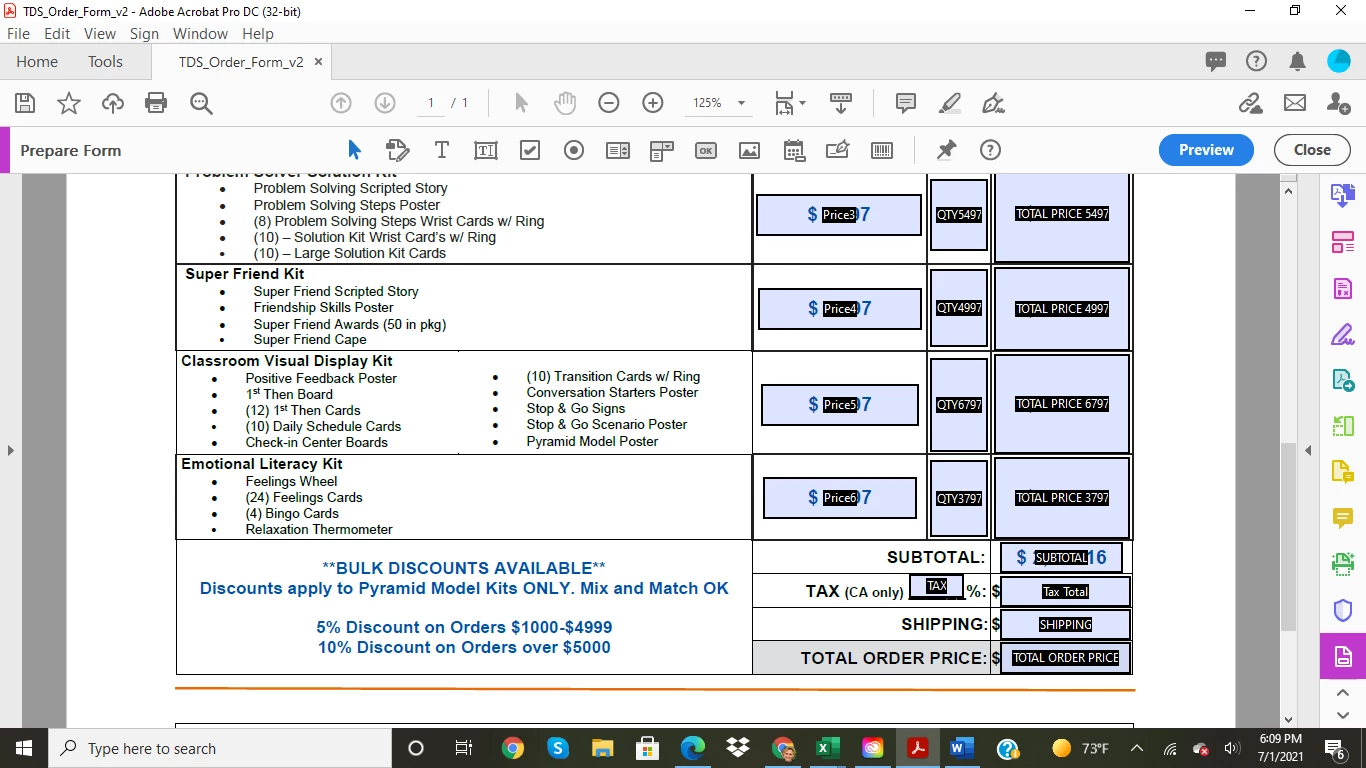
Having trouble figuring out how to get the "Tax Total" to calculate from the "Subtotal" and "Tax" fields when a number is entered into the "Tax" field.


Using Adobe Acrobat Pro DC


Correct answer Beemonkie

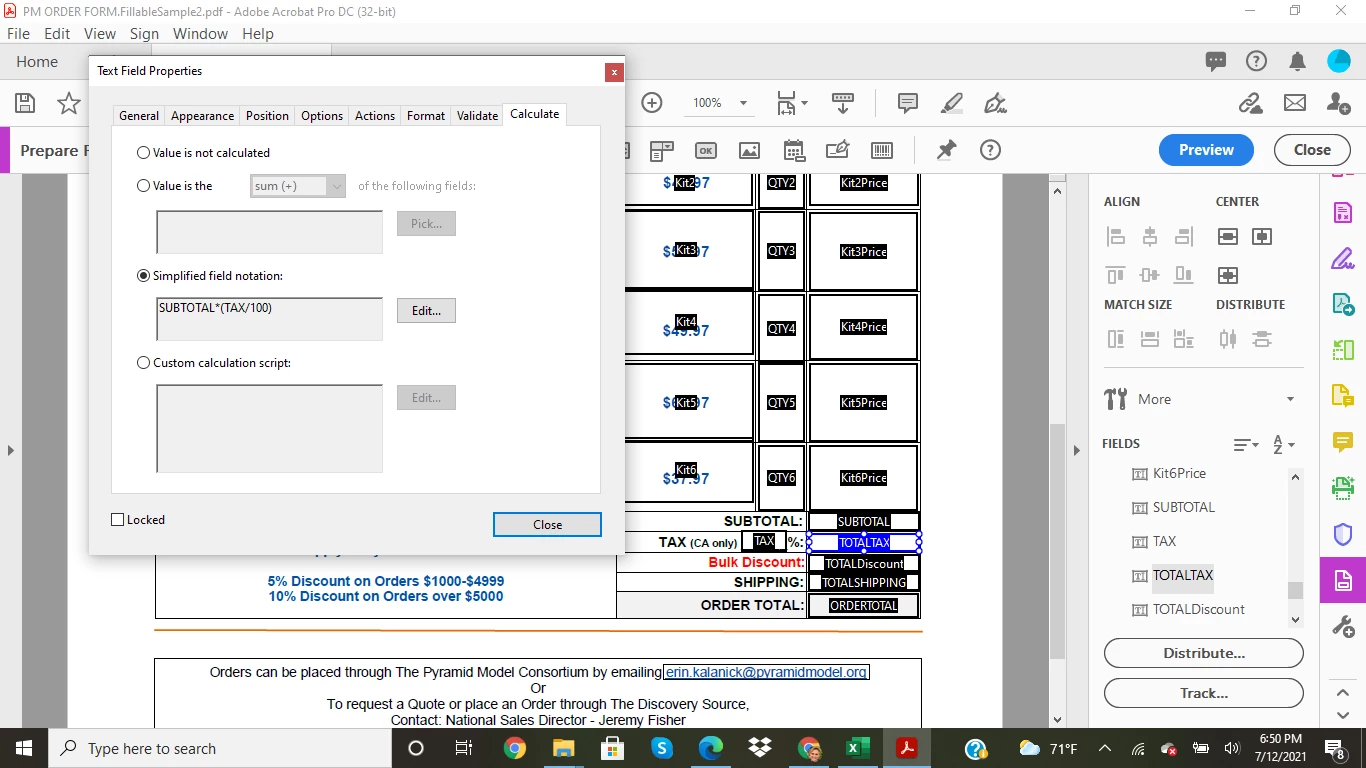
Thank you so much for the input! After some research in past posts and messing around, this is what I did in the "simplified field notation" and it seems to work.  SUBTOTAL*(TAX/100)

Now I need to figure out how to do another calculation. Will create a new post for that.

Thank you!


3 replies

BeemonkieAuthorCorrect answer
Participant
July 13, 2021

Thank you so much for the input! After some research in past posts and messing around, this is what I did in the "simplified field notation" and it seems to work.  SUBTOTAL*(TAX/100)

Now I need to figure out how to do another calculation. Will create a new post for that.

Thank you!


ls_rbls
Community Expert
Community Expert
July 2, 2021

++Adding to the discussion,


You can use a custom calculated script like shown below or better:


var subtotal = this.getField("SUBTOTAL").value;
var tax = this.getField("TAX").value / 100;

event.value = (subtotal * tax) + subtotal;


I placed this calculating event in the "Tax Total" field and additionally formatted all fields as Number using the built-in "Format" feature.


I also noticed that your form offers bulk discounts based on the purchased amount.


In addition to calculating the proper formula that adds the true state sales tax of California to the sum of all item costs in the "SUBTOTAL" field,  if you were also asking to see if bulk discounts  can be done automatically in the "Total Tax" field with a script, then use something like this (or better):


var subtotal = this.getField("SUBTOTAL").value;
var tax = this.getField("TAX").value / 100;

if (subtotal <= 4999) {

event.value = (subtotal * tax) + (subtotal - (subtotal * .05));

} else {

if (subtotal >= 5000) {

event.value = (subtotal * tax) + (subtotal - (subtotal * .10));

 }
}


Inspiring
July 2, 2021

1. Op said: when a number is entered into the "Tax" field so I belive he only wants result to show if there is number in TAX field.

2. In his photo you can see it said BULK discount is only applied to 1 item.

ls_rbls
Community Expert
Community Expert
July 2, 2021

Thank you as usual Asim.

Amal.
Community Manager
Community Manager
July 2, 2021

Hi there


Hope you are doing well and sorry for the trouble. As described you want to automatically calculate the sales tax from the subtotal entered manually in the other fields


The workflow you are trying to achieve is possible using the JavaScript. For more information please check the help page https://acrobatusers.com/tutorials/javascript_console/


Hope it will help


Regards

Amal


Inspiring
July 2, 2021

That link is how to setup and use javascript console, I don't think it will help OP much in this case.