
Station Agent
Participant
October 11, 2018
Question

TurboCAD PDF export not accurate in size

  • October 11, 2018
  • 3 replies
  • 2292 views

Hi, everyone.  I am using TurboCAD version 10.0.5 on Mac 10.11.6.  I’m a novice but I love learning and using it.
 

I am using TurboCad to design a graphic that will be laser-cut from a cardstock sheet.  The workflow involves exporting a PDF of a 2D drawing, and opening it in Photoshop to create the artwork.  Later, the CAD drawing will be used to do the cutting of the printed sheet.

I had a hundred 11"X17"  (279.40mm X 431.80mm)  test sheets printed on an off-set printer and the laser cut did not line up with the graphic.  It was off by about a millimeter on the right side.

For some reason, Photoshop imports the image ever-so-slightly undersized and it needs to be enlarged 100.10% to be corrected. 

If I open the TurboCad PDF in the Mac Preview app, export it as a jpeg or tiff and open it in Photoshop, the same thing happens.  This leads me to believe the problem occurs when exporting from TurboCad, not when importing into Photoshop.

The folks at TurboCAD say the issue would be with the Mac's creation of the PDF file.   How accurate is a PDF when it is created?

Barry S.
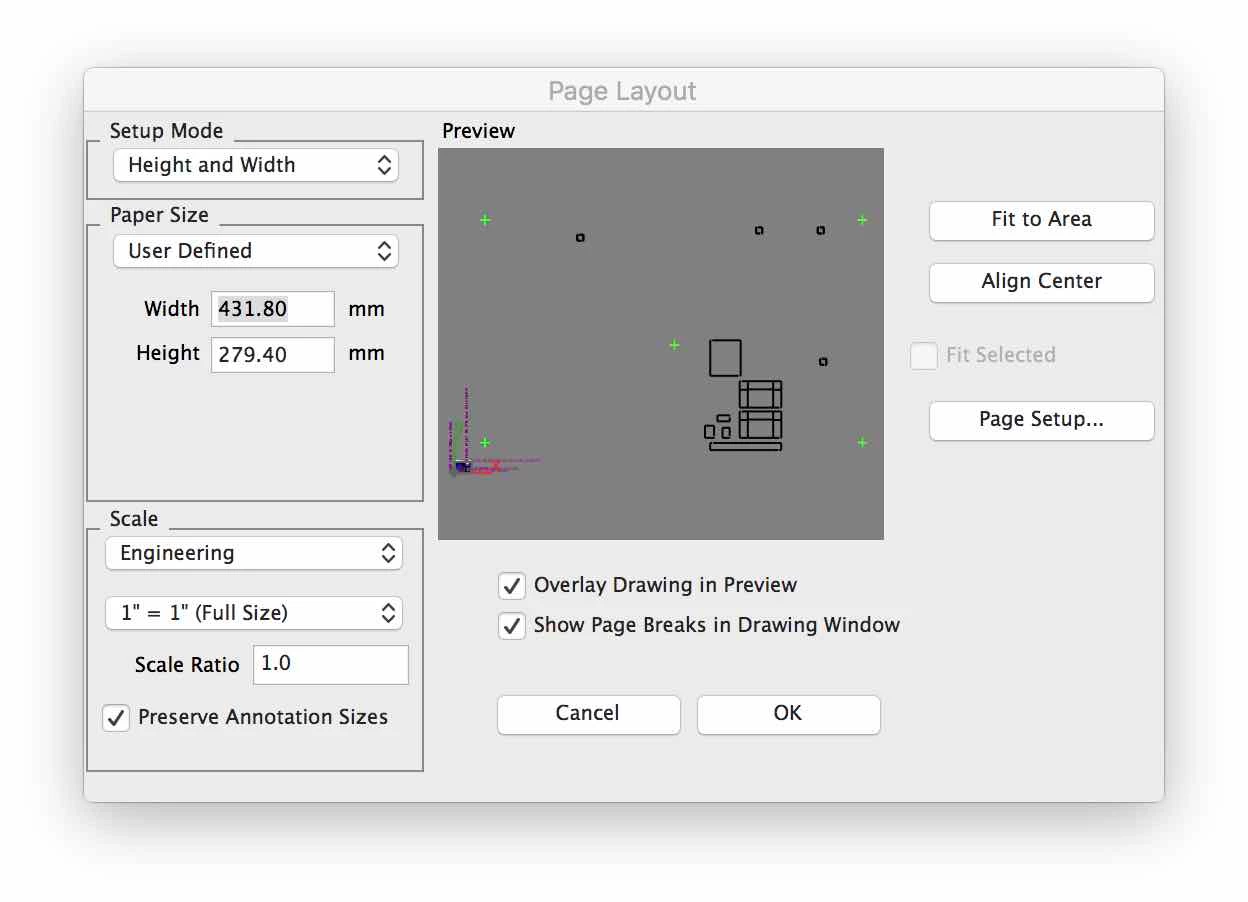
The image below shows the results that came back from the company that does my laser cutting.  The lines on the left are the artwork.  The lines on the right represent where the machine would cut, off by about 1mm   Fail.
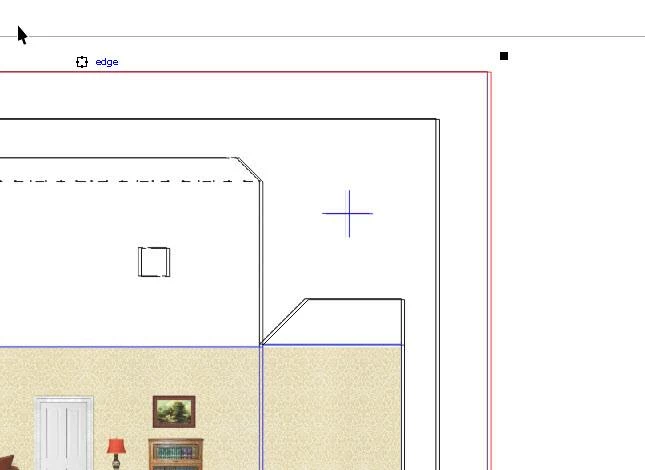
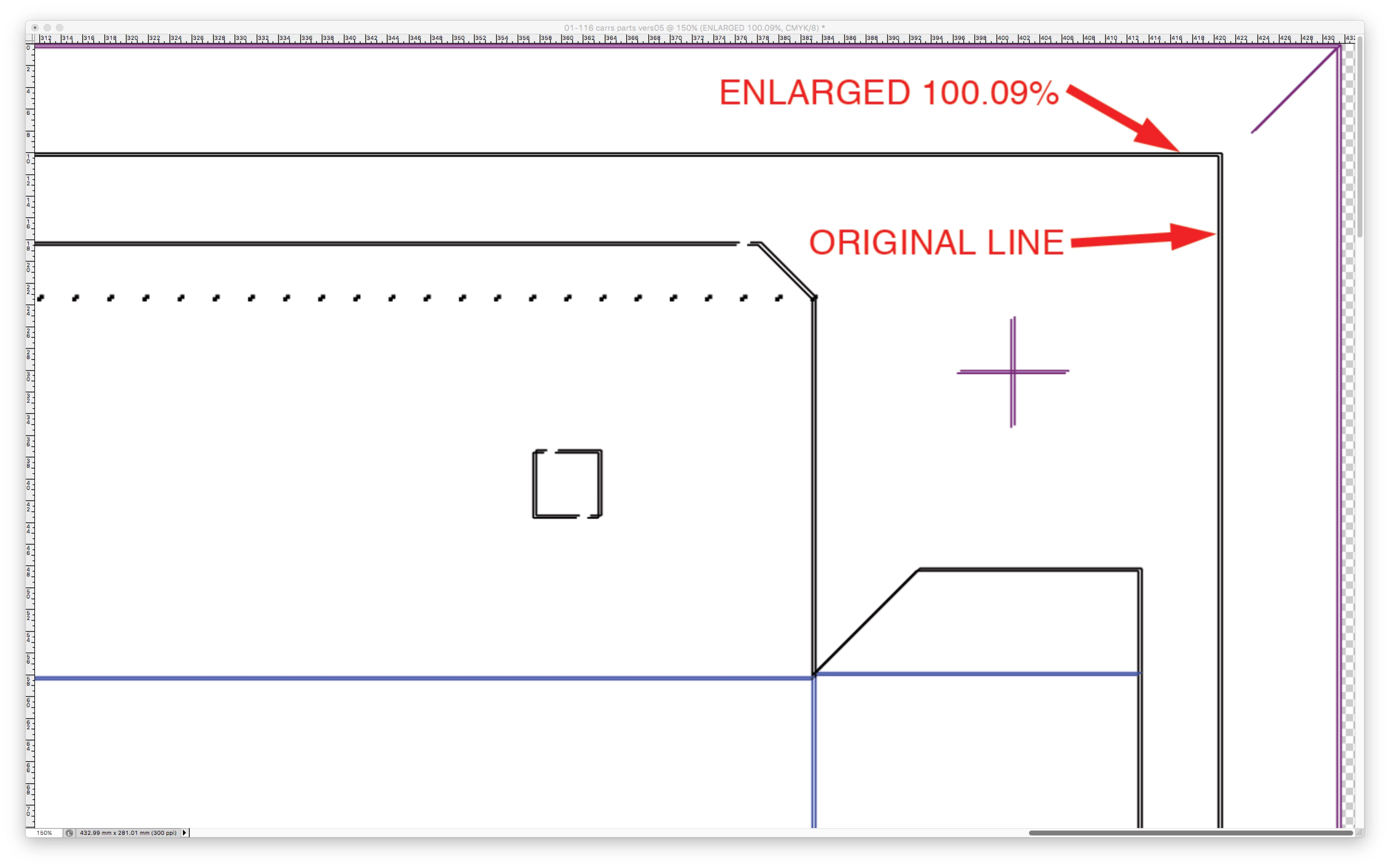
In the example below, the PDF has been imported into Photoshop.  "Original line" represents the image that is too small, and "Enlarged" shows that it must be stretched to be the correct size to match the laser cut.   It turns out that 100.10% is the correct number, or at least my best estimate.
This topic has been closed for replies.

3 replies

Legend
October 12, 2018

I don't see how the problem could possibly be Acrobat, since you've made the file (at least sometimes) in a workflow that doesn't involve it. TurboCAD - Apple printer - Photoshop. Acrobat and Photoshop, though, are very good at getting sizes right. There is nothing surprising about the page size being correct, whether or not the elements are mispositioned: I don't think there is any scaling going on at all, just rounding.

Did you do my tests?

Electric Wallpaper
Participant
October 12, 2018

Did you do my tests?

No.  Again, it's irrelevant.  There is no need for me to do a printer test, as the image will never be printed out directly from TurboCAD.  It must be modified in Photoshop first.   As I mentioned, the printing house that did 100 test copies has shown that their tolerances are acceptable, if given an accurate image.  The example in my post above shows that there is a problem with the placement of the image on the PDF page - it doesn't fill the space.  That may an issue with TurboCAD's output.  If it turns out that it's Adobe's issue and they're willing to admit that it's the best they can do, I'm fine with that - I'll be disappointed with their accuracy, but I can work around it.  However, if it's an error I can fix in the settings I would rather do that before printing and cutting 80,000 pieces using a sloppy workaround.  Let's see what the engineers at Adobe have to say.

Legend
October 12, 2018

Distiller may make a better PDF but the options won't be relevant. There isn't a "make the PDF size more accurate" option. It never scales, ever. If Distiller makes the same "incorrect" size it maybe has the same cause I suggested.

2 questions to consider:

1. does printing direct from TurboCAD produce the same result?

2. does printing to a regular printer show the same inaccuracy (to be fair, 1 mm accuracy is more than most desktop printers could manage)? At least you can compare the printed PDF and printed TurboCAD: if the printer is inaccurate it should be equally inaccurate.

Maybe TurboCAD is the wrong tool for you.

Electric Wallpaper
Participant
October 12, 2018

The accuracy of my desktop printer is irrelevant in this case, since I will be modifying the image in Photoshop and having thousands of copies printed by an outside source.  The CAD file goes to the laser cutter to cut them afterwards.

The tests prints from the print shop were accurate, based on the PDF file they were given.  I am satisfied with their tolerances.  The laser cutter is pin-point accurate based on the TurboCAD file.  The test cuts have been accurate so far, except that the information in the PDF caused it to be out of registration.  The weak link in the process is the creation of PDF.  I might expect the printer or the laser cutter to be off;  At the very least I expect the files used to drive those machines to be accurate. There are many companies with higher standards than me using these graphics to build accurate parts with tight tolerances.

I am corresponding with Adobe directly now and should have an answer from them within 24 hours.  In the meantime, I present this puzzling image:

If you look at the screenshot you can see that the image area seems to be the correct size (279.40mm X 431.80mm)  but the purple border lines -  which are absolutely 279.40mm and 431.80mm in CAD - are not on the edge of the sheet at the top and at the right, thus making them too short.  On the left and bottom those purple lines are on the edge of the image.  The graphic has been shrunk but the field size has not.

The problem is either with Acrobat or TurboCAD.  Sadly, it will probably get to the point where one will blame the other and nothing will get resolved, but we'll see.

I have a workaround, but I'd rather have the workflow done the way it should be.

Legend
October 12, 2018

You can measure exact sizes in Photoshop. I recommend you check what exact sizes this comes in at. Part of seeing where the error creeps in. You can also adjust sizes in Photoshop. .

You aren’t using Adobe technology to export the PDF and PDF printing can be pretty rough. Better to use a design app with direct PDF export. Such a small difference could happen if the print driver or app reports a fixed resolution which Causes cumulative rounding.

Electric Wallpaper
Participant
October 12, 2018

Thanks for the reply.

When imported into Photoshop the image field is the correct size  -  431.80  X  279.40

It's the lines in the CAD image that are the wrong size.  For example, a line 410mm long in CAD is 409 when the PDF is imported into Photoshop.  Not much, but enough to make the cuts of the printed image inaccurate.

M workaround is to use Photoshop to adjust the size by 100.10%.  However, it would be nice if the PDF file was correct without having to compensate for the error.  I have to do this process on a large number of projects over the next couple of years.

When I "print" the PDF I have the option of "Save as a PDF" or "Save as Adobe PDF".  My understanding is that "Save as Adobe PDF" uses the PDF Distiller to access more options.

I found the Distiller preferences and changed the dimensions to match my 11X17 (431.80mm  X  279.40mm) page but it made no difference.  Maybe there's another box that needs to be checked, but that's beyond the scope of someone like me who just wants to save a simple PDF.

Unfortunately the PDF Distiller manual is 180 pages of technical information.  I'd love to digest it the entire manual but all I want to do is save a PDF with accurate dimensions and move on with my work.