
Using Action Wizard to add a page containing a set text piece. Adobe Acrobat Pro DC 32-bit
Hi,
New. I'm wanting to - with one click - add a page to the beginning of the document and in the vertical & horizonal center write the word "Test". Obviously I dont want the word "test" but if I can figure this seemingly-simple thing out them I can accomplish my goal.
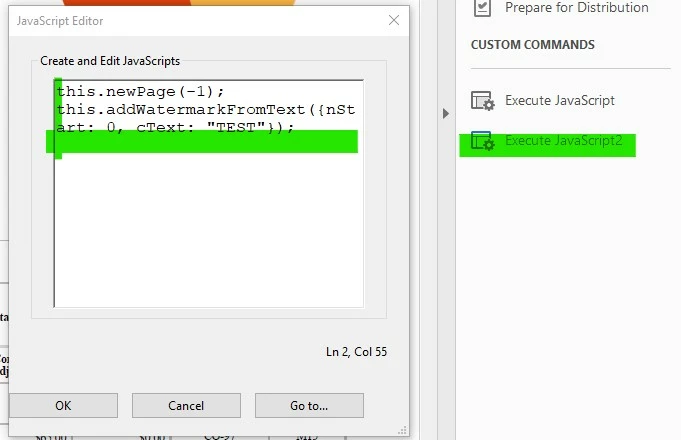
There's a few ways I can think of doing this, whether they work or not, I dont know. Maybe I'm missing something. I'm thinking Action Wizard. The Action Wizard allows a blank page to be added in front of page 1, but after that I'm running into problems. I'm thinking...
- Do as I said above - write "Test". However when I use the Action Wizard to Add Text I cannot command Adobe to write "Test" automatically. There's no option to specify settings for the Add Text tool. So, I have to type in "Test" every time I activate the custom action. Oh and I have to specify that the text is to be placed at the very center of page. So that's not working.
- Since the text is going to always be the same I could create an image of the text then have Adobe insert a page and then drop an image onto that blank page. But like #1, there's no option I see to specify a certain filename ahead of time, I have to specify the filename when I run the action. So that's cumbersome too.
- Instead of text-text, use watermark-text. But ... same thing.
I'm sure I'm missing something. How can I tell Adobe to do a very simple thing like insert a blank page one then write "Test" on the very center of that blank page?
Pseudocode: Insert blank page 1; horizontal = center; vertical = center; font = whatever; size = whatever; color = whatever; text = "Test". Write.Text.Page=1
Thank you.
 AdChoices