
Participant
May 4, 2022
Answered

Can't search documents at Adobe Online

  • May 4, 2022
  • 1 reply
  • 822 views

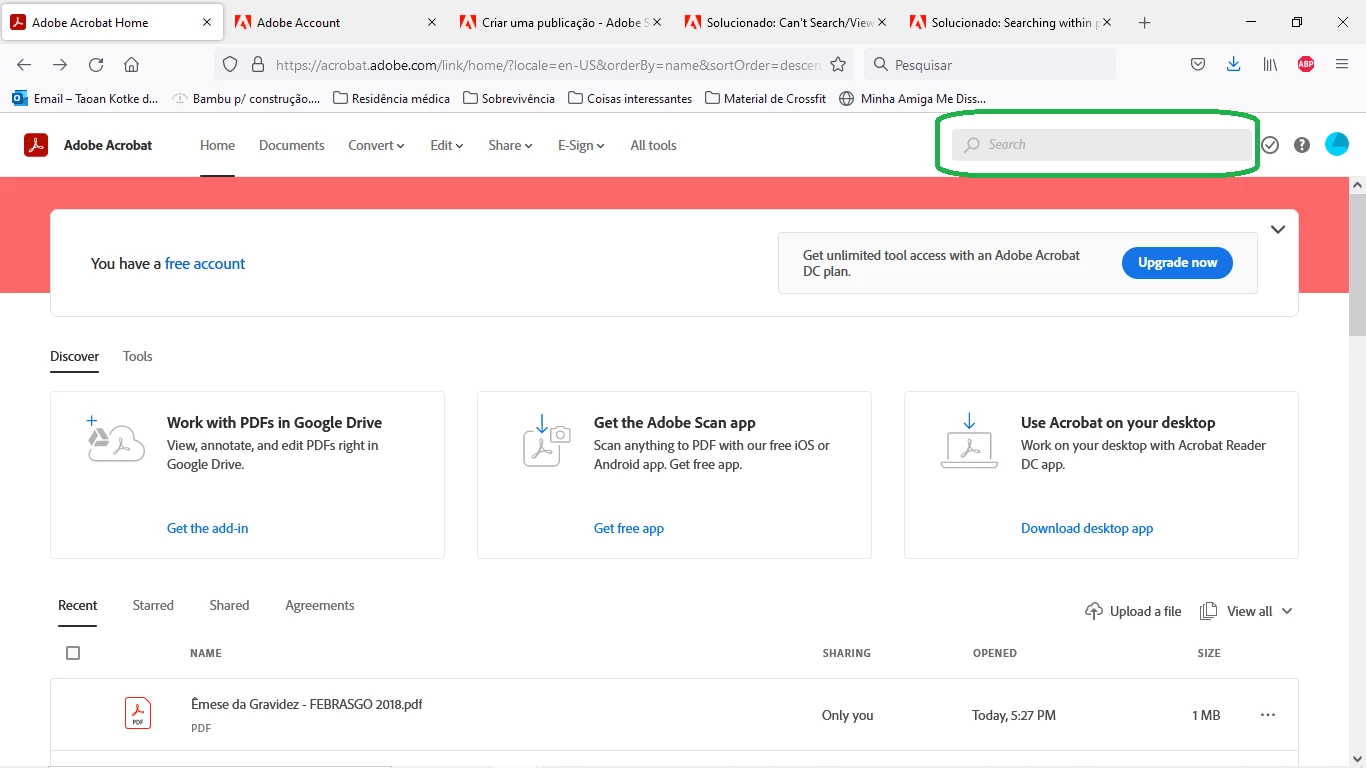
Hi guys, I'm trying to search for a document at my Adobe Document Cloud via web browser, but when I click ate the search space located at the right superior corner nothing happens! I can't write anything to search. Is that a problem of the website? Because at the phone app I can search normally.


Thanks!
This topic has been closed for replies.
Correct answer Harsh Vardhan Pareek

Hi @taoank 


As mentioned that you cannot search on the provided search bar on the website, kindly try a few steps and check if that fixes the issue.

1. Try to open the link on a different browser and check if the seach feature works.

2. Sign out and sign in again and check if that helps.

3. Check if there is an update available on the browser.


Thanks,

Harsh

1 reply

Harsh Vardhan Pareek
Harsh Vardhan PareekCorrect answer
Participating Frequently
May 20, 2022

Hi @taoank 


As mentioned that you cannot search on the provided search bar on the website, kindly try a few steps and check if that fixes the issue.

1. Try to open the link on a different browser and check if the seach feature works.

2. Sign out and sign in again and check if that helps.

3. Check if there is an update available on the browser.


Thanks,

Harsh

taoankAuthor
Participant
May 21, 2022
Thanks, Harsh!

Apparently it's a intermittent issue, because when opened it now, it worked. And at the same browser.

Regards

Taoan
Harsh Vardhan Pareek
Participating Frequently
May 23, 2022

Hi Taoan,


Happy to help. Thanks for confirming that the issue is now resolved.


Regards,

Harsh