
Participant
October 7, 2018
Answered

I have just signed up for Adobe PDF pack to convert files from PDF to JPEG but ends up as zip file which I cannot open

  • October 7, 2018
  • 5 replies
  • 4266 views

wHi there,

I have just purchased a Adobe PDF pack and trying to convert some files from PDF to JPEG but when I try this it finishes as ZIP file which I cannot open.

Would be grateful for any tips and ideas?

Thanks

Steve
This topic has been closed for replies.
Correct answer AkanchhaS8194121

Hey Stevenc,

We see that you have subscribed for the Adobe PDF Pack. I believe you are converting the pdf to jpeg via- https://cloud.acrobat.com/ ?

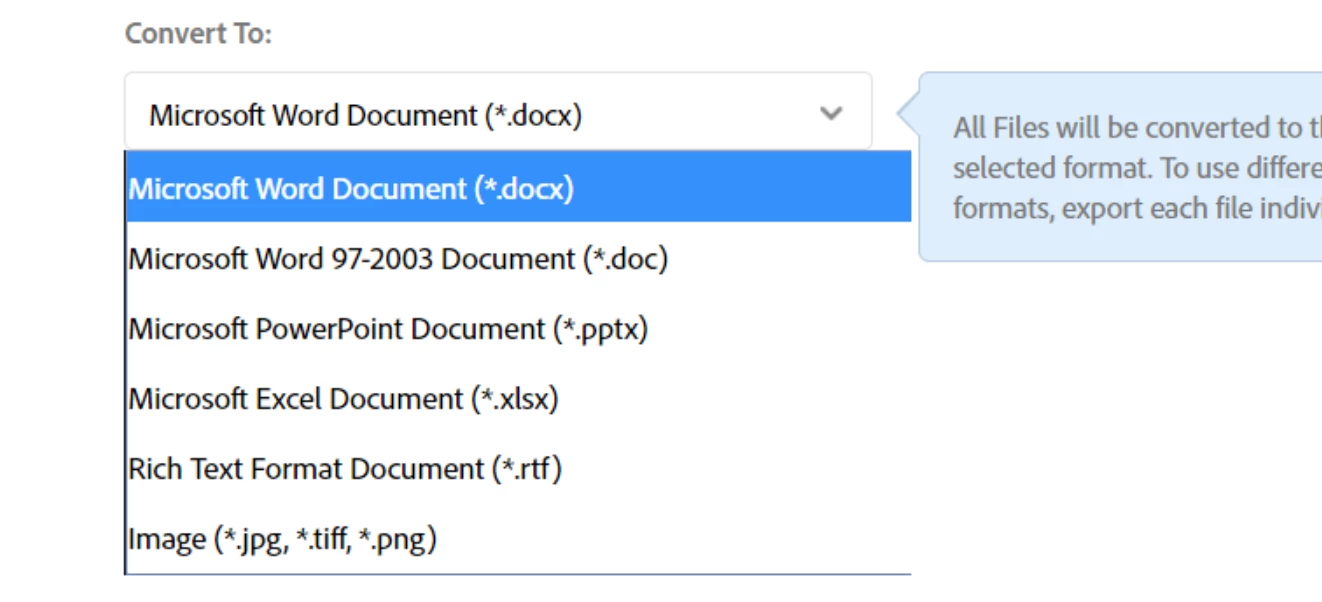
Please share the screenshot of the options you are getting, while exporting the pdf to other format? Also, the workflow that you follow.

https://forums.adobe.com/docs/DOC-7043#jive_content_id_How_do_I_attach_a_screenshot

Eg:

Go to https://cloud.acrobat.com/exportpdf

Select Export PDF

Check the options and see if you have the JPG option there or not.

Regards,

Akanchha

5 replies

Participant
July 16, 2024

Yep, I'm having the same issue. I used to be able convert a multi-page document into a load of jpgs in a straightforward way but now Acrobat creates a zipped folder that I have to manually save again in a location and then the jpg file names have random letters and numbers instead of the original filename.


Why is this? I've been using Acrobat for 20 years and it was always a pretty straightforward app but they've changed it recently so you can't find anything and it does strange things like this. Have had to start using free web-based apps  to do simple things instead of the supposedly premium Adobe app. It's bizarre.

Bernd Alheit
Community Expert
Community Expert
July 16, 2024

This happens when you use Adobe Acrobat Online.

Participant
March 10, 2024

It's doing the same thing for me. Waste of my time. Cancelled my free trail this is stupid.

Participant
November 2, 2023

this is the worst product i ever used. as a product owner you guys need to at least put yourself into customers shoes, who wants zip file with jpeg files? who? also why have to download so many app to use some very common feature? it waste me 2hrs to subscribe to use this not working feature. this is a trap for the subscription? 

Participant
January 22, 2024

It's clunky and doubly irritating when the Acrobat VI I purchased years ago did everything I wanted until they decided to put a time bomb in it so it would stop working, forcing a monthly subscription for something that has been nothing but an aggravation from start to finish. 


[Abuse removed by moderator]

So yes, I think it's a trap for a subscription. 

AkanchhaS8194121
AkanchhaS8194121Correct answer
Legend
October 8, 2018

Hey Stevenc,

We see that you have subscribed for the Adobe PDF Pack. I believe you are converting the pdf to jpeg via- https://cloud.acrobat.com/ ?

Please share the screenshot of the options you are getting, while exporting the pdf to other format? Also, the workflow that you follow.

https://forums.adobe.com/docs/DOC-7043#jive_content_id_How_do_I_attach_a_screenshot

Eg:

Go to https://cloud.acrobat.com/exportpdf

Select Export PDF

Check the options and see if you have the JPG option there or not.

Regards,

Akanchha

try67
Community Expert
Community Expert
October 7, 2018

What's preventing you from opening the zip file?

Watchdawg1
Participant
October 11, 2021

when i try to open the jpeg, it brings up a win zip page that wants me to pay for the program