
Color Picker issue on Dell XPS - wrong colors
Dear community, I'm having a problem while using the color picker in Adobe Express from my Dell XPS 9640 (win 11) on Google Chrome (the same on Edge): the color selected using the color picker does not correspont to the real color, see the example below.
Color applied on the "X" shape: #FF1900
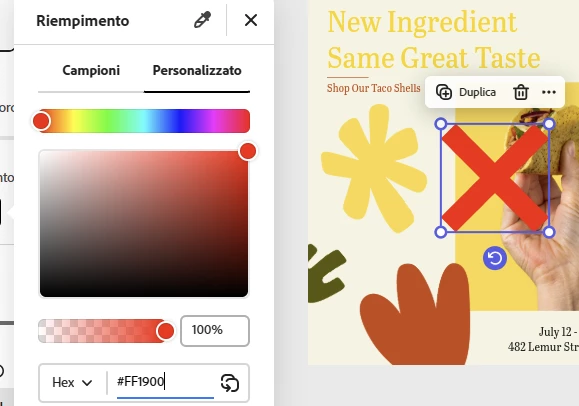
then i take the color picker and moved on the same shape:
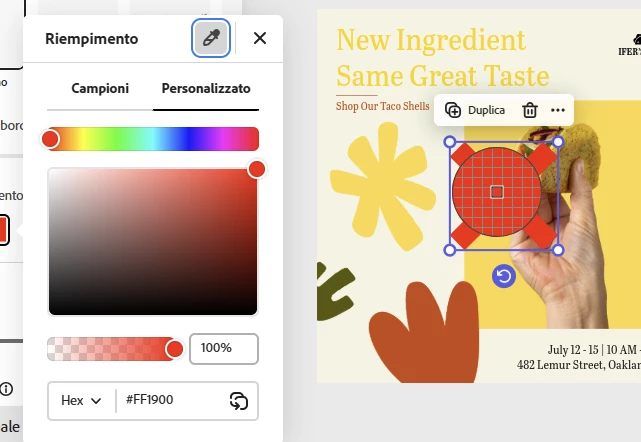
when i pick the color form the shape (that should be #FF1900) the color change to #E43B22
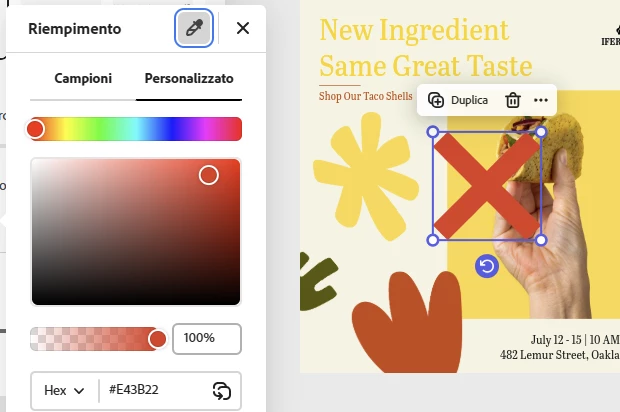
and this issue will continue forever, the color picket is always different from the original color every time.
This issue is not happening from the Android mobile app or from other win 11 PC, where the colors always correspond or from the other windows PC.
Do you know waht could be the cause of this issue?
many thanks for your help
Mike
 AdChoices