
Google Classroom Import Roster Issue
Steps to recreate issue:
- Create a new Google classroom and name it anything you like.
- Log into Adobe Express
- Click Classrooms
- Select a classroom you have already created or create a new classroom.
- Click Add students
- Click Google Classroom at the bottom under Import a roster.
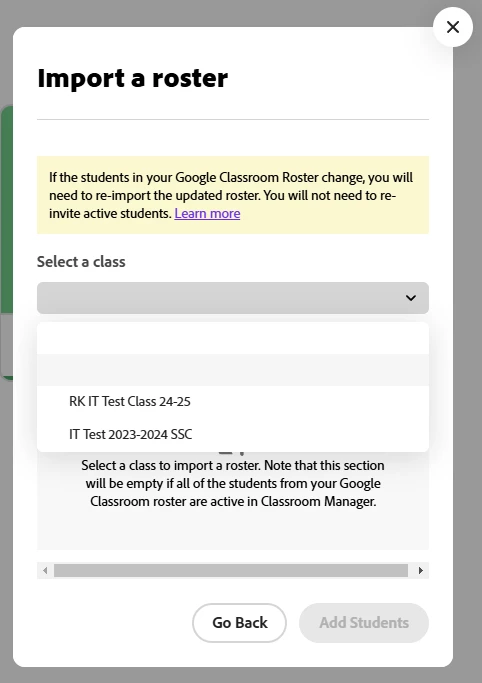
- Under Select a Class you may see some but not all or no classes in the dropdown list.
- New classes that were created recently have place holders and can be selected, but there is no text.
- Old classes from last year appear.
- If I change the name of an old class in google classroom it does not change in the drop down.
 AdChoices