Exit
  • Global community
    • Language:
      • Deutsch
      • English
      • Español
      • Français
      • Português
  • 日本語コミュニティ
  • 한국 커뮤니티
0

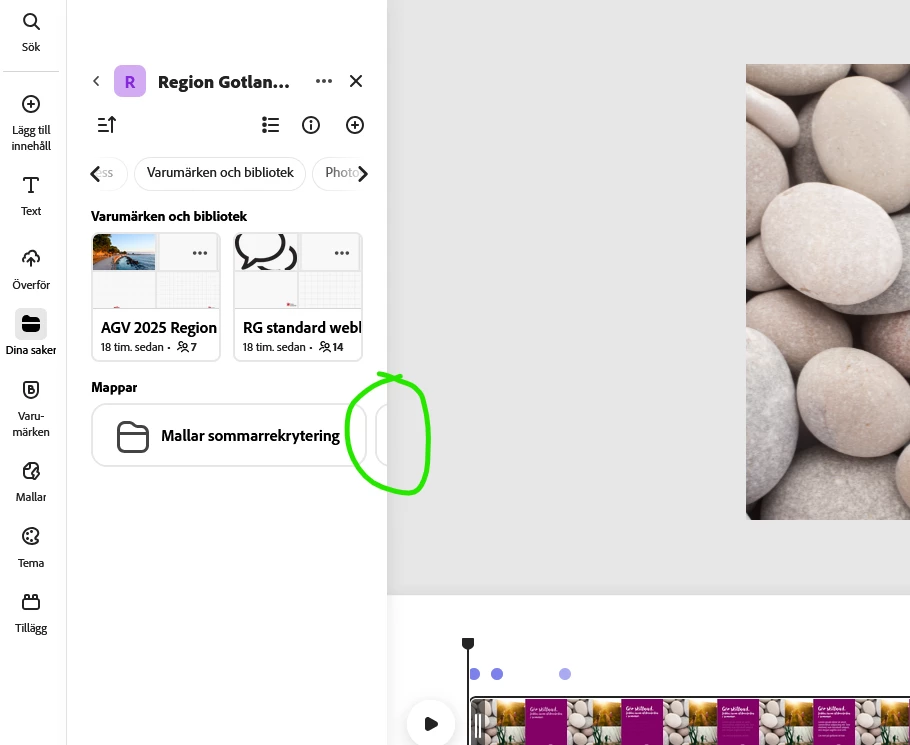
Maps don't show in Projects
New Here ,
Nov 13, 2025 Nov 13, 2025

MalinGotland_0-1763104380066.png


When I'm in file view and chooses projects, I can't see all my maps with templates. I know it's there but I don't think my colleges do. 

 

Bug Unresolved
TOPICS
Collaboration
39
Translate
Report
Community guidelines
Be kind and respectful, give credit to the original source of content, and search for duplicates before posting. Learn more
community guidelines
1 Comment
Adobe Employee ,
Nov 14, 2025 Nov 14, 2025
LATEST

Hi @Malin Gotland,


Welcome to the community! We're sorry to hear about the difficulties. Did you try using the other suggested browsers (Safari, Microsoft Edge, and Google Chrome) or incognito mode to see if it makes a difference? 


Also, try clearing the browser's cache and cookies, and restarting the browser and try again. For more information on how to clear cache and cookies check this link- https://adobe.ly/4a5ipUF and how to use incognito mode- https://adobe.ly/4a2UzZV 


If the above-mentioned steps don't work,  please make sure that the network endpoints listed on https://adobe.ly/4a7ZI2M are allowed.


Let us know how it goes.


Regards,

Tarun

Translate
Report