
"Inaccurate Background Removal in Adobe Express for Simple Logo Images"
Dear Adobe Express Team,
I’d like to report an issue I encountered with the background removal tool. I attempted to remove the background from a clean, high-contrast logo, but the results were unsatisfactory — some background areas remained even though the logo has clearly defined edges.
To better illustrate the issue, I’ve attached a comparison image:
Left (Before): Output from Adobe Express — background not fully removed.
Right (After): Output from Remove.bg — clean and precise background removal.
This demonstrates that Adobe Express's background removal algorithm may need improvements, especially when processing logos or stylized graphics.
I truly appreciate the platform and hope this feedback contributes to enhancing the background removal feature.
Thank you for your ti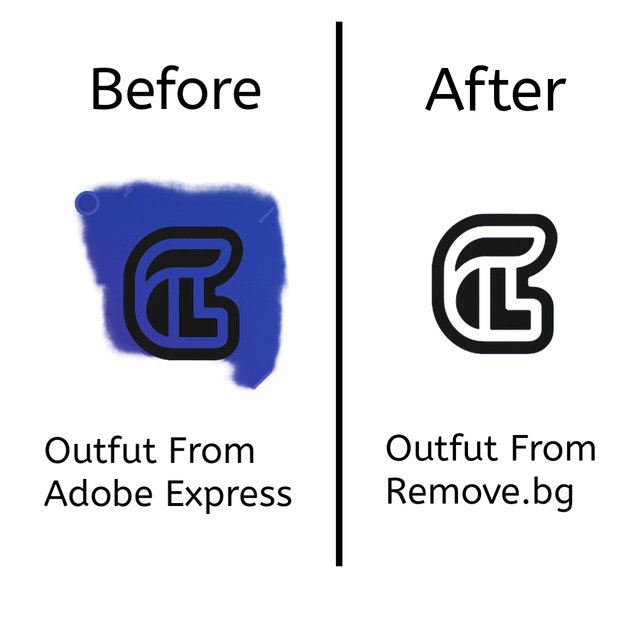 me and effort.


 AdChoices