Exit
  • Global community
    • Language:
      • Deutsch
      • English
      • Español
      • Français
      • Português
  • 日本語コミュニティ
  • 한국 커뮤니티
10

Adobe Express 2025: Improvements & Feature updates
Adobe Employee ,
Oct 28, 2025 Oct 28, 2025

Untitled-3 (3).png


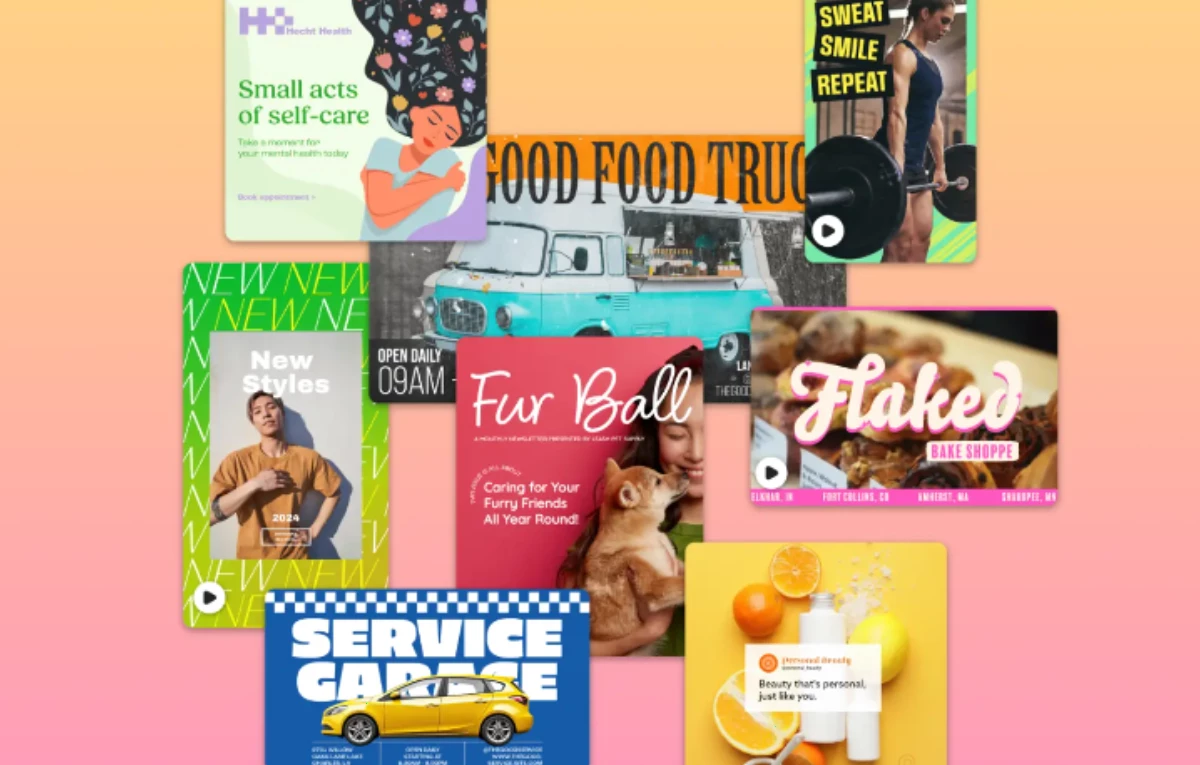
Adobe Express: Latest Fixes & enhancements 


Your feedback matters, and we've been listening. We understand the concerns highlighted in your reviews, and we will continue to work towards improving your experience. We're pleased to announce recent updates to Adobe Express.


Untitled-3 (6).png

Feature Highlights


whats-new-add-svg-express.pngSVG Imports


Import, edit, and export SVG files directly in Adobe Express, making it easier to create scalable, on-brand assets. Customize colors and layouts, and export in multiple formats for crisp, consistent designs across all channels.


Collage maker project-2.png

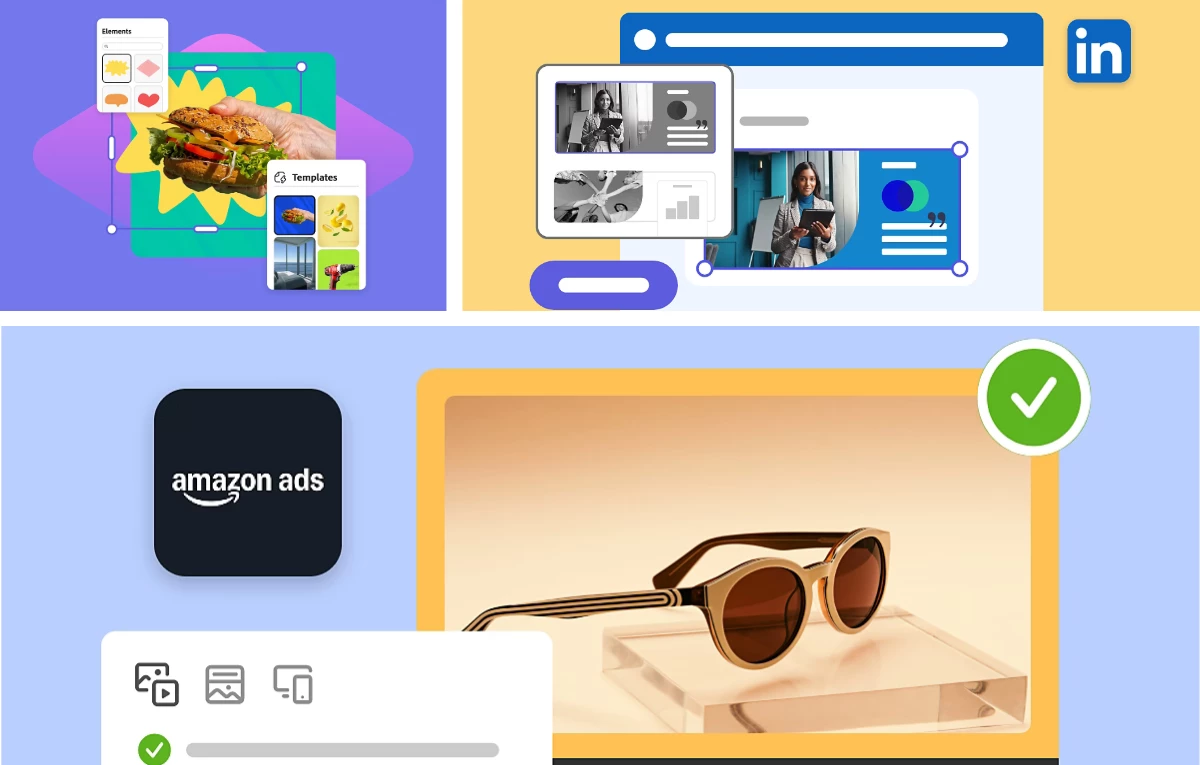
Create and share TikTok, Amazon, LinkedIn, and Google ads directly from Adobe Express. Stay creative, consistent, and campaign-ready—all in one platform.


Collage maker project (1).png

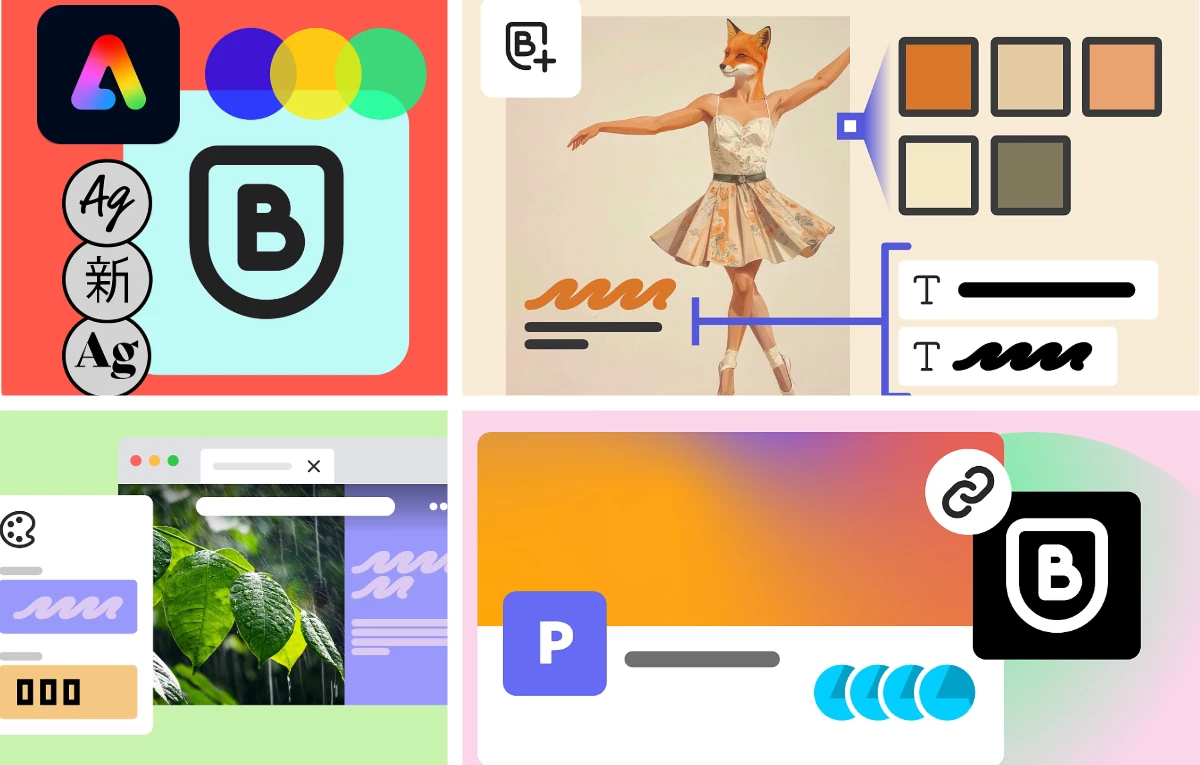
Adobe Express can now analyze your images to create a cohesive brand kit, complete with colors, logos, and type styles.
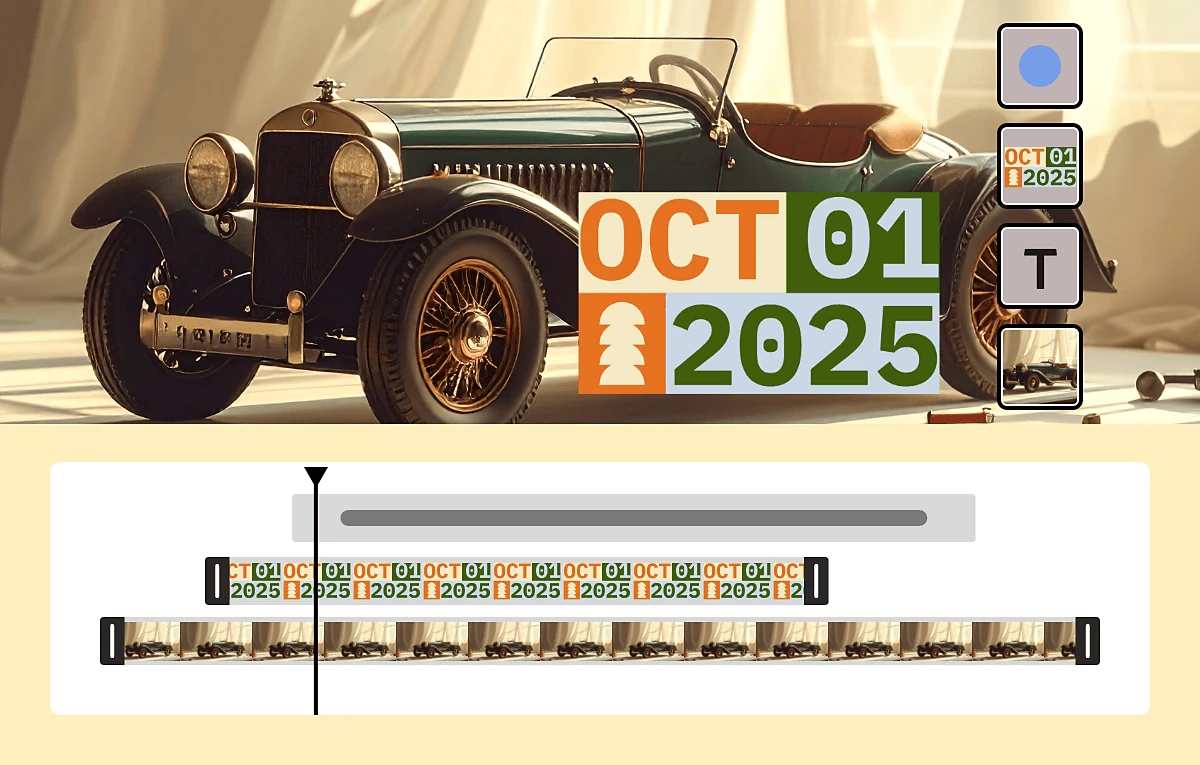


whats-new-show-all-video-layers-express.png

Create professional-quality videos from scratch. Upload media, add music, customize layers, and refine every scene using the intuitive timeline in Adobe Express.


Useful Links


  • FAQ: Get answers to common questions about Adobe Express.
  • What's New: Get highlights on all new features.
  • System requirements: Find the minimum technical specifications for Adobe Express.
  • Known Issues Identify the known issues around the app.
  • UserVoice: How can we improve Adobe Express? Share your thoughts and ideas in UserVoice.


TOPICS
Collaboration , Exporting and Sharing , Generative AI , Image Editor , Multi-Page , Performance , Quick Actions , Social Media , Subscription , Video
5.2K
Translate
Report
Community guidelines
Be kind and respectful, give credit to the original source of content, and search for duplicates before posting. Learn more
community guidelines
New Here ,
Nov 28, 2025 Nov 28, 2025

09643c6d3e432672cf2efdd0f2347712e0e0f062

Translate
Report
Community guidelines
Be kind and respectful, give credit to the original source of content, and search for duplicates before posting. Learn more
community guidelines
New Here ,
Dec 01, 2025 Dec 01, 2025

The 2025 Generative Fill is a game-changer! 
I’m using it daily now to create quick thumbnails and funny skins for my little gaming corner.

If anyone wants ready-made templates that work perfectly with Adobe Express (already sized for YouTube/mobile), I uploaded a free pack here → gaming templates 2025

Saves me hours every week. Thanks again Adobe team – loving these updates! 

Translate
Report
Community guidelines
Be kind and respectful, give credit to the original source of content, and search for duplicates before posting. Learn more
community guidelines
New Here ,
Dec 01, 2025 Dec 01, 2025

@ronaldo_regon2443 Totally agree! Generative Fill + Express combo is perfect for gaming content creators 

I also use it for making quick Stumble Guys thumbnails and memes.
Here’s a small free pack I made with ready-to-use templates (already sized for YouTube shorts & mobile):
stumbleguysapk . de / free-templates

Just remove the spaces – saved me so much time this week!

Thanks again Adobe team for these 2025 updates 

Translate
Report
Community guidelines
Be kind and respectful, give credit to the original source of content, and search for duplicates before posting. Learn more
community guidelines
New Here ,
Dec 04, 2025 Dec 04, 2025

Adobe Express made the app faster, smarter, and easier to use in 2025. You can now create better designs in less time. The company added new tools and improved many old features.

Key Improvements & Updates:

  • Faster performance: The app loads quicker and works smoothly.

  • AI design tools: New AI features create layouts, designs, and color combinations automatically.

  • Better templates: Adobe added thousands of new professional templates.

  • Advanced photo editing: Background removal is now cleaner and more accurate.

  • Upgraded video editing: Editing short videos is easier and faster than before.

  • Improved Brand Kit: Managing logos, fonts, and colors is now simpler.

  • Collaboration tools: You can edit projects with your team in real time. read more : <a href="https://animewitcher.cc/"> anime slayer </a>

anieslayer
Translate
Report
Community guidelines
Be kind and respectful, give credit to the original source of content, and search for duplicates before posting. Learn more
community guidelines
Explorer ,
Dec 07, 2025 Dec 07, 2025

Faster performance?  Everything listed takes 10 times longer to do now that you've ruined the program. 
On what devices is all of this stuff you listed possible?
Also, keep your AI. I can do this stuff myself if I have a program that functions

And where is the Nudge feature? What genius decided to remove a feature that lets you do fine alignment? I know who: someone who doesn't use the program. 
Give us a way to put a cursor in front of or behind an element, and use the space bar or backspace keys to move it.

You have programmers there. If I can think that idea up, somebody can program it, surely. 
Why does it literally take 30 minutes to do something that it used to take 3 minutes to do? 
Why didn't you tell us you were going to make Express incompatible with mobile devices? You've made a lie out of the word Express. There's nothing fast about using this thing now. 

Lastly, here's another idea:

Bring back the version of Express you had before you ruined it. Yeah, the version without all the AI BS.
Offer that old version for $9.99 and call it Express, then charge Premium for this new mess you've created. Call it ExpressAI.

If you can't have a real person who can write a response without relying on a bot to express a thought, then don't bother leaving a boilerplate ChatGPT response. 

Translate
Report
Community guidelines
Be kind and respectful, give credit to the original source of content, and search for duplicates before posting. Learn more
community guidelines
New Here ,
Dec 05, 2025 Dec 05, 2025

Nice to see all the new updates in Adobe Express 2025 — the new timeline-based video layers and AI-powered editing tools look really useful. I think these improvements will make content creation much faster and more flexible. I’m curious: with these changes, do you think it’s now easier even for beginners to create polished videos without deep editing skills?

Translate
Report
Community guidelines
Be kind and respectful, give credit to the original source of content, and search for duplicates before posting. Learn more
community guidelines
Adobe Employee ,
Dec 05, 2025 Dec 05, 2025

Hi @roheeni_5696,


Thank you for your feedback! 😊 With the new timeline-based video layers and AI-powered editing tools in Adobe Express 2025, creating polished videos has become significantly more accessible for beginners. The timeline layers make it intuitive to control when each element appears, while the AI tools simplify tasks like editing, adjusting design elements, and generating video content, reducing the need for deep editing skills.

For more details on the new features, you can check Adobe’s official resources:

These updates are designed to make content creation faster, more flexible. 


^MM

Translate
Report
Community guidelines
Be kind and respectful, give credit to the original source of content, and search for duplicates before posting. Learn more
community guidelines
New Here ,
Dec 09, 2025 Dec 09, 2025

Hi,

I'm 30 years old, and I want to learn video editing, graphic design, and many other skills using Adobe. However, I'm unsure how to begin or how to establish my career on digital platforms. Please show me a path.

Translate
Report
Community guidelines
Be kind and respectful, give credit to the original source of content, and search for duplicates before posting. Learn more
community guidelines
Adobe Employee ,
Dec 09, 2025 Dec 09, 2025
LATEST

Hi @Jb_7867, Thanks for reaching out! I'd suggest referring to this: https://adobe.ly/3XJeW91 and accessing short modules about Adobe Express features and tips.

You can also access other Adobe application learning materials here. 


Let us know if this helps! 

Best! 

Translate
Report
Community guidelines
Be kind and respectful, give credit to the original source of content, and search for duplicates before posting. Learn more
community guidelines
New Here ,
Dec 07, 2025 Dec 07, 2025

Great post! I really appreciate the creative editing tips shared here.
By the way, I’ve been testing some mobile editing apps as well, and CapCut Pro has been quite impressive.
If anyone wants to try it, here’s the download source.

Translate
Report
Community guidelines
Be kind and respectful, give credit to the original source of content, and search for duplicates before posting. Learn more
community guidelines
Community Beginner ,
Dec 08, 2025 Dec 08, 2025

Great to see the continued improvements in Adobe Express 2025, especially the enhanced SVG import and video layers features. These updates are handy for creating scalable, on-brand content more efficiently.

On a related note, if you or anyone in the community is looking for high-quality background music or audio for your video projects in Adobe Express, I highly recommend checking out. It has an excellent selection of music that could complement the professional-quality videos you’re creating with the new video layers feature

Translate
Report
Community guidelines
Be kind and respectful, give credit to the original source of content, and search for duplicates before posting. Learn more
community guidelines