Participant
February 17, 2023
Question

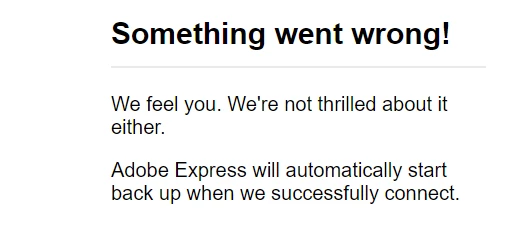
Adobe Express Not Opening

  • February 17, 2023
  • 4 replies
  • 7350 views

Error message states that " 

It has been like this for two days

This topic has been closed for replies.

4 replies

terril6617482
Participant
March 20, 2023

I use this daily and now even though I have paid can't log in on any device.

I want a refund this is ridiculous. 

Spent an hour with chat with no help telling me to post here.

Imaginerie
Community Expert
Community Expert
March 21, 2023

It would be helpful if you tell us what is your problem exactly...

Have you tried the troubleshooting page?
https://community.adobe.com/t5/adobe-express-discussions/faq-troubleshooting-adobe-creative-cloud-express-quick-actions/td-p/12594184

Participant
February 21, 2023

I have been getting this same issue since Friday 2/17. I use Chrome as well. 


tomr0b
Participant
February 26, 2023

I'm having the same issue - what's the fix for this? I really need access to Adobe Express!

Participant
February 26, 2023

Are you using an iPad? I was and couldn't save the project. I had recently set up an Eero Router system where you have to allow Adobe.  See post above.

Do you have Eero?

Participant
February 18, 2023

I have been having the same problem for the past three days. I am on a mac, using Chrome. I've never had a problem before. asbloom@comcast.net

Participant
February 18, 2023

I get this message as soon as I try to open the Express page on my browser. I actually had it already open in a tab and when I tried to refresh it, I got this message.

Participant
February 21, 2023
I had a secondary router in the house "EERO", and it was blocking. I went
into my EERO phone app and added it to allow Adobe. I'm not why it just
started doing this all of a sudden, but that is what I had to do.

Have a great day !!

That’s amazing, that’s worked, thank you so much, have saved my project. Had not given Eero a thought.
Melanie
Lyn_D
Inspiring
February 17, 2023

Hi @Jason28456885zb2c ,


Thank you for reaching out, and we're sorry you're having trouble accessing Adobe Express, as we know how frustrating it can sometimes be.

Could you please provide us with more information, e.g., from what device, model no of the device, app version, browser, etc.?


We're always here to help and looking forward to hearing from you.


Many Thanks,

~Lyn 🙂

Participant
February 17, 2023

Device name LAPTOP-8E89DH2V
Processor 11th Gen Intel(R) Core(TM) i5-1135G7 @ 2.40GHz 2.42 GHz
Installed RAM 12.0 GB (11.8 GB usable)
Device ID 30267223-55EC-4F3A-90E0-D5110CC702C7
Product ID 00356-02398-38635-AAOEM
System type 64-bit operating system, x64-based processor
Pen and touch Touch support with 10 touch points

Edition Windows 11 Home
Version 22H2
Installed on ‎10/‎25/‎2022
OS build 22621.1265
Serial number PF31TJ50
Experience Windows Feature Experience Pack 1000.22638.1000.0
Have a great day !!

Jason Ryan

 
Lyn_D
Inspiring
February 17, 2023

Hi @Jason28456885zb2c,


Thank you for sharing the information.

Could please please send me a video walkthrough of the problem?

The video is to understand better what is going on, e.g. at which point this error message appears etc.


You can share the video with me via DM.


I'm looking forward to hearing from you.


Many thanks,

~Lyn 🙂