
Question
Adobe express now working with Macbook After these Steps
Finally I have got the real hack, after Talking hours to Customer Service of Adobe, I Have got my Adobe Express working on Macbook.
Start by opening System Settings > Netowrk > Details (of your connected wifi )
On the left menu Click> DNS.
and please add the following addresses in the DNS Server, as per the picture.
start open Chrome > Go to Three dots on right corner > Click Settings > On the left at bottom click System >
Use hardware acceleration when available - toggle on if off, if already on, turn it of and relaunch.
Next thing you will have your Adobe Express Working.
Let me know how does it works for you guys on macbook.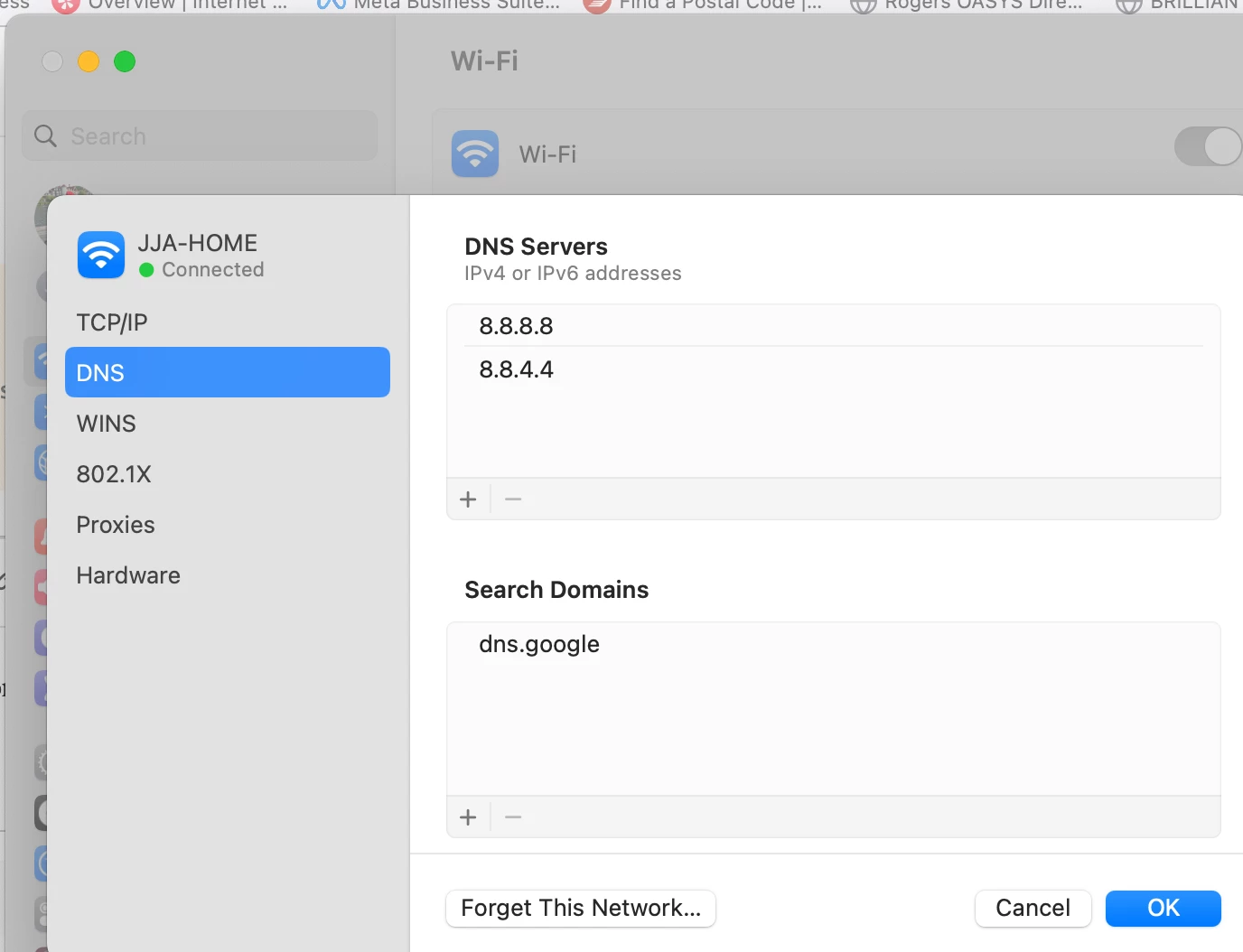
 AdChoices