Participating Frequently
May 24, 2023
Question

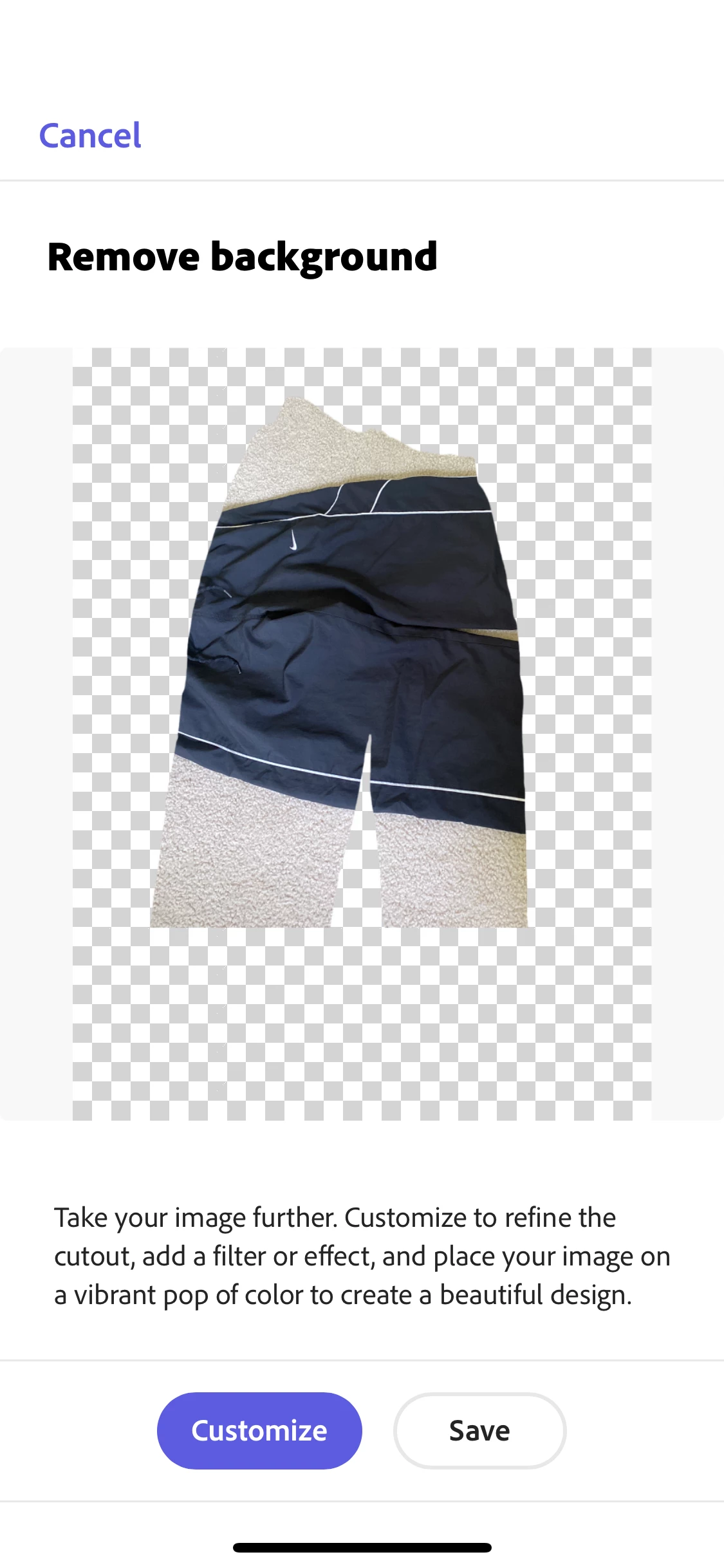
Background Removal Problem
  • May 24, 2023
  • 2 replies
  • 5990 views

For some reason, and I've never had trouble with this before, when I remove the background on an item that I took a picture of, the image basically inverts. I attached a picture of an example.

This topic has been closed for replies.

2 replies

Participant
June 2, 2023

thankssssss 

Çekmeköy Oto Çekici - Kurtarıcı
Amitej S
Community Manager
Community Manager
May 24, 2023

Hey @reid,

I tried to replicate this with a similar image, and it worked fine for me on Android and iOS devices. You can try restarting the device once to check if that makes any difference. Also, ensure the device OS and the Adobe Express application are updated to their latest version. 


Let us know how it goes.


Thanks,

Amitej

Participating Frequently
May 25, 2023

If you have any more suggestions, I'd really appreciate it. 

Lyn_D
Inspiring
June 9, 2023

For example, this is what my end product usually looks like after I've done all the editing and background removal:


Hi @reid30043172ma0k,


Thank you for sharing.

Please use the workaround for now by pre-taking all your images with your iPhone camera and saving them in your camera roll. Then, when you go into Adobe Express->  Under "Quick Actions", "Remove Background", choose "Photo Library" instead of "Take Photo". This should work as a temporary solution.


We will keep you updated.

Lyn