
BEGGING for Optimization
I have made a few posts over the years, always on the same vein it seems - optimization and user interface. It seems that especially with Adobe Express lately that these two things are being thrown by the wayside at random.
As a longtime member of the Adobe programs, I'm begging somebody on the Adobe team to please care. Are voices of actual graphic designers being considered or heard?
Why are we continuously adding clicks? Things that used to be easily accessed quickly while you worked are now behind two or three extra clicks for no apparent reason. Here are some examples that I've noticed (on the Desktop version), and hopefully some other members of the community can back me up or add to this:
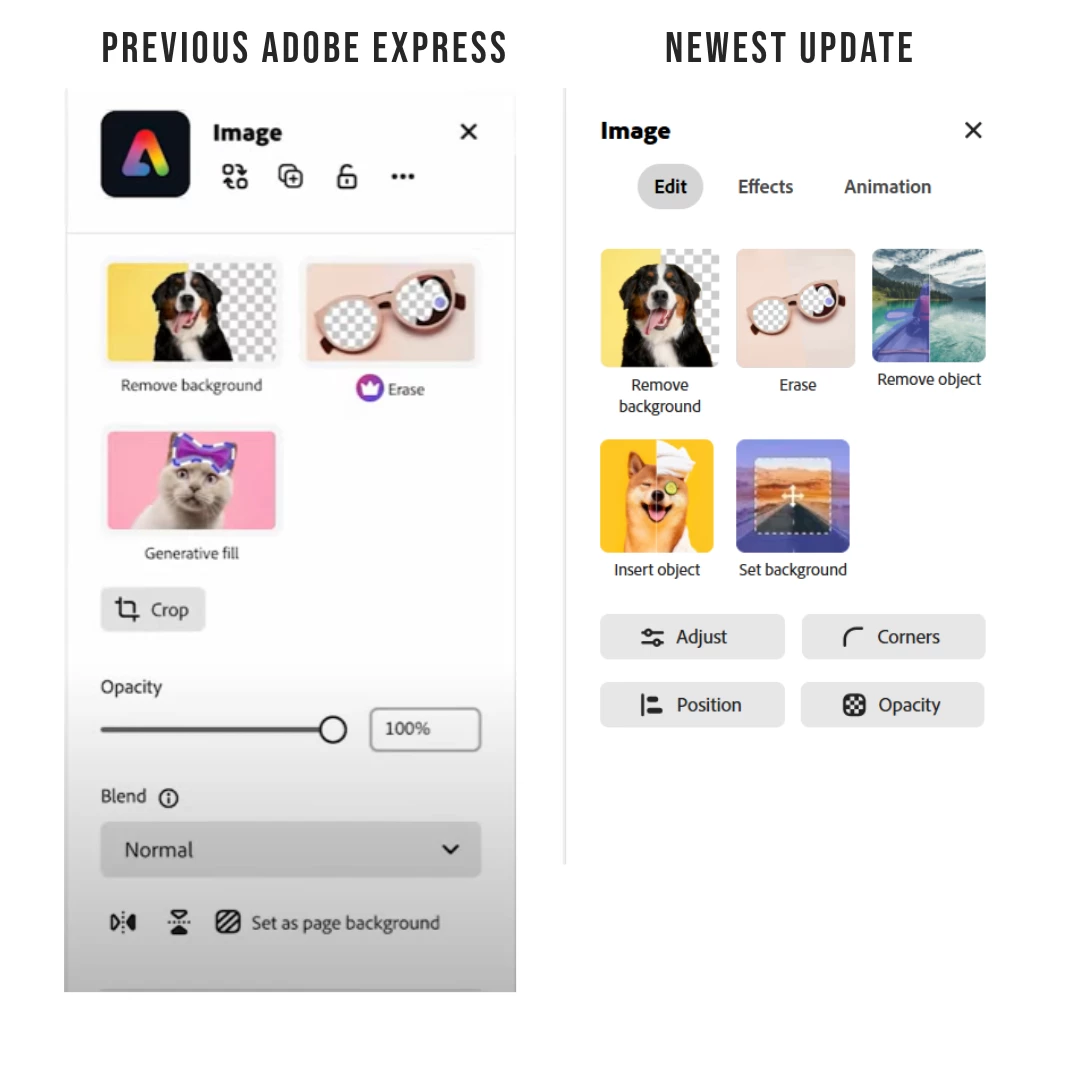
OPACITY SLIDER
- The opacity slider used to be available in the Image Menu in the left panel once you clicked on an image. Now you have to click "Opacity" first. Why?
ALIGN TOOL
- The align tool used to be located at the top of the screen, which was quick and efficient. It's now located in the left panel. This isn't as big of a change, however the align feature is used pretty frequently by most designers, and the top of the screen is often closer to what is being worked on than the left panel.
GROUP FEATURE
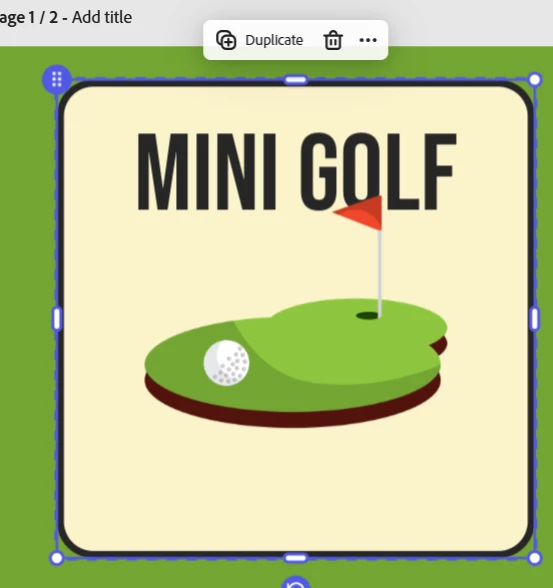
- I've mentioned this in another post, and am seeing it discussed by the community online and in the Discord. The new "group" function is abysmal. Group objects now act like non-grouped objects. Grouping something now means that I have to click on an object, and then click a second time on the "group" icon, or hover the dotted line to move them as a whole. Why the extra clicks?
- This means that to ungroup an object you now have to click on one of the grouped icons, and then click on the group icon, and then select ungroup.
TEXT TOOLS
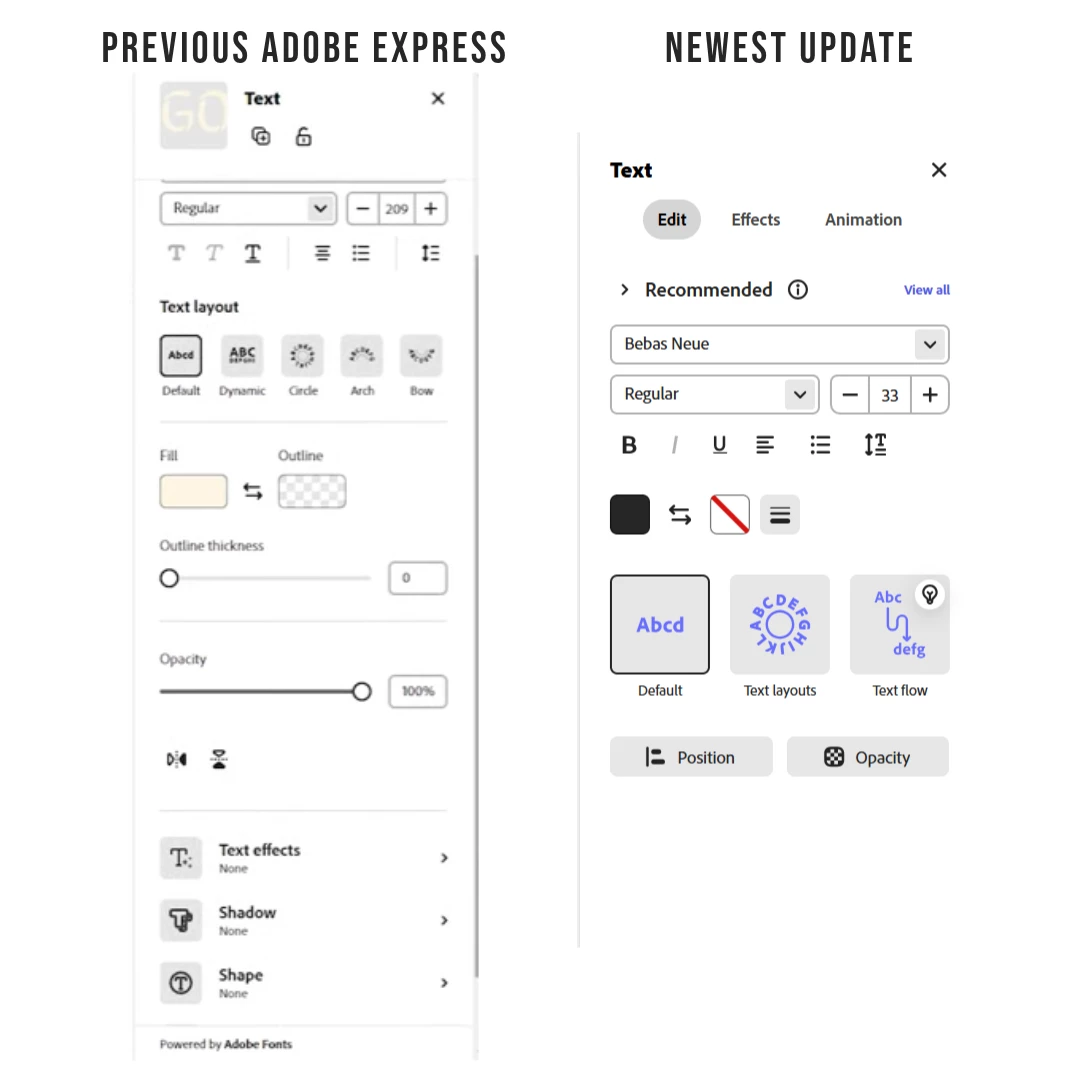
- The Text Panel on the left used to have most of the features accessible with one click. They are now all hidden behind different tabs. I ask the question: Why have a large white panel the size of the screen, only to not use it for accessible features?
- The Shadow / Shape / Text Effect tools now require you to open the Effects tab first. Which then means you have to click "View All" again, if you are looking for a specific shape, effect, or shadow.
SUMMARY
I know this seems like a long-winded rant over "one extra click", however - it's one extra click in every possible panel, place, and function. It's one extra click 500 times per project. It's one extra click that wasn't required in any previous iteration of adobe spark / express / express 2.0. As you can see, it's one extra click for groups, images, texts, shapes, ungrouping, effects. WHY?
I'm begging for somebody to care about this again. People want user-friendly interfaces. Designers need accessible tools quickly and efficiently. Nobody is asking for more panels and tabs, and ease of use should be top of mind for design interfaces.
Thank you for coming to my TED Talk.
 AdChoices