
RedaIzo
Inspiring
October 22, 2022
Answered

Can't add my Instagram account in Adobe Express schedule

  • October 22, 2022
  • 5 replies
  • 3314 views

Hello, 


I have tried everything. Switched insta account to business, added insta account in to META Center, my insta account is linked with a Facebook page. All is linked into META business suit. 


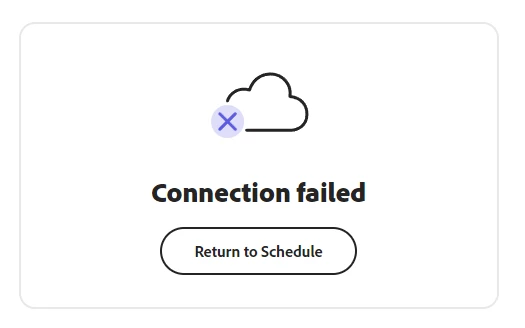
I keep getting this. In total, I've spent 1h30min, at least 54 attemps of connection, removing many times the business app integration, i did it, all into this troubleshoot, everything. It's beyond my tech-savvy skills now. I need assistance from the Adobe Team. 


What info can i provide?
 Thank you

R

This topic has been closed for replies.
Correct answer RedaIzo

I fixed it, had to make sure it was truly connected (insta account to facebook page to facebook business (owner of pages) 


Through this link, i had to log back in multiple times : https://business.facebook.com/settings/instagram-account-v2s 

5 replies

Participant
March 19, 2023

Hello. I am having trouble connecting my Instagram account which is not connected with my Facebook account. Is there any way around this? Thank you.

Lyn_D
Inspiring
March 20, 2023

Hi @Mehak28949877vid9,


Thank you for reaching out, and we're sorry you haven't been able to connect your Instagram account.

We have moved your post to this thread as it is about this, and we thought you might find this helpful.

Kindly follow the pinned steps above and let us know how it goes.


We're here to help and looking forward to hearing from you.


Many thanks,

Lyn 🙂

Participant
January 11, 2023

Hi, I am having the exact same problem.


Known Participant
January 11, 2023

Read my post above starting with "For stupid people like me..." and the post above it. That worked for me hopefully it’ll help you - CES

RedaIzo
RedaIzoAuthorCorrect answer
Inspiring
October 28, 2022

I fixed it, had to make sure it was truly connected (insta account to facebook page to facebook business (owner of pages) 


Through this link, i had to log back in multiple times : https://business.facebook.com/settings/instagram-account-v2s 

Known Participant
October 28, 2022

Unfortunately this isn't the correct answer for me!! I have FULL access STILL CAN'T CONNECT!!!!!!!!!!!!!!!

Lyn_D
Inspiring
October 28, 2022

Hi @evan.sante,


I've been able to connect to my Instagram fine, following the steps in the  Video .


Could you kindly try and follow the steps from our Helpx Page?

Also if possible could you send us a recording of the steps that you are taking?


Many Thanks,

~Lyn

Participant
October 24, 2022

I'm having the exact same problem. Tried everything just to use the scheduler to no success.

Lyn_D
Inspiring
October 24, 2022

Hi @poby72 


I'm sorry to hear you're also having difficulties, have a look at this Video and follow the steps this should resolve your issue. 🙂


~Best Lyn

Known Participant
October 25, 2022

I'm having the same issue.   My page was created MORE then a week ago - CES

Lyn_D
Inspiring
October 24, 2022

Hi @RedaIzo,


Thank you for reaching out.

The Page you created on Facebook has to be at least one week old for the scheduler to function.

Can you kindly confirm that the page is at least one week old before you tried connecting?


Thanks,

~Lyn

RedaIzo
RedaIzoAuthor
Inspiring
October 24, 2022

Hello indeed my instag page, and facebook are 8 years old.

Lyn_D
Inspiring
October 24, 2022

Hi @RedaIzo,


Can you please confirm if you're talking about your Instagram account in general or your Facebook Page?


Thanks,

~Lyn