Participant
January 26, 2025
Answered

Curved Text shape

  • January 26, 2025
  • 1 reply
  • 510 views

Hi,  does anybody know if there is a way to curve the edges when using the background text option? I want the coloured background shape to follow the text to look like many of the captions on TikTok, with rounded edges. There are many options to choose a shape behind your lettering in Express, but the ones in this style all have square edges and I don't see an option to round them. Am I missing something?!


Thank you!

 

Correct answer Glenn 8675309

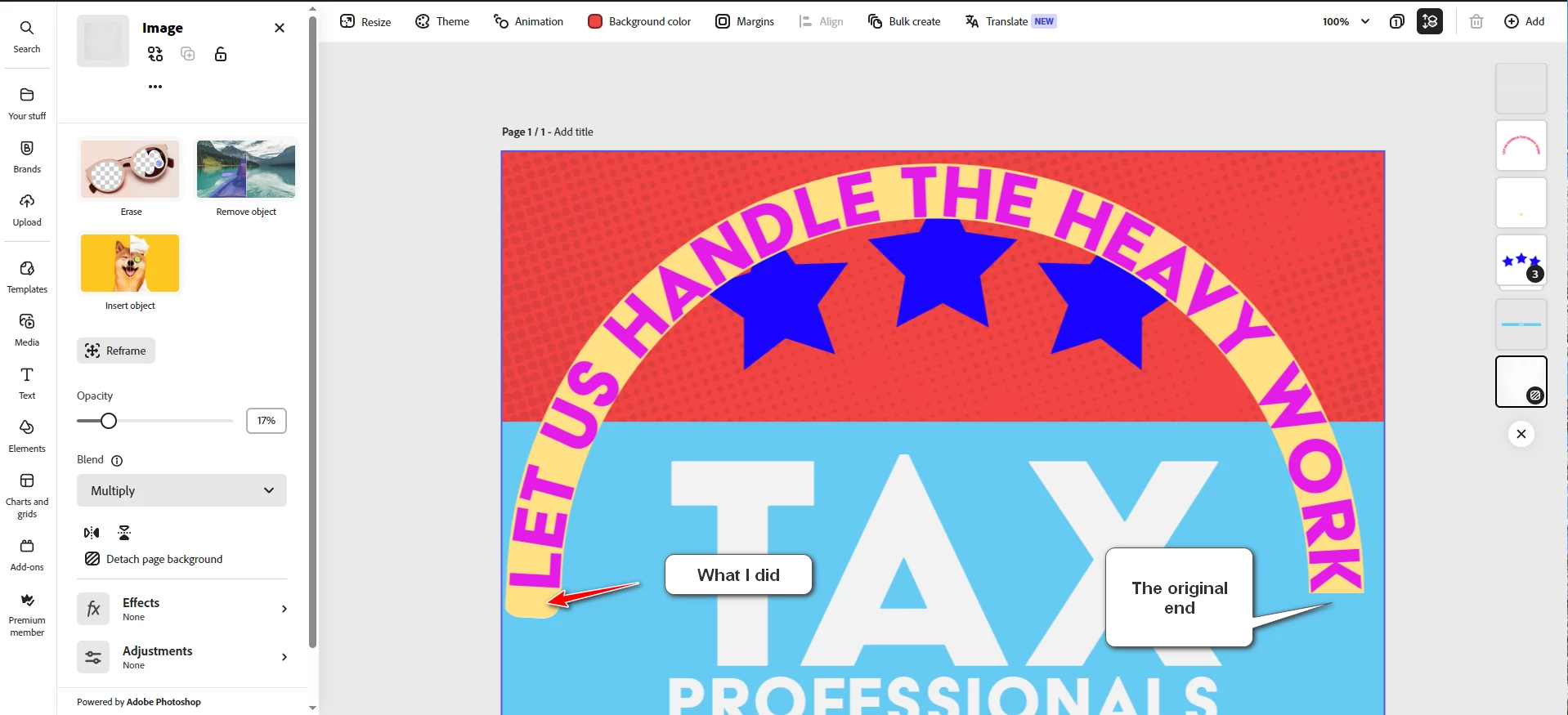
No you are not missing anything.  Please remember that AE is template and shape driven first, with only basic editing of actual shapes.    I did it, created the rounded corners, and matched the color using Photoshop Elements.   Total time: maybe two minutes.

I created the shape in PSE, matched the color, saved it, then uploaded to AE. 
In AE I resized, and positioned the shape. 

It's a clunky methed but it works.

Any number of free tools online can create rounded corners on text boxes. 


1 reply

Glenn 8675309
Glenn 8675309Correct answer
Legend
January 26, 2025

No you are not missing anything.  Please remember that AE is template and shape driven first, with only basic editing of actual shapes.    I did it, created the rounded corners, and matched the color using Photoshop Elements.   Total time: maybe two minutes.

I created the shape in PSE, matched the color, saved it, then uploaded to AE. 
In AE I resized, and positioned the shape. 

It's a clunky methed but it works.

Any number of free tools online can create rounded corners on text boxes. 


Jason DynAuthor
Participant
January 28, 2025

Yep, that is a lot of extra and unnecessary work - looks like I'll be sticking to Canva!


Thank you for taking the time to give a comprehensive response.

Glenn 8675309
Legend
January 28, 2025

I just gave it a try in canva- super easy, and very intuitive.