

Participant
October 19, 2023
Answered

enable hardware acceleration

  • October 19, 2023
  • 4 replies
  • 3636 views
When I am recording, I don't hear my voice and it says I have to enable hardware acceleration. How do I do that?

This topic has been closed for replies.
Correct answer thejanebradbury

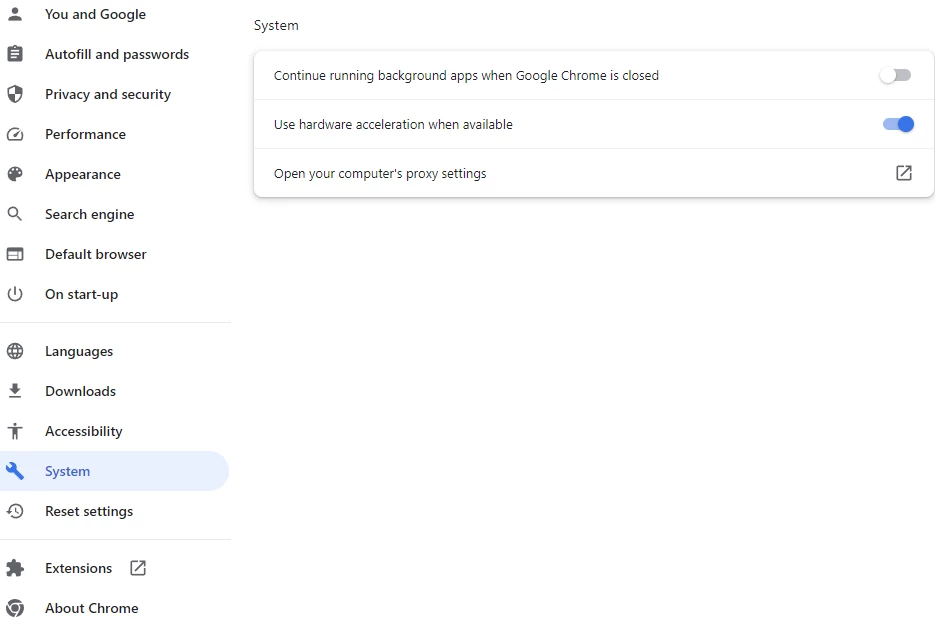
Hardware acceleration is found in the Settings of your browser. In Chrome it's under Settings > System


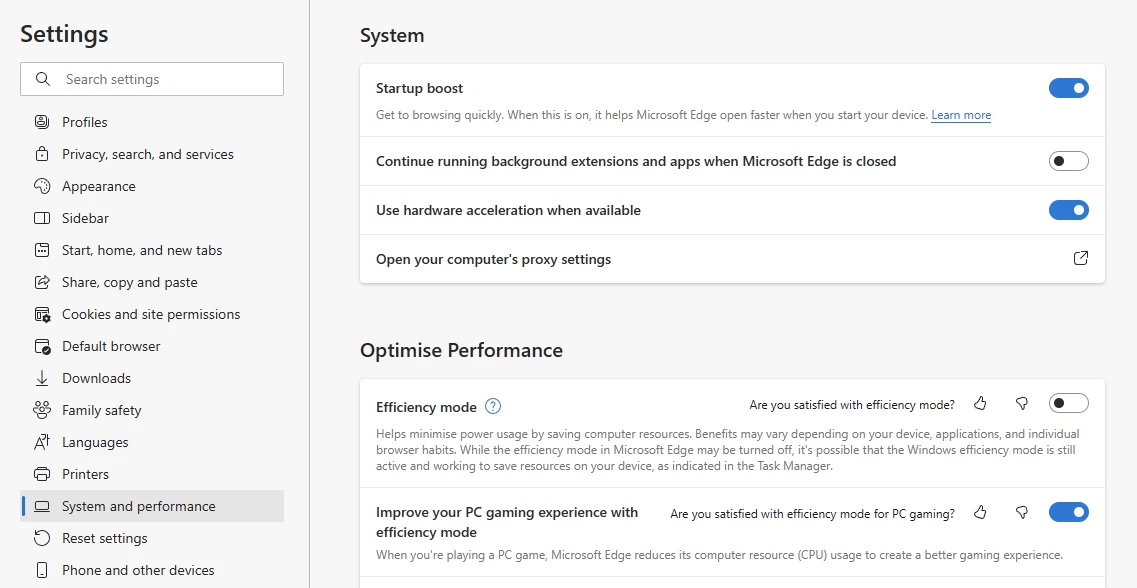
In Microsoft Edge it's under Settings > System & Performance


4 replies

Participant
November 30, 2024

What abouot in Safari?

Participant
October 10, 2024
  • Excellente Nuevo metodo de mensajes electrónicos. 
    Estoy interesado en re activar mi cuenta de Adobe swet.

  • Tengo 2 nietos
  • Quiro educarlos en ( Gráficas ). Motion, y a mi dedad, quiero dejarle mi conocimiento en "Story board " para "Motion Capture " y Cinema.
  • Le pido qué activen mi cuenta de adobe suite.  

[Edited by moderator to remove personal information]

Educación.
thejanebradbury
Community Expert
Community Expert
October 11, 2024

Hello @GHWillis I am removing your personal information from this post. If you would like to explore Adobe products please visit https://www.adobe.com/ to find a subscription that suits you. 

Participant
October 10, 2024

Hello, 


I've disabled, relaunched, enabled, relaunched, but I'm still having issues with Chrome and Adobe being "choppy".


Any suggestions?


Thanks. 

thejanebradbury
Community Expert
thejanebradburyCommunity ExpertCorrect answer
Community Expert
October 20, 2023

Hardware acceleration is found in the Settings of your browser. In Chrome it's under Settings > System


In Microsoft Edge it's under Settings > System & Performance


Participant
February 17, 2024

Thank you so much!

thejanebradbury
Community Expert
Community Expert
February 18, 2024

You're very welcome!