


Amitej S
Community Manager
Community Manager
April 8, 2025
Answered

FIXED -❗Adobe Express outage - 'You're offline' error ❗April 8th, 2025

  • April 8, 2025
  • 43 replies
  • 3577 views

Hi Everyone!!

Adobe Express experienced an outage, and the app stuck on "Getting everything ready for you," with a message displaying "You're offline."
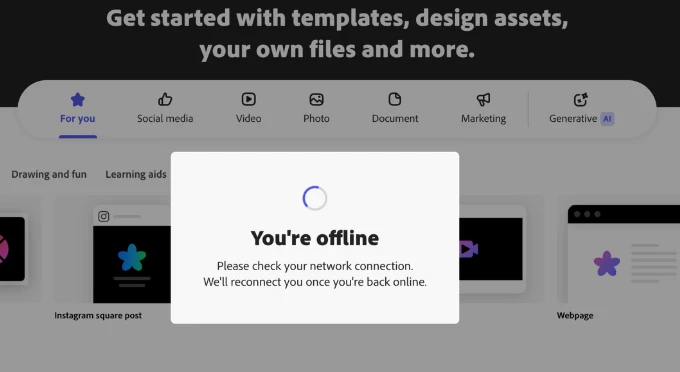


Our team worked on fixing the issue. If you're still experiencing it, let us know.


We apologize for the frustration and thank you for your patience.

Correct answer Abhi.G @ ADBE

@rachael_3007 @Grace Presbyt36105630rs4j 


We are actively investigating this issue. Thanks for your patience.


Abhi G

43 replies

Participant
April 8, 2025

Nobody wants to do all the techical crap to fix this error.  Just make a product that works as well as Canva. 

Participant
April 8, 2025

This happens to me constantly ever since I started using this platform about 6-9 months ago. I regularly have to close the app and restart. I have stopped using the desktop app becuase it does this constantly. Chrome was working better, but now I am having the same issue on Chrome as well. Came on here today, becuase I literally can't do anything on any project on Chrome or the desktop app without it telling me "You're Offline. Please check your network connection. We'll reconnect you once you're back online." My internet connection is perfectly fine, no other applications are having any difficulties. The error message is not going away, I have to close the app and restart. Then as soon as I make a single change to a project it happens again. There is clearly some kind of issue with the application and its ability to connect to the internet properly

Participant
April 8, 2025

I'm working in a macbook pro, in Firefox and 3 days ago I start the premium personal service. But It's failing a lot of times. 


First time, it happens when I use only one page to edit animations, texts, objects and videos in 1 scene. I thought that was the problem. But now I create a new project editing one scene per page but the problem continues.


It's impossible to work because every change generate this failure.