Participant
October 15, 2022
Answered

How do I combine projects in Adobe Express?

  • October 15, 2022
  • 3 replies
  • 7166 views

We are creating slide presentation and have two different sets of images, or two different projects as Express calls them, and would like to combine the two. How can we do this?

Correct answer Eseckiel30145960funt

Wow i take minute on this one, could believe the option din't exist.

-on your the project you want to importe click on the file icon at the left while your project is open you will see the lsit of your projet

-left click on the project  you want to import

-click add as a page 

-you will a litle arrow on the right to switch in the new page 
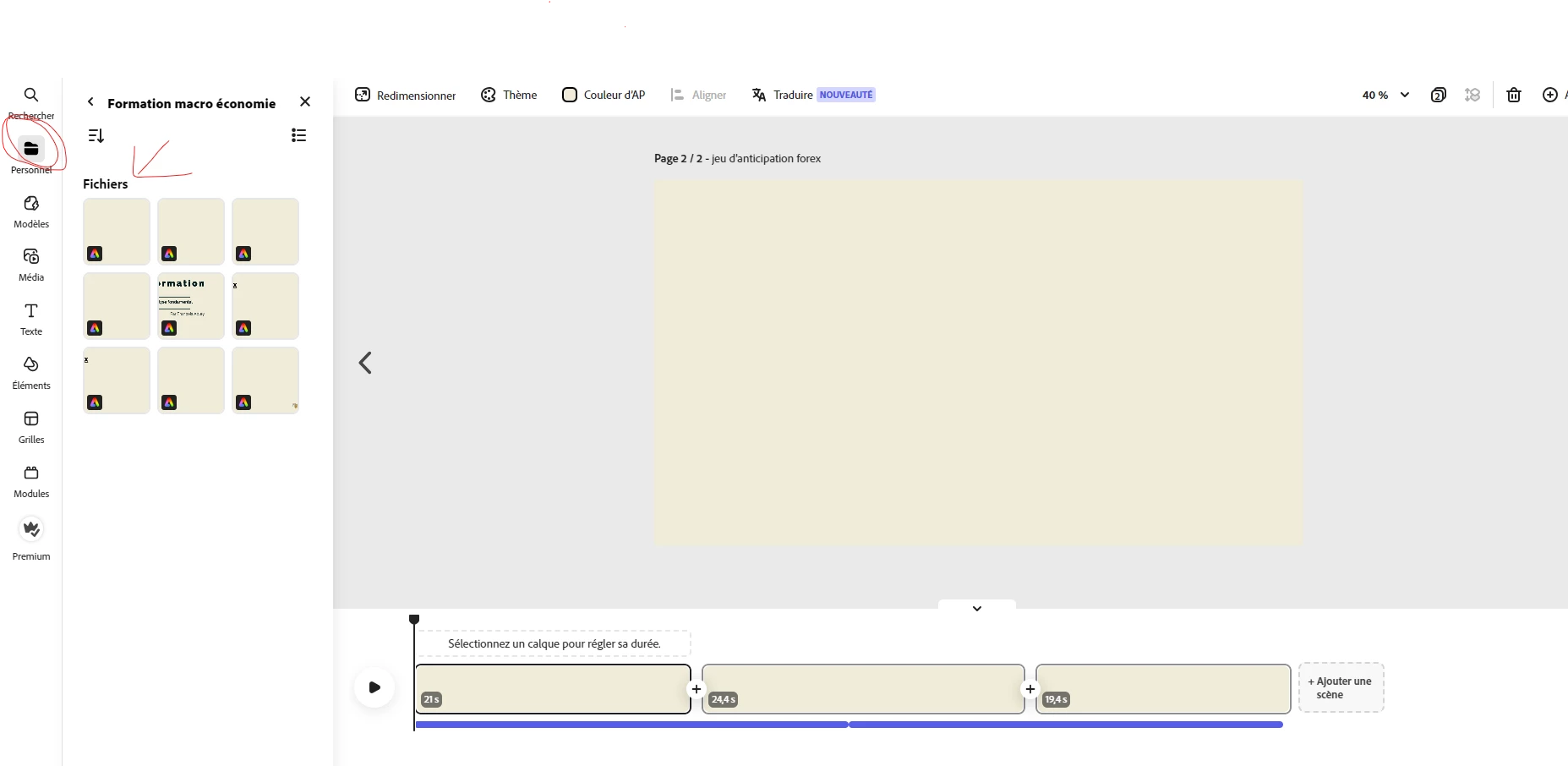
 

-

3 replies

Participant
February 28, 2025

Simply click and drag your files from "your stuff" onto your open project and save as new page 👌

Eseckiel30145960funtCorrect answer
Participant
February 8, 2024

Wow i take minute on this one, could believe the option din't exist.

-on your the project you want to importe click on the file icon at the left while your project is open you will see the lsit of your projet

-left click on the project  you want to import

-click add as a page 

-you will a litle arrow on the right to switch in the new page 


-

Participant
September 4, 2024

This helped. Thank you.

Myra Ferguson
Community Expert
Community Expert
October 15, 2022

At the top, select Download to create an MP4 of your slides and save to your hard drive. Repeat for the other slide presentation. Then go back to Adobe Express, click on the "+," and under Quick Actions, select Merge videos. Either drag and drop your downloaded slide presentations that are now MP4s to the window that appears or click Browse on your device to navigate to them. Merge videos will combine them into one video.

Participant
October 15, 2022

Thank you, Maya.


My apologies for not being more specific. We would like to keep the two project in Adobe Express to work on graphics, etc. So my question should have been, how do I merge two Express projects into one Express project. 

Participant
September 10, 2023

In one project, click on "Your Stuff". This will show all of your projects. Select the second Express file you want to merge, and that will give you the option to either add the entire project as a single image or as a page. Choose whichever one best fits your needs.