
Answered
Issue with Simultaneous Playback of Voiceover and Music in Adobe Express
Issue: When adding a voiceover file to a video in Adobe Express, the voiceover appears to displace the background music instead of playing simultaneously with it.
Details:
- Current Behavior: When the voiceover file (uploaded from device) is added, the music track seems to be displaced or does not play simultaneously with the voiceover.
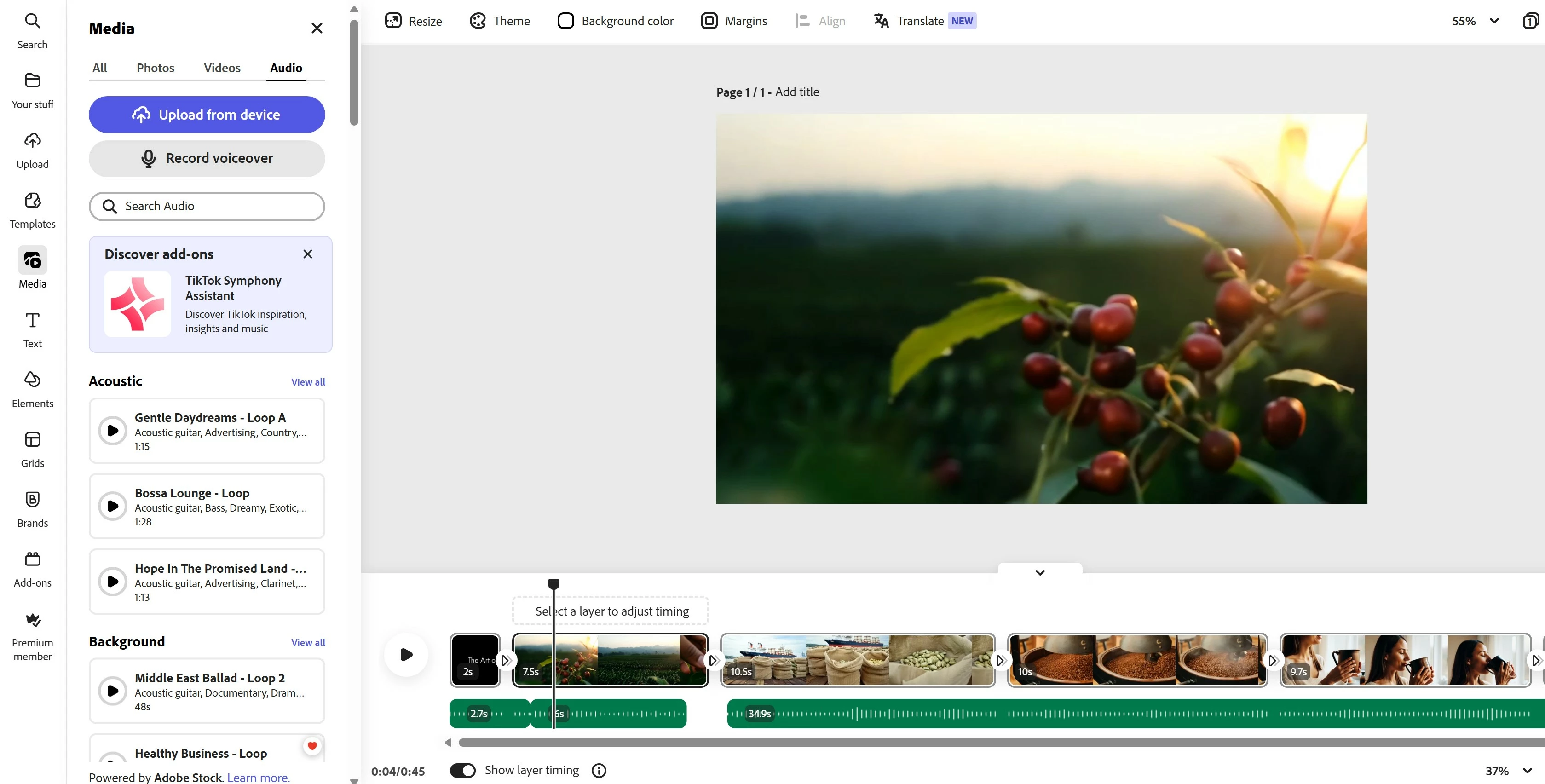
- Playback: The video playback shows music, followed by voiceover, then music again, instead of playing the voiceover and music together throughout the scene.
- Audio Tracks: Adobe Express shows only one audio row, and adding a voiceover file seems to interfere with the existing music track.
- Voiceover Method: The voiceover was uploaded as a file (using the "Upload From Device" option) rather than recorded directly within Adobe Express.
- Volume Adjustments: Adjusted the volume levels for both the voiceover and music tracks, but still encountering issues with simultaneous playback.
Goal: Ensure that both the voiceover file and background music play simultaneously in the video, with clear and balanced audio levels.
Steps Taken:
- Imported music and voiceover file.
- Attempted to align and adjust tracks within Adobe Express.
- Adjusted volume levels for voiceover and music.
- Noticed issues with overlapping audio and volume levels.
Desired Outcome: Properly overlap and play both the voiceover and music tracks simultaneously, with appropriate audio levels for clear and balanced playback.
 AdChoices