
Participant
April 16, 2025
Answered

Let users share multi-page Adobe Express projects as multi-image social media posts

  • April 16, 2025
  • 2 replies
  • 861 views

Right now, Adobe Express only publishes the first page of a multi-page project when scheduling to social platforms.

I’d love to be able to share all pages (like a carousel or multi-image post) directly from within Adobe Express. That way, creators don’t need to manually export each page and re-upload them elsewhere.

It would be a huge time-saver if we could:

  • Select which pages to include in a scheduled post

  • Export multiple pages at once as separate image files (PNG or JPG)

  • Schedule multi-image posts across platforms (especially Instagram, Facebook, Pinterest, etc.)

This would help people using Adobe Express for content calendars and batch social media design.
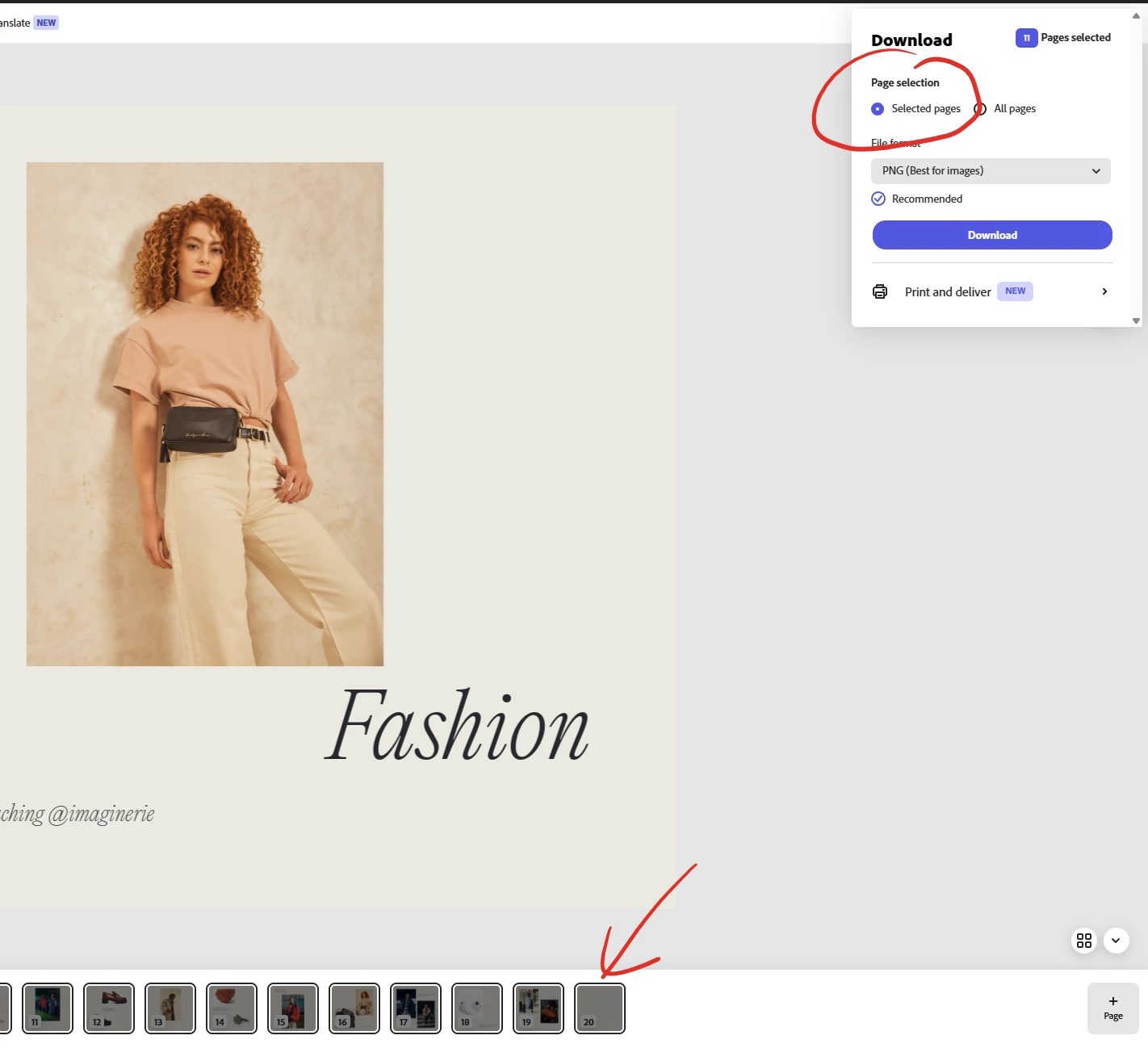
Correct answer Imaginerie

Also, regarding exporting multiple pages. You can, just shift select, and choose "download", then tick "selected pages" there
They will come as a .zip file, containing all the exports


2 replies

Imaginerie
Community Expert
ImaginerieCommunity ExpertCorrect answer
Community Expert
April 17, 2025

Also, regarding exporting multiple pages. You can, just shift select, and choose "download", then tick "selected pages" there
They will come as a .zip file, containing all the exports


Imaginerie
Community Expert
Community Expert
April 17, 2025

Hi!
I routinely publish many pages within a post (although it's still limited to 10 for instagram, I haven't checked for the others)
I have done it for Facebook, Instagram and Linkedin, and occasionnaly for Pinterest.

You can select the images to include in a post by simply shift click in the pages thumbnails in the project creation page:
See here I have a project with a lot of different pages, but I am only choosing a few of them to be scheduled.


See the result in the scheduler


You can even mix video and static, but only for Instagram (that I'm aware of, I don't use X, so maybe it's possible there)


Let me know if that makes sense!

HarpsyAuthor
Participant
April 17, 2025

Well, I’m slightly embarrassed I didn’t even think of that.  🫣


THANK YOU so much for taking the time to reply and include the screenshots—it worked like a charm once I tried it! I genuinely had no idea you could shift-click and schedule multiple pages from inside the project editor. (Although, honestly, common sense should have told me to try this.🤦‍♀️)


Anyway, I really appreciate the help—thanks, again!

Imaginerie
Community Expert
Community Expert
April 18, 2025

You're very welcome! And no need to be embarrassed! You (and I and all the people) can't know everything. That's why the forum exists 🙂