

PDF Printing with opacity layers visible
Hello forum,
I have an issue with a design I've created.
I used adobe express ai to create a style that looks like Great Gatsby, all fine and dandy, very happy with the design, it looks perfect on the screen.
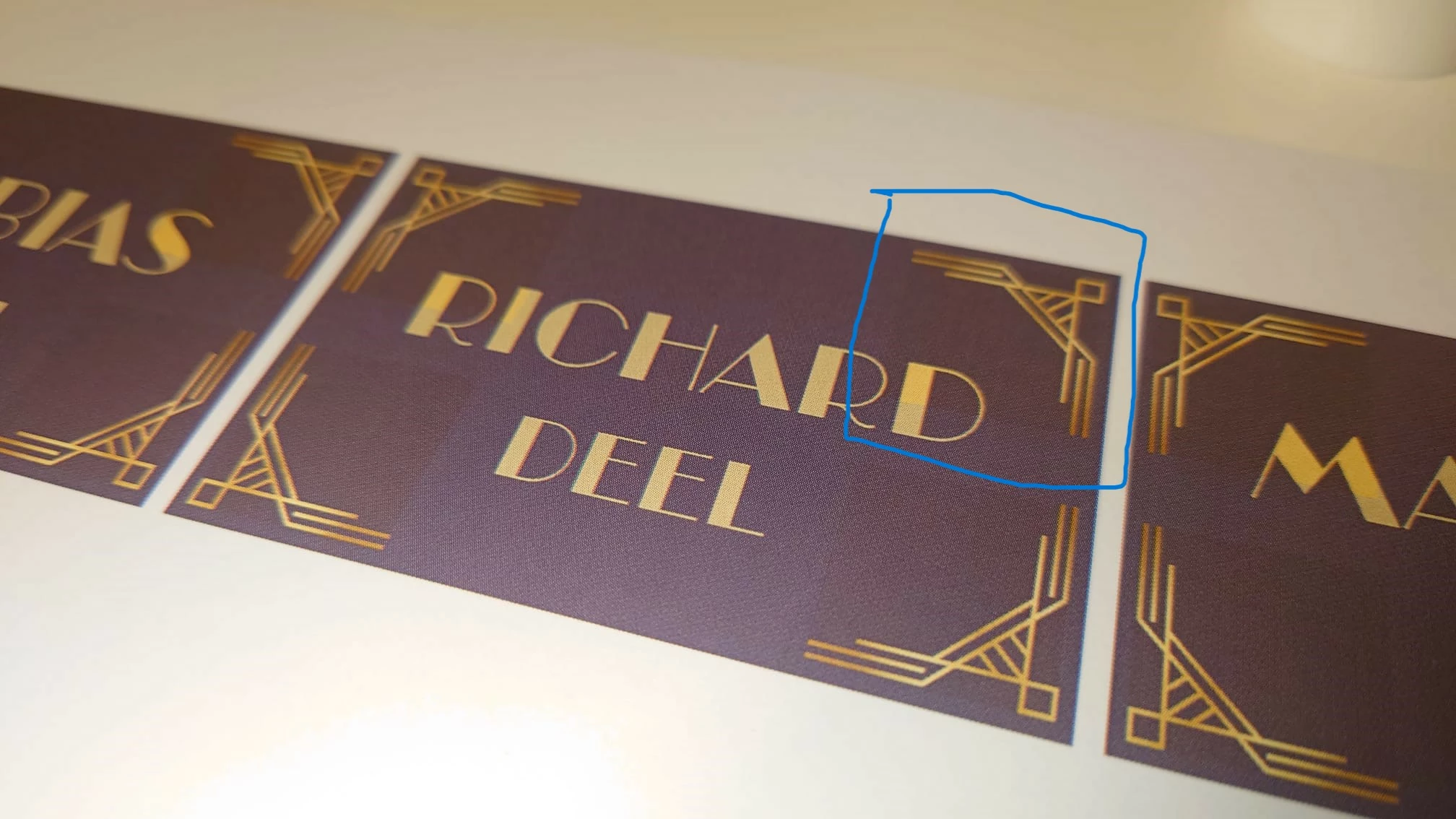
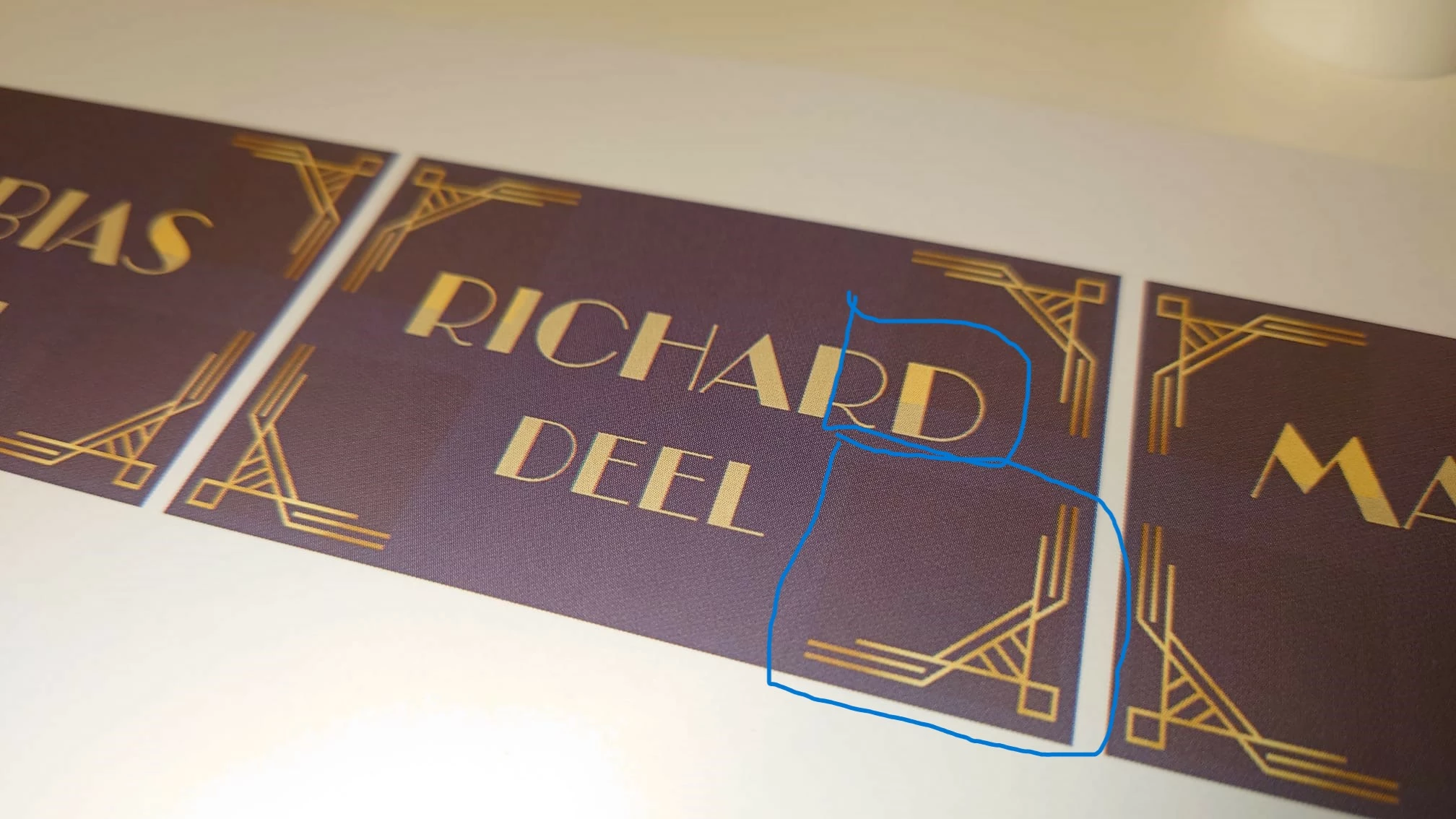
However, printing a downloaded pdf reveals some sort of opacity layer that should be flattened before printing. This creates an unwanted effect on the print where there are colour differences visible. Both the background colour and the text is affected. See attached picture.
Following the lines to me it is obvious that they are somehow connected to the graphical elements present in this design, and I may very well have made an error in creating the file. But to try and blame it on printer error isn't going to work since the pngs print fine. The error is somewhere in the file..
I've tried both the pdf export options. I've tried exporting as single file. I've tried exporting all pages as one pdf. All show the same problem.
It does work to save as a PNG and then print.
I'm just a really curious type and want to know why it doesn't work.
I've been on a chat with support, and they weren't able to figure it out. Suggestions was to download a pdf- open in chrome- print as a pdf- open acrobat - print as a pdf. It didn't solve it, the problem was still there.
Thanks in advance, Adobe you're welcome to contact me if you need more info.
I'm on adobe CC all programs 100 gb, file created online, printer is a nashuatec imc2000.

 AdChoices