


- Home
- Adobe XD
- Discussions
- 1px strokes sometimes becomes 2px thick
- 1px strokes sometimes becomes 2px thick

Copy link to clipboard
Copied
Hi,
I have a problem with stroke widths. Even though they're set to be 1px thick they sometimes become 2px thick wide - visually.
Please see this screen capture:
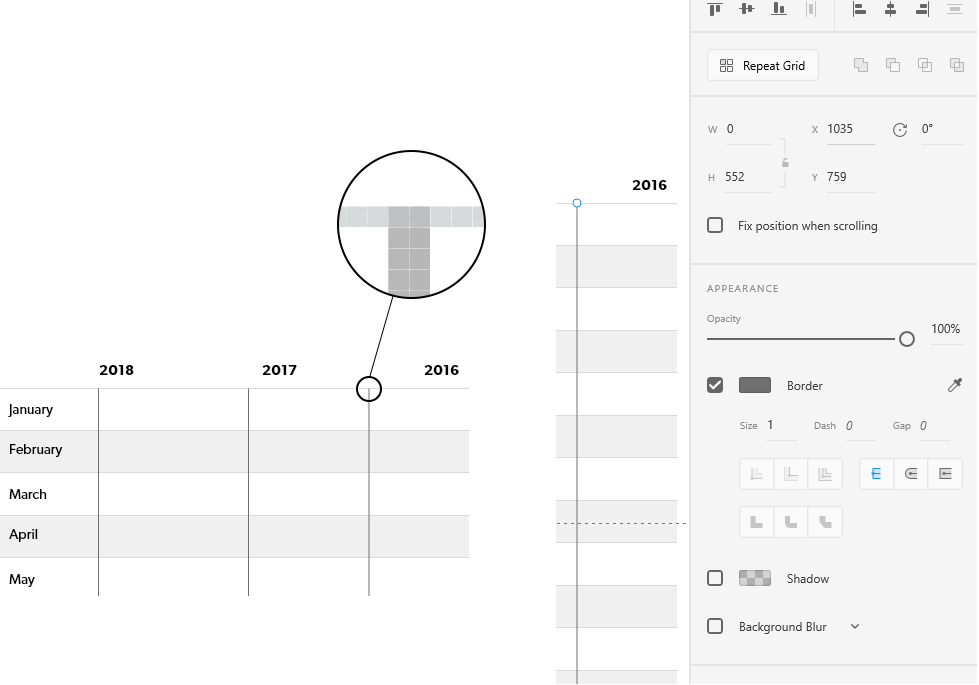
Maybe it has something to do with half pixels. Is there a way to turn them off?
Anyone else experiencing this issue? I'm looking for solutions!
I am using the latest version of Adobe XD on Windows 10.
Thanks!
Regards,
Daniel


 1 Correct answer


Make sure your line is aligned to the pixel grid. Select your line and use the Object->Align to Pixel Grid menu option.

 6
Replies
6
6
Replies
6

Copy link to clipboard
Copied
Make sure your line is aligned to the pixel grid. Select your line and use the Object->Align to Pixel Grid menu option.
Copy link to clipboard
Copied
Thank you! Will there be a way to always align objects to the pixel grid eventually?
Copy link to clipboard
Copied
When drawing lines they should always be pixel snapped. e.g. In your case with 1px stroke it would default to be on the 1/2 pixel so that 1/2 + 1/2 (the stroke on either side of the line) is nicely pixel aligned.
Perhaps you nudged the line somehow to a whole pixel or perhaps snapped to some other object when drawing inadvertently ?
Copy link to clipboard
Copied
Thank you for your reply.
This happens quite a lot actually, that I get the double pixled strokes. It's not while nudging but while they are drawn. I always shift+drag my lines to get straight lines but perhaps it happens more likely while I draw them between my grids.
Actually, I did some tests now and it always happen when I start dragging a stroke from my grids. Just to be sure I created a new blank artboard and the same thing happened.
In this screencapture you can see that the lines get blurred when they start from the grids but not in between.
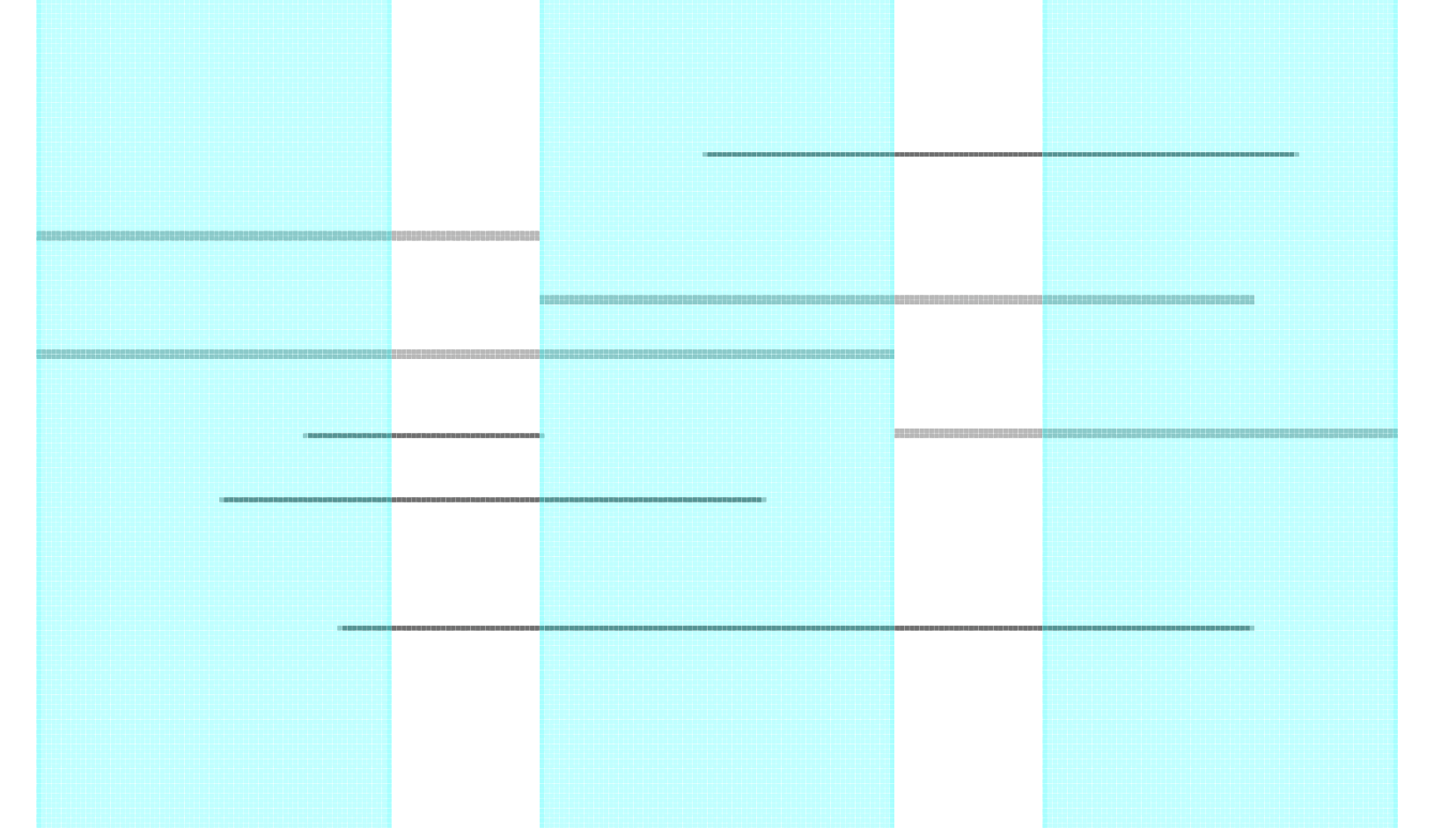
The Layout grid is not aligned to the pixel grid, why?
Copy link to clipboard
Copied
Thanks, it seems that this experience could be improved. Will file an internal issue regardless so that someone takes a look.
Copy link to clipboard
Copied
I appreciate that!


Get ready! An upgraded Adobe Community experience is coming in January.
Learn more
 AdChoices