



Adobe XD 30.0 is now live! See What’s New in the update.
Hi all,
Design, Prototyping, Collaboration - everything's simpler now with the features in the latest XD update. Here's a quick summary of what to expect when you update to XD 30.0. You can download and install the update from the CC desktop application or download it using this link.
With Stacks, resizing layouts and content got a whole lot easier!
Stacks take the idea of fixed padding forward by extending that to object groups. The distance between objects in a stack is maintained even when you resize, reorder, move, or insert objects.
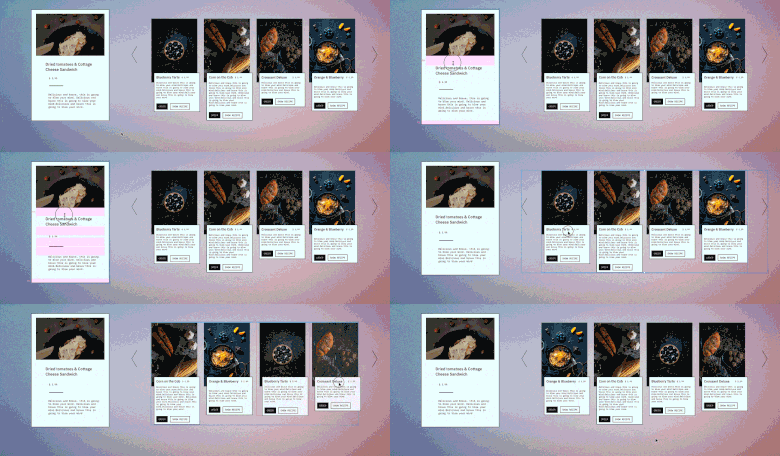
In Stacks, you select an object group and convert that to a Stack in the Property Panel.The bottom layer of the group is automatically chosen as the background layer.
Stacks save you precious time that would be involved in manually adjusting spaces when resizing or reordering objects. Combine that with the power of nested groups and components, and the possiblities start piling up.
For more information on stacks, see https:/helpx.adobe.com/xd/help/create-dynamic-designs-with-stacks.html
Horizontal, Vertical, and Multi-directional scroll
Scroll groups go above and beyond what you could previously achieve with scrolling in XD. With Scroll groups you can create scroll groupings within an artboard that scroll independent of each other.
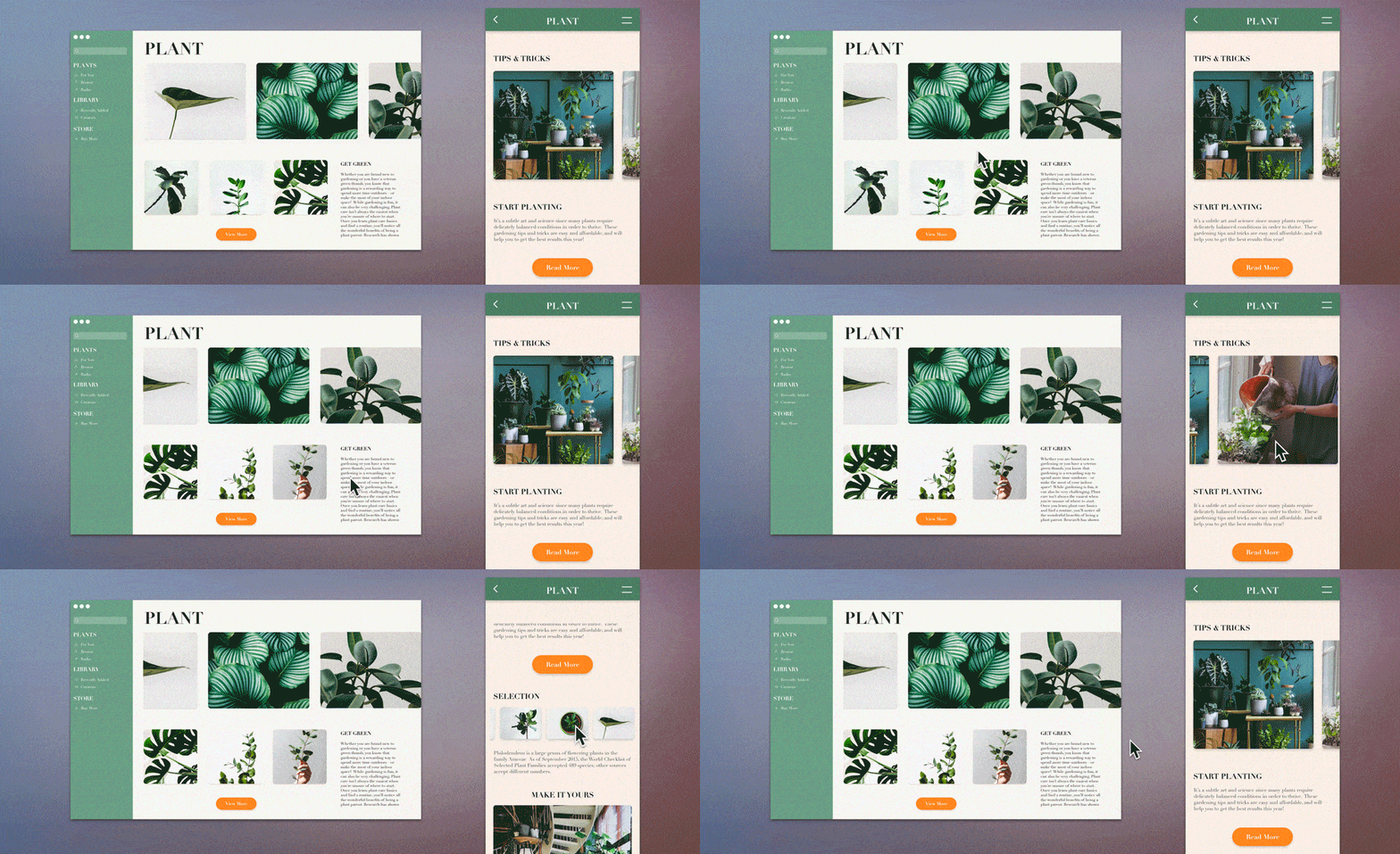
Going further, you can now create scroll groups that scroll vertically, horizontally, and in both directions! Whether you are planning to create a carousel, a scrollable menu, or simulate a GPS application, things got a whole lot simpler!
For more information on using scroll groups, see https://helpx.adobe.com/xd/help/create-scroll-groups.html
Design Tokens - Customize names of Colors and Character Styles
Always dreamt of using of real-world names like “Adobe Red” or “Adobe Heading 1” for colors and character styles in your design? Custom color names and character styles,or Design Tokens, as they are referred to in XD, help you take that leap.
As a designer, design tokens make it simple for you and your developers to reference colors and character styles by real world names instead of Hex Codes and default names. It also means that you and your collaborators have to arrive at a consensus on the nomenclature.
And yes, the customized names are also available to your developers from the shared design specs.
For more information, see https://helpx.adobe.com/xd/help/create-design-tokens-in-XD.html
Allow resharing of shared links
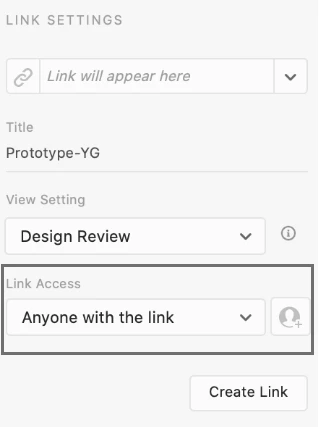
The sharing workflow got even more flexible. You can now allow anyone with the link to access and review your document. This way, reviewers with whom you have shared the link can pass on the link to other reviewers. All that you have to do is set Link Access to Anyone with the link as shown in the image below.
For more information, see https://helpx.adobe.com/xd/help/share-designs-prototypes.html#link-access
Thanks,
Preran
 AdChoices