


- Home
- Adobe XD
- Discussions
- Re: Certain buttons not working once shared on the...
- Re: Certain buttons not working once shared on the...
Certain buttons not working once shared on the App

Copy link to clipboard
Copied
Hi!
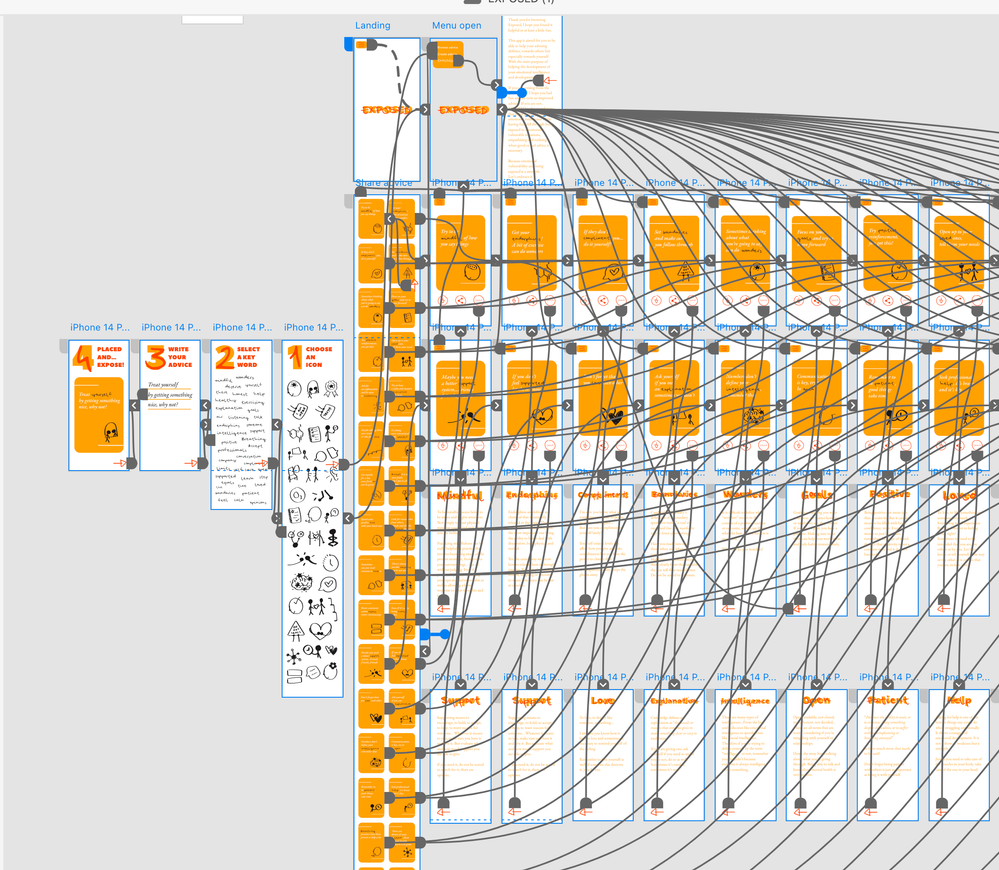
It's my first time using XD and I have created a prototype for an app.
Everything works correctly when I view it and click all the buttons on my computer both on the app and on my browser but when I share it to others and use it on my phone, the back arrows work inconsistently or dissapear. This is especially on the "create advice" pages.
I have checked that all the components are linked correctly and everything looks fine on the file.
Is there anything that could be done to fix this?
Thank you so much,
Goya
https://xd.adobe.com/view/290efce1-460b-48ec-9147-76034fb86be7-7c5d/


 6
Replies
6
6
Replies
6


Copy link to clipboard
Copied
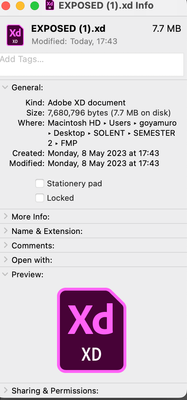
How much is the file size of your project?
Copy link to clipboard
Copied
How could I see it?
Thank you!
Copy link to clipboard
Copied
Save yout file local and check filesize. May be that can be a reason but not sure.
Copy link to clipboard
Copied
Copy link to clipboard
Copied
Size looks small.
May be it depends what browsers your clients using for viewing your project?. I can see your back arrow and it function correctly. I am using Microsoft Edge on Win 11

Copy link to clipboard
Copied
Thank you so much for your help Ares I really appreciate it!
Yes the back arrow seems to dissapear for some people on the second or third step.
Not sure what it is either but yes it might have to do with the device or browser... no idea.
Thank you again


Get ready! An upgraded Adobe Community experience is coming in January.
Learn more
 AdChoices