


Participant
July 15, 2020
해결됨

Change the language for text fields in Adobe XD for use correct table from otf.

  • July 15, 2020
  • 1 답변
  • 947 조회

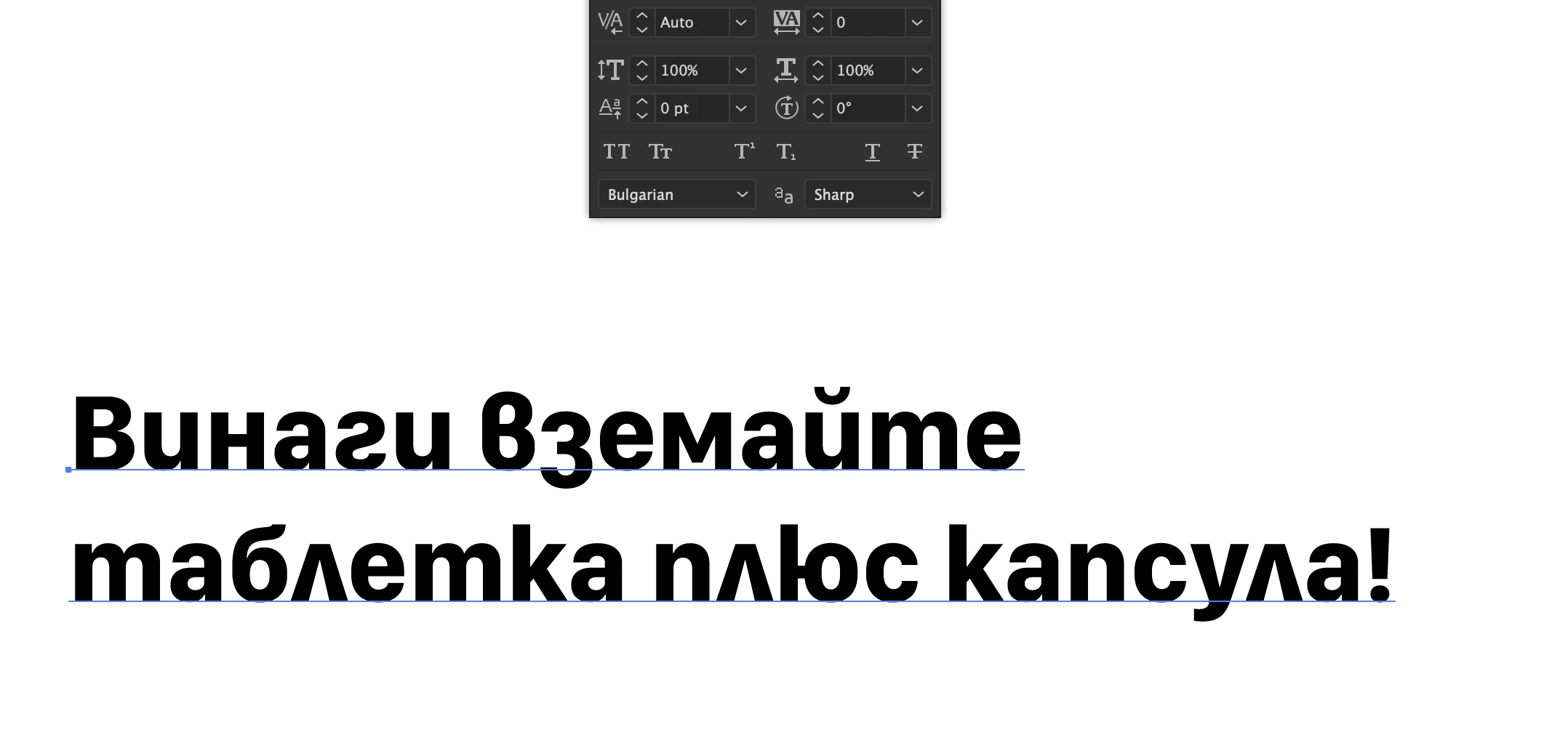
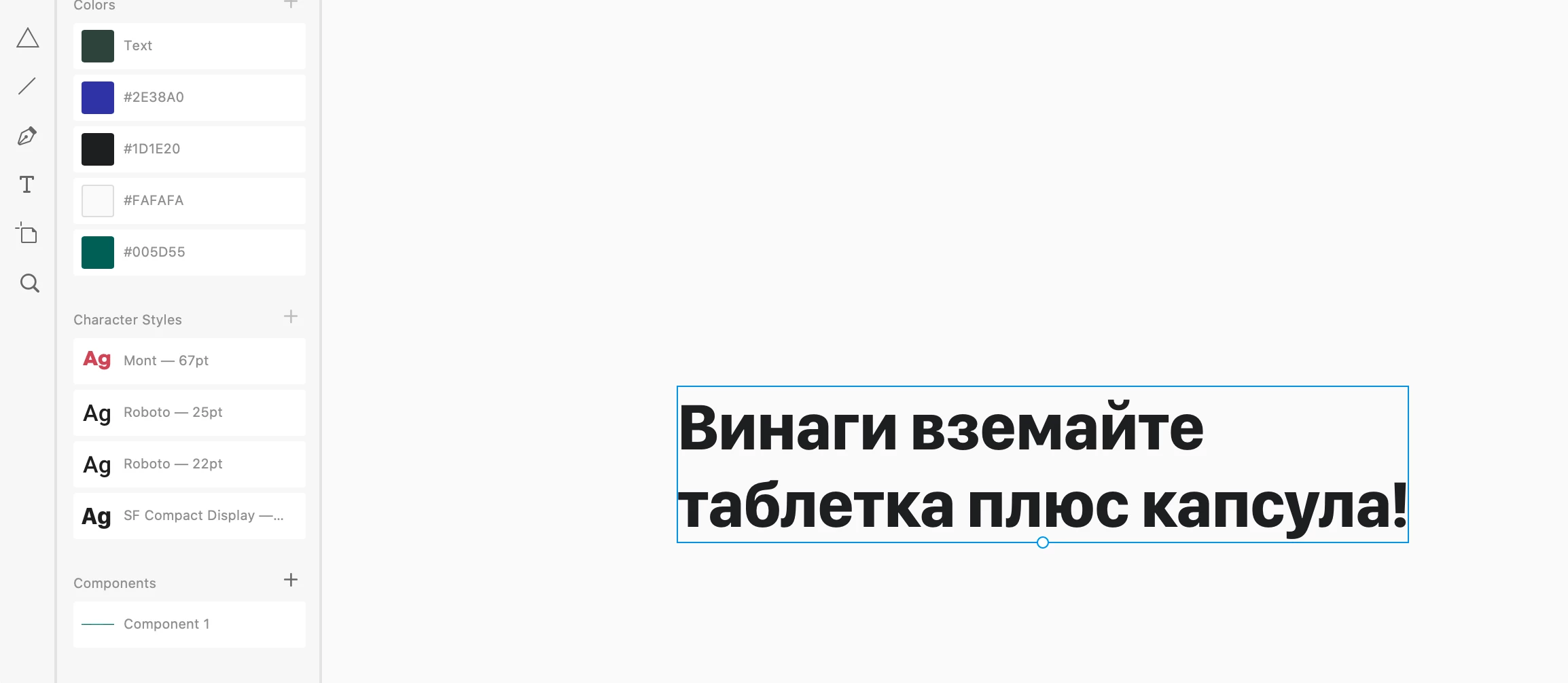
How can I change the language for text-field in Adobe XD. For example, in Adobe Illustrator I can set the language in the text field options and then the font looks different. Please see the attachments for more. I use the same font for example in the XD an Illustrator.

Thanks in advance.

Ai:
XD:
이 주제는 답변이 닫혔습니다.
최고의 답변: HARSHIKA_VERMA

Hi there.


Thank you for reaching out and using Adobe XD. If I heard you right, you want to change the language of XD text fields. You may change the language of the XD UI completely as mentioned in this post : https://community.adobe.com/t5/adobe-xd/design-how-to-change-the-language-in-adobe-xd/td-p/10986788?page=1 


If you specifically want to change the text field language, I would suggest submitting your feature request here: https://adobexd.uservoice.com/forums/353007-adobe-xd-feature-requests so that our engineering team can look into your request.


Let me know if that helps.


Thanks,

Harshika

1 답변

HARSHIKA_VERMA
Community Manager
Community Manager
July 15, 2020

Hi there.


Thank you for reaching out and using Adobe XD. If I heard you right, you want to change the language of XD text fields. You may change the language of the XD UI completely as mentioned in this post : https://community.adobe.com/t5/adobe-xd/design-how-to-change-the-language-in-adobe-xd/td-p/10986788?page=1 


If you specifically want to change the text field language, I would suggest submitting your feature request here: https://adobexd.uservoice.com/forums/353007-adobe-xd-feature-requests so that our engineering team can look into your request.


Let me know if that helps.


Thanks,

Harshika