


skraftt
New Participant
October 17, 2019
Answered

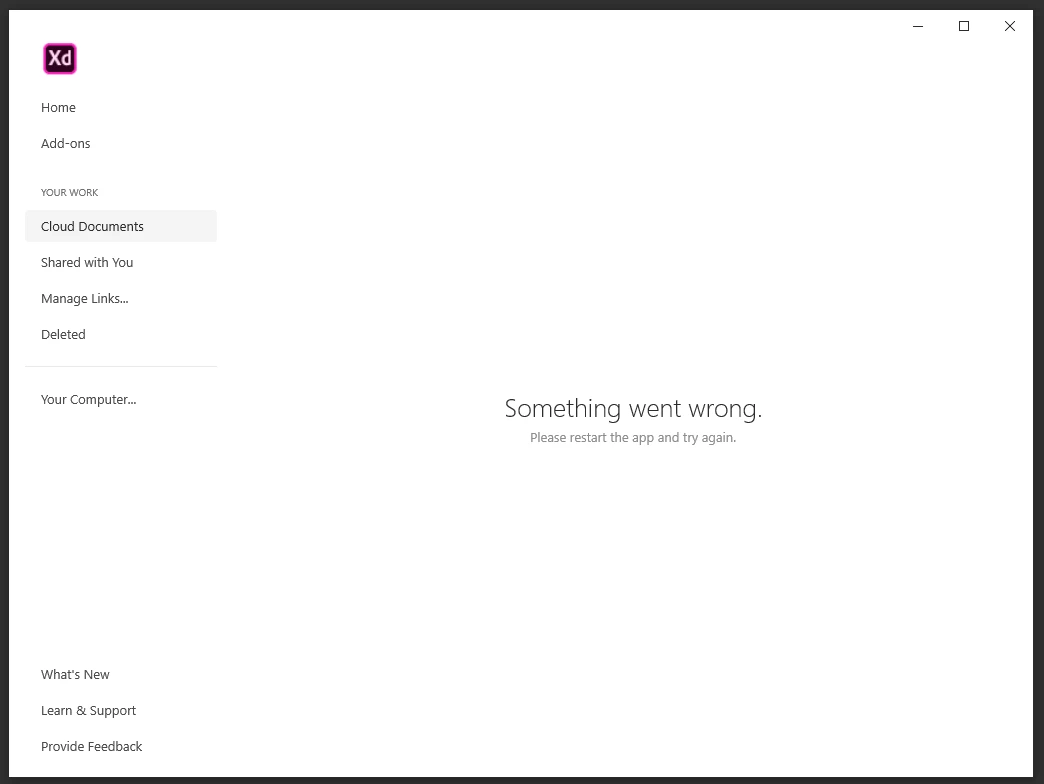
Error: Something went wrong when trying to open cloud documents in Adobe XD.

  • October 17, 2019
  • 10 replies
  • 25316 views

Cant access my project files. Also waiting in line for the chat support for about 45 minutes. (Brazil support service)


Last week could not work because access to CC Library was not working due to a bug. (solved after CC update)

Now can't work because of that... 

(loosing faith at adode cloud services)


<The Title was renamed by moderator>

This topic has been closed for replies.
Correct answer skraftt

I fixed.

I deleted the "Adobe Sync" folder from "C:\Program Files (x86)\Adobe" and a new one got created. (automatically)

---

I also reinstalled the Creative Cloud but only got fixed after i delete the Adobe Sync folder.


let's see for how long keeps working...=/

10 replies

New Participant
January 4, 2021


HARSHIKA_VERMA
Community Manager
Community Manager
January 4, 2021

Hi Jeel,


Happy New Year!


I am sorry to hear you are having trouble opening XD documents. I would request you to please try the steps suggested in this post: https://community.adobe.com/t5/adobe-xd/error-quot-sorry-we-can-t-open-this-document-in-adobe-xd-quot-or-error-47-while-opening-the-cloud/td-p/10415491 and let us know if that helps. If that doesn't help, please share the OS and XD version of your machine. Are you able to open the file from here: https://assets.adobe.com/cloud-documents


I will try my best to help.


Thanks,

Harshika


New Participant
August 4, 2020

i can not open cloud documents 

Rishabh_Tiwari
Community Manager
Community Manager
August 4, 2020

Hi there,


Sorry to hear about the trouble, we'll try our best to help you with it. Could you please try the steps shared below:


  1. Sign out of XD and Adobe CC Desktop app.
  2. Close CoreSync and all Adobe related processes from Task Manager/Activity Monitor.
  3. Sign back in on Adobe CC Desktop app and launch Adobe XD from there and check again if it works or not.


If this doesn't help, please share a few more details like:


  • A screenshot of the About XD info page.
  • The version of the Operating System.
  • Are you connected to a private network or a managed network like a work or school network?


Regards

Rishabh

New Participant
June 26, 2020

When I'm trying to navigate to the Shared with you or Cloud Documents, I can see the following message: Something went wrong. Please restart the app and try again.

I had restarted the app, my computer, the router and everything I could. Is there a server issue or only I have this problem?


HARSHIKA_VERMA
Community Manager
Community Manager
June 26, 2020

Hi there,


Sorry for the trouble. Could you please try the steps suggested above in this post? 


Let us know if that works. We would be happy to help.


Thanks,

Harshika

New Participant
April 14, 2020

XD gets stuck in its loading screen every time it's launched.

I restarted windows, reinstalled creative cloud, and updated XD. Still the same issue.


{Renamed By MOD}

Rishabh_Tiwari
Community Manager
Community Manager
April 14, 2020

Hi there,


Sorry to hear about the trouble. Could you please try the steps shared here: https://community.adobe.com/t5/adobe-xd/crash-load-error-something-went-wrong-in-adobe-xd/m-p/10702880?page=1#M17899


Let us know if this helps or if you need any further assistance.


Regards

Rishabh

New Participant
December 25, 2019

Thank you very much.. I am trying everything last two but anything did not work..I just delete Adobe Sync folder and restart creative cloud and reinstall XD and it worked. thanks for sharing useful information..

LH_him
New Participant
December 23, 2019

After updated XD last night, I could not open my file.

It keeps showing "Something went wrong" "Close and reopen the document". Below the desktop windows, there was an alert of the plugin update. However, it blocked my action to update the plugin.

And close and reopen doesn't work. I can't access my for while until I click  Manage links (Open browser) > File (left menu) > Cloud document > (Select File) > Download.

Once I backup my latest version file, open the offline copy, the "Something went wrong" doesn't happen. Then I reopen my cloud file again. The issue is gone. It took me 15mins to fix this situation but I still don't know why. I guess the issue from the cloud document, plugin update, new updates or version control features.


I am writing this because the share links and cloud documents are important to my team. I hope this report can help adobe product as well. 

HARSHIKA_VERMA
Community Manager
Community Manager
December 23, 2019

Hi there,


We are sorry to hear you are having trouble using cloud documents in XD & thank you for sharing your feedback. The team is aware of the issue & is working on it to fix it. You may see the improvements in the future releases of XD. 


Thanks,

Harshika

New Participant
December 3, 2019


i open shared document it opens and after 1 secend it shows this message, i reopen doc and same appears. please help me. i tried to sing out from cc also restrart and uninstall xd but doesn't work.


<The title was renamed by moderator>

HARSHIKA_VERMA
Community Manager
Community Manager
December 3, 2019

Hi Anrione,


We are sorry to hear you're facing trouble using Adobe XD and getting error while opening the file. Would you mind trying the steps mentioned in this article: https://helpx.adobe.com/xd/kb/issue-saving-xd-file-creative-cloud.html


Let us know if that helps.


Thanks,

Harshika

New Participant
December 3, 2019

It doesn't work 😕😕 

Xd version is: 24.4.22.1
CC: 5.0.0.354

skraftt
skrafttAuthorCorrect answer
New Participant
October 30, 2019

I fixed.

I deleted the "Adobe Sync" folder from "C:\Program Files (x86)\Adobe" and a new one got created. (automatically)

---

I also reinstalled the Creative Cloud but only got fixed after i delete the Adobe Sync folder.


let's see for how long keeps working...=/

HARSHIKA_VERMA
Community Manager
Community Manager
December 26, 2019

We are glad to hear you are back on track & thank you for sharing the solutions that worked for you. This will definitely help our customers. We will share the same solution with our team to investigate the root cause of the issue.


Thanks,

Harshika

HARSHIKA_VERMA
Community Manager
Community Manager
October 30, 2019

Hi there,


We are sorry to hear you are facing trouble accessing the files in Adobe XD. Would you mind trying the steps mentioned in this article: https://helpx.adobe.com/uk/xd/kb/issue-saving-xd-file-creative-cloud.html? and let us know if that helps.


Thanks,

Harshika

skraftt
skrafttAuthor
New Participant
October 30, 2019

It is fully updated.

 
HARSHIKA_VERMA
Community Manager
Community Manager
October 30, 2019

Thank for sharing the information. Would you mind sharing the OS and XD version of your machine? Also, we would request you to please check if you are able to see the files here: https://assets.adobe.com/ .


 If that doesn't work, please share the Adobe ID, phone number and location with me over a private message along with the case number when you contacted support so that we can escalate it to the team.


Kindly share the link of the forum post for reference. We will try our best to help you.


Thanks,

Harshika

shahrams96217616
New Participant
October 17, 2019

Hi, I do not have access to my Adobe Cloud files after the XD & Creative Cloud updates and I may lose my job because I do not have access to my files!

I cleaned and reinstalled them several times in the last 2 days. I tested all the ways that were said in the community and none worked. (Change core sync folder name, Sign in / Signout etc...)

I can't even download my files from the Manage Links section!

I only want my files and then no longer use XD because I have a lot of stress


<The Title was renamed by moderator>

HARSHIKA_VERMA
Community Manager
Community Manager
October 17, 2019

Hi there, 


We apologies for the frustration that you are facing using Adobe XD. We would request you to please try the solution mentioned in this article: https://helpx.adobe.com/xd/kb/issue-saving-xd-file-creative-cloud.html and let us know if that helps.


Thanks,

Harshika

shahrams96217616
New Participant
October 17, 2019

Hi,


I've tried all this.
Even Adobe support remotely tried to fix the problem for more than 2 hours, but it didn't work!

I just want my files!