Exit
  • Global community
    • Language:
      • Deutsch
      • English
      • Español
      • Français
      • Português
  • 日本語コミュニティ
  • 한국 커뮤니티
0

Unable to create a prototype link in Adobe XD.

New Here ,
Jan 26, 2021 Jan 26, 2021

Hello! 

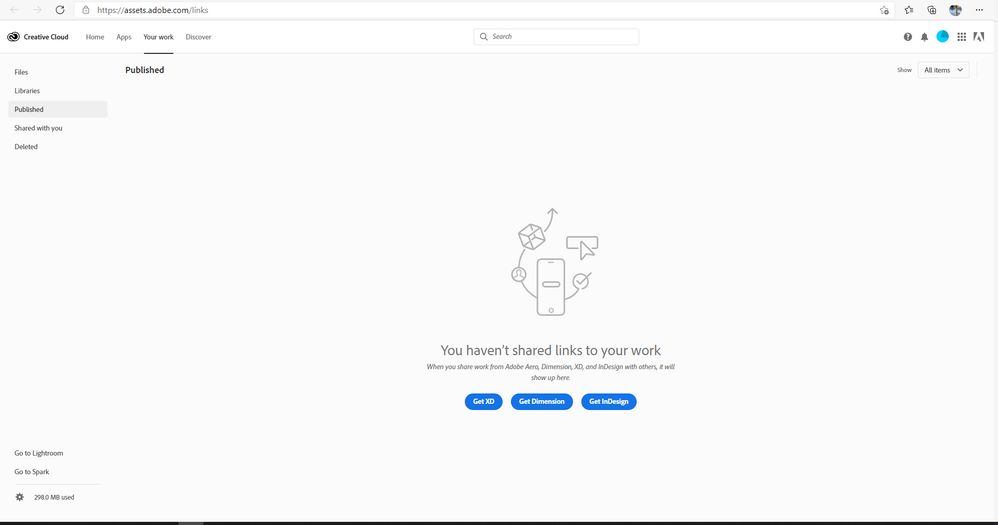
I can't make a prototype link in Adobe XD. It says that my storage is full and i have to remove some links. But i just started using XD and my storage is empty... Has someone had issue like this?

Capture.PNG

when i go to Published...2.PNG

TOPICS
Share or publish
647
Translate
Report
Community guidelines
Be kind and respectful, give credit to the original source of content, and search for duplicates before posting. Learn more
community guidelines

correct answers 1 Correct answer

Adobe Employee , Jan 27, 2021 Jan 27, 2021

Hi Kristiana,


Sorry to hear about the trouble. Please try the suggestions shared here in this discussion: https://community.adobe.com/t5/adobe-xd/unable-to-collaborate-cloud-xd-files-because-storage-is-full-but-it-s-not/m-p/11091622?page=1#M28348


Please ensure that you close all Adobe related processes from the Task Manager/Activity Monitor and then relaunch the app and check how it goes.


Regards

Rishabh

Translate
Adobe Employee ,
Jan 27, 2021 Jan 27, 2021

Hi Kristiana,


Sorry to hear about the trouble. Please try the suggestions shared here in this discussion: https://community.adobe.com/t5/adobe-xd/unable-to-collaborate-cloud-xd-files-because-storage-is-full...


Please ensure that you close all Adobe related processes from the Task Manager/Activity Monitor and then relaunch the app and check how it goes.


Regards

Rishabh

Translate
Report
Community guidelines
Be kind and respectful, give credit to the original source of content, and search for duplicates before posting. Learn more
community guidelines
New Here ,
May 09, 2022 May 09, 2022
LATEST

Hi, do you resolve it? I have the same problem.

Translate
Report
Community guidelines
Be kind and respectful, give credit to the original source of content, and search for duplicates before posting. Learn more
community guidelines