
Participating Frequently
August 30, 2022
Question

Unable to install XD starer plan

  • August 30, 2022
  • 2 replies
  • 1384 views

I was trying to install Adobe XD starter plan onto my computer, but upon clicking on the link I received this message
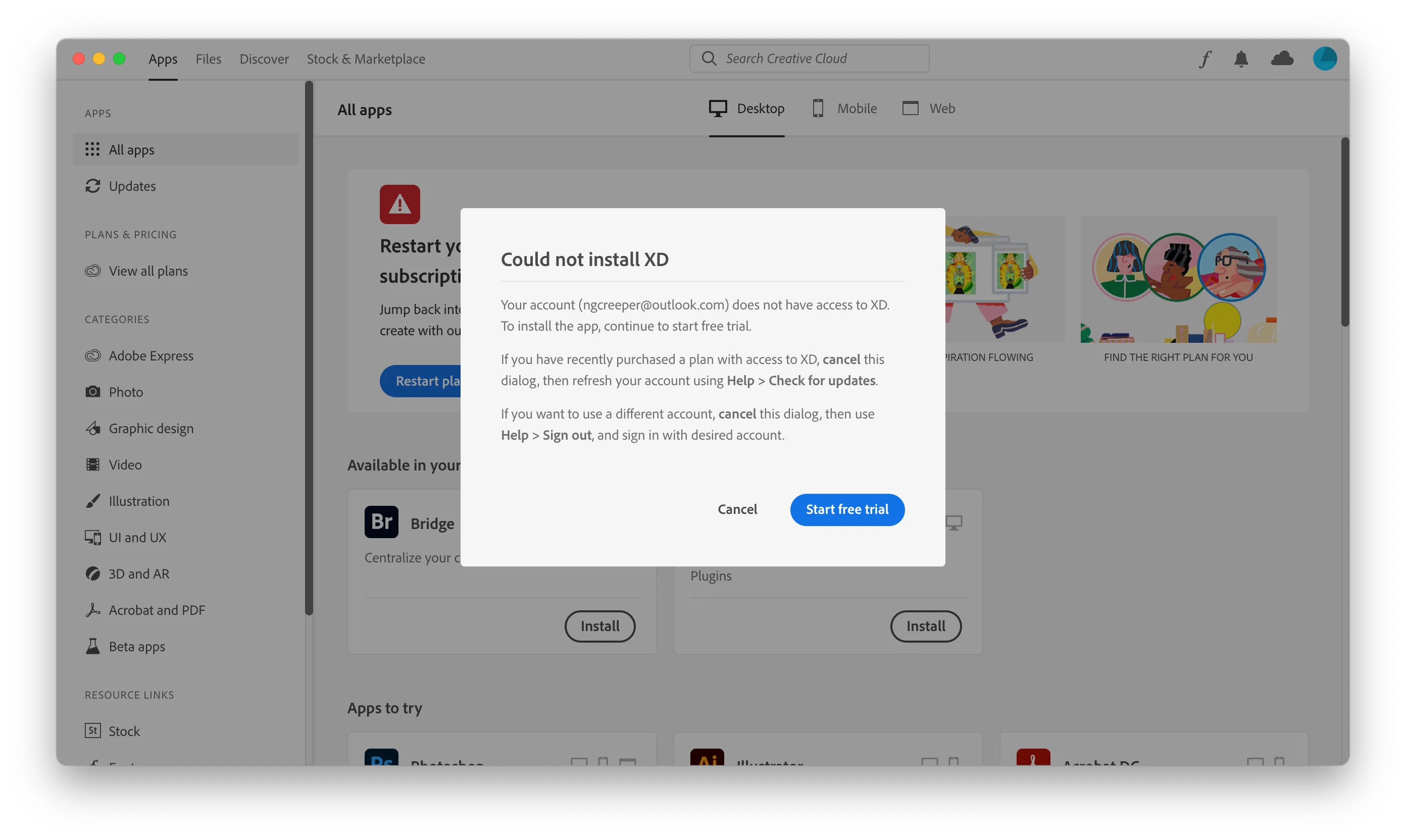
Is there any reason why I can't access the starter plan? I had always been able to install it no problem on my other computers, but now due to this message I can no longer access my design files on my new computer. Any help would be appreciated.

    This topic has been closed for replies.

    2 replies

    Ares Hovhannesyan
    Community Expert
    Community Expert
    August 31, 2022

    Try this. Go to your Adobe ID account. Check active sessions. If you have more that 2 - cancel them. May be you have using CC on more than 2 machines,

    Participating Frequently
    September 1, 2022

    Unfortunately this does not work for me. After deactivating one of my devices it still gives me the same error message.

    AkinGn
    Community Expert
    Community Expert
    August 30, 2022

    Hi @Kenneth25877803medp, as I see in this conversation: https://community.adobe.com/t5/adobe-xd-discussions/unable-to-install-adobe-xd/td-p/11109755 you might want to try suggestion here: https://helpx.adobe.com/creative-cloud/kb/cc-cleaner-tool-installation-problems.html and as I suggested to another user you might meanwhile try starting a full version trial and hopefully to be able to use the free version at the end of the trial. Let's see if any other experts is going to suggest something else. Happy creating!

    Participating Frequently
    August 30, 2022

    Will it automatically start charging money after the free trial ends?

    AkinGn
    Community Expert
    Community Expert
    August 31, 2022

    When I tried to start the free trial, it asked for my card information, so I am pretty sure that it will start charging me once the trial period ends. So is there any reason why I can't access the Starter Plan?


    Hi, I suggest you to try the solution offered here: https://community.adobe.com/t5/adobe-xd-discussions/how-can-i-start-using-adobe-xd-s-starter-plan/td-p/12959488 and I'm pasting it:
    "

    Adobe has acknowledged an issue with the recent update of XD, and hopefully they will address it.


    But importantly, the Starter version of XD has not gone away, and there is a straightforward workaround to access it (even in the recent release)...


    Here it is:


    Instead of launching XD from the Creative Cloud Desktop app, try starting it from elsewhere – namely, from the Windows Start menu or from the macOS Dock/Launchpad.


    Then choose the "Exit XD" button, but XD Starter should still run – even without a trial or paid plan."
    Hope this helps!