Exit
  • Global community
    • Language:
      • Deutsch
      • English
      • Español
      • Français
      • Português
  • 日本語コミュニティ
  • 한국 커뮤니티
6

After Effects 25.6 is now available to download!

Adobe Employee ,
Nov 13, 2025 Nov 13, 2025

Welcome to After Effects 25.6


Ae 25.6 Banner.png

After Effects 25.6 is here!
This release focuses on stability and performance, delivering a long list of bug fixes along with several new features and workflow improvements. Update now to experience a smoother, faster, and more reliable creative process in After Effects.


New in 25.6


Here are the new features coming with version 25.6
 

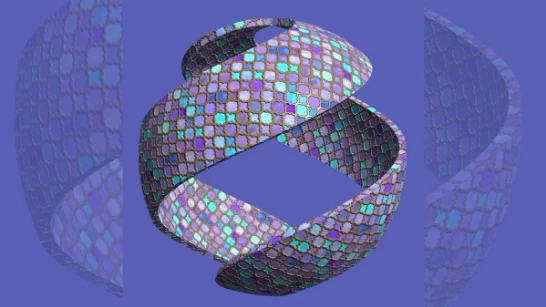
Extensive fixes and improvements .jpg

Extensive fixes and improvements

New improvements and fixes in After Effects make it easier and faster to work on your projects, helping you get things done more efficiently.
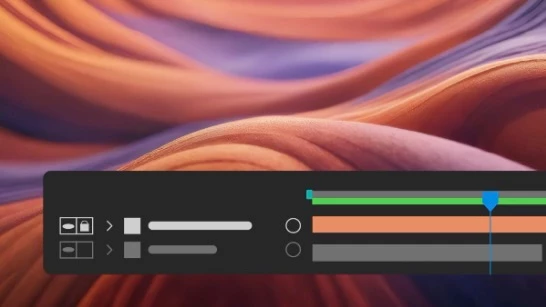
Modify Default Camera Settings .jpg

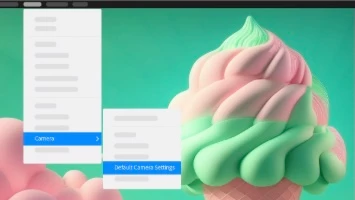
Modify Default Camera Settings

Use the View menu to adjust the custom view and Default Camera Settings, whether viewing through a camera layer, the default active camera, or a custom view.
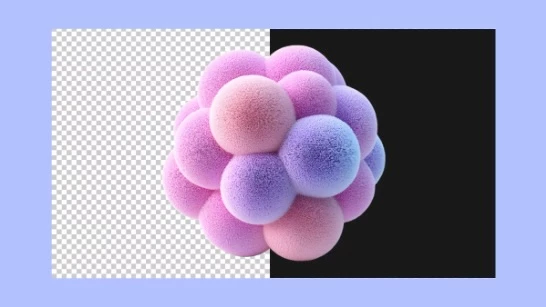
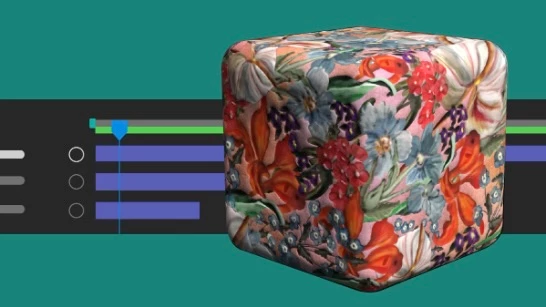
Single 3D Gizmo for multiple 3D layers.jpg

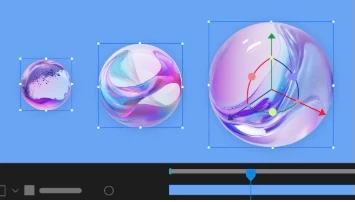
Single 3D Gizmo for multiple 3D layers

Select multiple 3D layers and control them together using a single gizmo to simplify managing complex scenes and reduce visual clutter in your workspace.
Tip of the Day.jpg

Tip of the Day

Find quick, practical insights into features, time-saving shortcuts, and best practices each time the CompositionFootage, or Layer panels are reloaded or empty. 


Fixed issues in 25.6

The list is long. Click here to check out the fixed issues.
TOPICS
Resources
4.6K
Translate
Report
Community guidelines
Be kind and respectful, give credit to the original source of content, and search for duplicates before posting. Learn more
community guidelines
Community Beginner ,
Nov 14, 2025 Nov 14, 2025

In After Effects 25.6, I can’t find the radius setting under 'Light Options' – was it removed?

Translate
Report
Community guidelines
Be kind and respectful, give credit to the original source of content, and search for duplicates before posting. Learn more
community guidelines
Adobe Employee ,
Nov 24, 2025 Nov 24, 2025

Hi @lh46895513, we did recently make a change, but the Radius option hasn't been removed. Previously, Radius and Falloff Distance were always visible for all three Falloff options (None, Smooth, and Inverse-Square Clamped) even though they when they didn't have an effect.


This lead to a lot of confusion, so now only the relevant parameters for each falloff type appear:
None: Both falloff params are hidden.
Smooth: Radius and Falloff Distance are available.

Inverse-Square Clamped: Only Radius is available (Falloff Distance is calculated using the inverse-square method for a physically accurate falloff).


Thanks,
- David, After Effects Engineering Team

Translate
Report
Community guidelines
Be kind and respectful, give credit to the original source of content, and search for duplicates before posting. Learn more
community guidelines
Community Beginner ,
Nov 26, 2025 Nov 26, 2025

Thank you for clarifying @David.Arbor,

I have a suggestion. Lights in After Effects can be used not only for illumination but also for generating 3D geometry through plugins such as Trapcode Tao (part of Maxon One). When the Radius parameter is keyframed, it can be used for drawing objects and creating animations.

From that perspective, it would make sense to keep the radius visible for all three falloff options (as in version 25.5.0).

Translate
Report
Community guidelines
Be kind and respectful, give credit to the original source of content, and search for duplicates before posting. Learn more
community guidelines
Contributor ,
Nov 14, 2025 Nov 14, 2025

Congrats. Finally got unmult after 22 years of everyone else having it.

Also, no one is asking for all this focus on 3D. Just make a 3D modeling and animation program, jeez. You already bought out and stagnated substance development, might as well provide a software to use it with. And no i refuse to use After Effects for 3D. It is just... so, so bad at it. Even conceptually.


Also can we please get standard LUT workflows, an EXR importer that is not an addon, and perhaps some 3D tracking data export? AE is borderline useless if you can't use it with a 3D software or its outputs. We need usable agx and other color management that's not a hacky little window, not to mention image sequences.


At this point after effects is just glorified flash, with its focus on vector mograph and 2.5D effects.


Or rewriting the renderer to actually use GPU and do proper multithreading. Or just enabling GPU for all the effects possible. I'll take that too.

Translate
Report
Community guidelines
Be kind and respectful, give credit to the original source of content, and search for duplicates before posting. Learn more
community guidelines
Participant ,
Nov 18, 2025 Nov 18, 2025

@jefubbudu you are right!

Translate
Report
Community guidelines
Be kind and respectful, give credit to the original source of content, and search for duplicates before posting. Learn more
community guidelines
Participant ,
Nov 14, 2025 Nov 14, 2025

When Adjustment layers with pick whip to include or exclude layers beneath?

oh, and folders for the timeline...

no further 3D stuff till this is fixed. thanks 🙂

Translate
Report
Community guidelines
Be kind and respectful, give credit to the original source of content, and search for duplicates before posting. Learn more
community guidelines
Community Beginner ,
Nov 15, 2025 Nov 15, 2025

This update is causing issues with importing animate files once again. It has been fixed for months now this version has broken this feature again, please fix. When the user attempts to import an adobe animate FLA the program displays an error message then crashes.

Translate
Report
Community guidelines
Be kind and respectful, give credit to the original source of content, and search for duplicates before posting. Learn more
community guidelines
Explorer ,
Nov 16, 2025 Nov 16, 2025

Adobe seriously needs to put some more resources into fixing the legacy problems with AE. It's the only Adobe app that can't be easily replaced with a better app from a competitor, so basically it's the only reason to subscribe to CC. 


If another company comes along and makes an AE competitor that doesn't rely on a 20 year old, outdated codebase then Adobe will hemorrhage subscribers 

Translate
Report
Community guidelines
Be kind and respectful, give credit to the original source of content, and search for duplicates before posting. Learn more
community guidelines
Community Beginner ,
Nov 17, 2025 Nov 17, 2025

made update today and had over 20 crashes... ae freezes random... :/... 

Translate
Report
Community guidelines
Be kind and respectful, give credit to the original source of content, and search for duplicates before posting. Learn more
community guidelines
Contributor ,
Nov 17, 2025 Nov 17, 2025

First time with adobe cc?

This is pretty normal. My stuff crashes all the time.

Translate
Report
Community guidelines
Be kind and respectful, give credit to the original source of content, and search for duplicates before posting. Learn more
community guidelines
Community Beginner ,
Nov 19, 2025 Nov 19, 2025

no... and no, it's not normal 😕

Translate
Report
Community guidelines
Be kind and respectful, give credit to the original source of content, and search for duplicates before posting. Learn more
community guidelines
Community Beginner ,
Nov 19, 2025 Nov 19, 2025

i have the feeling that's it's correlated to illustrator... to work in both apps at the same time isn't possible without crash of illustrator or after effects... tried everything... machine is pushed to the limit... 256 GB Ram / Quadro 16 GB... crashing in ae on simple things like snapshots / rendering of single frames... totally annoying...

Translate
Report
Community guidelines
Be kind and respectful, give credit to the original source of content, and search for duplicates before posting. Learn more
community guidelines
Contributor ,
Nov 19, 2025 Nov 19, 2025

I do heavy VFX so i'm over here doing stuff like seeing how i can get 3D to work with green screen and so on, so I expect it.

I also used to get a crash when i used OBS with AE or premiere. They don't play nice, because of their ancient spaghetti code from the 90's or early 2000's doing weird stuff with UI i assume.


But i do a lot of my graphics work in blender now. It's nice having a software that can render a disney movie, is under a gig to download, and runs on my phone, workstation, and laptop without any lost features.


Honestly, the fact that adobe software can't get faster is a real turnoff now. It's totally limited by hardware because of its obscene headroom and inefficient use of system resources. It's not just AE, but photoshop and others too, and I don't know how different dev teams can all be the same kind of bad at performance.

Translate
Report
Community guidelines
Be kind and respectful, give credit to the original source of content, and search for duplicates before posting. Learn more
community guidelines
Explorer ,
Nov 19, 2025 Nov 19, 2025

Poor leadership, probably 

Translate
Report
Community guidelines
Be kind and respectful, give credit to the original source of content, and search for duplicates before posting. Learn more
community guidelines
Community Beginner ,
Nov 19, 2025 Nov 19, 2025

yes... see same problems in illustrator and premiere... don't understand additional why render garden oder bgrenderer is rendering 10 times faster than ae, allthough the open a second instance (or more) of ae in background... i love ae the most... it's the only reason why i'm at adobe at all... 


Translate
Report
Community guidelines
Be kind and respectful, give credit to the original source of content, and search for duplicates before posting. Learn more
community guidelines
Community Beginner ,
Nov 21, 2025 Nov 21, 2025

now simple drop-shadow forced ae to quit... you couldn't make this up.... pfffffff

Translate
Report
Community guidelines
Be kind and respectful, give credit to the original source of content, and search for duplicates before posting. Learn more
community guidelines
Community Beginner ,
Nov 21, 2025 Nov 21, 2025

tint isn't working too anymore XD


Translate
Report
Community guidelines
Be kind and respectful, give credit to the original source of content, and search for duplicates before posting. Learn more
community guidelines
Adobe Employee ,
Nov 21, 2025 Nov 21, 2025

Dear eyenoc,

We appreciate your understanding. Could you please create a new post detailing the issues you are experiencing along with your system specifications? This will help us assist you more effectively.


Thanks,
Nishu

Translate
Report
Community guidelines
Be kind and respectful, give credit to the original source of content, and search for duplicates before posting. Learn more
community guidelines
Explorer ,
Nov 21, 2025 Nov 21, 2025

Maybe releasing a new major version EVERY SINGLE DAMN YEAR is too much for Adobe. It's too much for me when I update hoping that your years of bugs might finally be fixed only to find that the plugins that make your app usable no longer work.


Pathetic. 

Translate
Report
Community guidelines
Be kind and respectful, give credit to the original source of content, and search for duplicates before posting. Learn more
community guidelines
Contributor ,
Nov 22, 2025 Nov 22, 2025

How about adobe stops trying to get 3D to work in a compositing software and maybe update and maintain the compositing bits. Just a thought. If they want 3D they should make software for it. That is to say, if they even remember how to develop instead of buy out the competition.

Translate
Report
Community guidelines
Be kind and respectful, give credit to the original source of content, and search for duplicates before posting. Learn more
community guidelines
New Here ,
Nov 17, 2025 Nov 17, 2025

After updating to AE 25.6, AE frequently freezes when performing basic actions (deleting keyframes, opening menu tabs) with very large/high-bitrate 4K ProRes files (e.g., 2-hours). Smaller or lower-bitrate files (short ProRes or 4K MP4) work fine. A clean reinstall, clearing all preferences/caches, and removing all third-party plugins did not fix the issue. The freeze seems related to AE 25.6’s handling of long/high-bitrate ProRes footage and did not occur in AE 25.5. Issue is not present when working with the same file in the latest version of Premiere.

Translate
Report
Community guidelines
Be kind and respectful, give credit to the original source of content, and search for duplicates before posting. Learn more
community guidelines
Explorer ,
Nov 19, 2025 Nov 19, 2025

Thanks for the update. Looking forward to trying After Effects 25.6 and seeing the new improvements.

Translate
Report
Community guidelines
Be kind and respectful, give credit to the original source of content, and search for duplicates before posting. Learn more
community guidelines
Community Beginner ,
Nov 21, 2025 Nov 21, 2025
nd it would be really great if we finally got a REAL NULL object… not 100 x 100 with an anchor at 50… NULL means NULL – NOTHING – and is only used to "handel" things… let's call it a HANDLER, but please let's make it NULL.


Translate
Report
Community guidelines
Be kind and respectful, give credit to the original source of content, and search for duplicates before posting. Learn more
community guidelines
New Here ,
Nov 24, 2025 Nov 24, 2025

How do I turn off all these feature and tool tips that keep popping up?

Translate
Report
Community guidelines
Be kind and respectful, give credit to the original source of content, and search for duplicates before posting. Learn more
community guidelines