


- Home
- Animate
- Discussions
- AnCC HTML5 - Android Mobile Chrome: Canvas & Image...
- AnCC HTML5 - Android Mobile Chrome: Canvas & Image...

Copy link to clipboard
Copied
The Responsive setting is also ignored, can anyone please confirm this but more importantly can anyone tell me what the fix is?
Here is the link to the web based interactive I am working on: Car_Care
It works perfectly on a Desktop browser, it is responsive and the content scales perfectly. These are my settings:
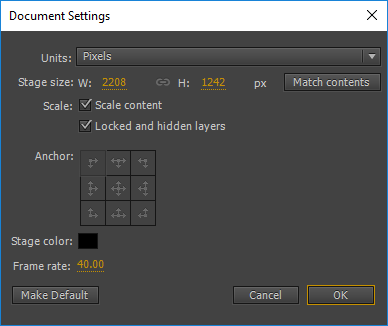
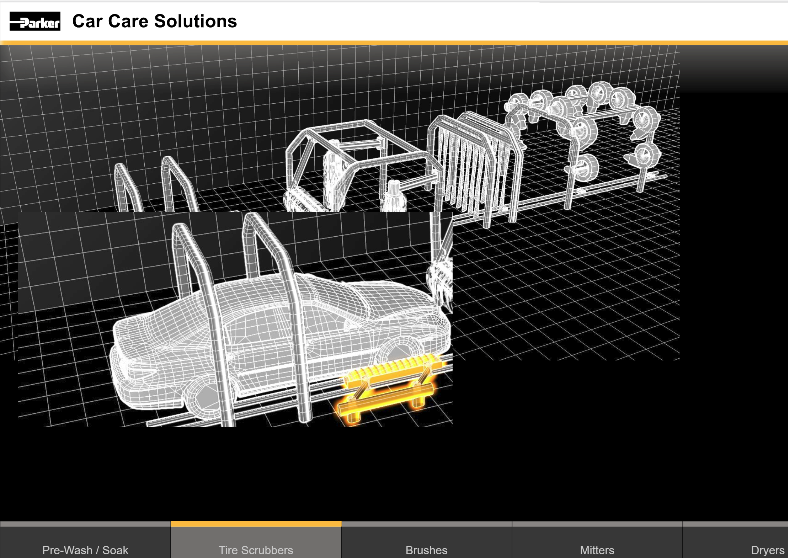
The problem is when I view it on a phone the canvas does not resize to fit the view-able area, the background image does not scale and the image overlays also do not scale... the whole thing ends up looking like this on mobile:
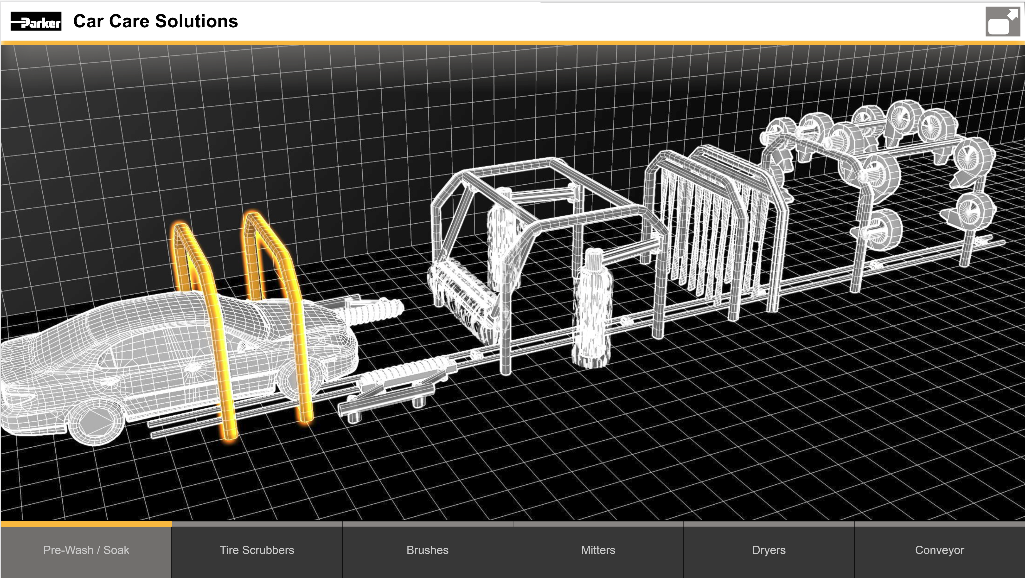
When it should look exactly as it does in a desktop browser, and when tested via Device Toolbar, like so:
Is this a bug? Has anyone else run into this issue?
I am hoping to use HTML5 as a Flash substitute, but if the media produced by AnCC can't be used on a mobile device, it wouldn't be a useful substitute.
Am I not doing something right? Any insight would be appreciated, thanks.


 1 Correct answer


jeffery wright wrote
I added buttons that link to product pages, in Scrubbers and Brushes sections, here's a bug:
If I click back and forth between the sections, which displays the buttons a number of times of course, when I click on one of the buttons, it opens numerous pages of the same link.
Do I have to Remove the button Listeners every time a new section is clicked?
If so, is there an easy way to Remove all the Listeners except for the Section buttons?
Thanks.
This issue with button navigation
...
 9
Replies
9
9
Replies
9


Copy link to clipboard
Copied
I am looking at your site on an iPhone 6, and it looks like how it does when I resize your site on a desktop browser. Is there another way I should be testing it? Also, I used the Chrome browser.
Copy link to clipboard
Copied
Thanks for checking this guys, I am using an Android phone to test it, and it looks way different. Here are some screencaps:
When loading the page in the Chrome browser:
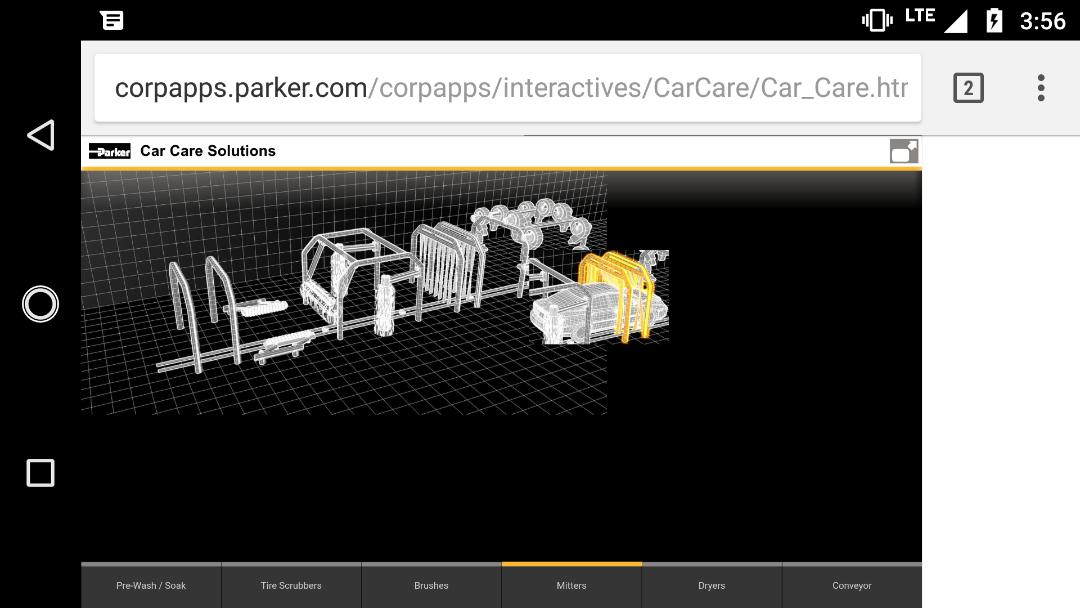
When I hit the full screen icon in the upper right:

It looks like the images are not scaling at all with the canvas or local coordinate system.
I'll test on a few more phones around the office. Any ideas what the fix could be?
I tried making movie clips of the bitmaps, and the results are the same.
Thanks again, I appreciate it.

Copy link to clipboard
Copied
Are you testing on an actual iPhone or on a simulator?
Copy link to clipboard
Copied
I added buttons that link to product pages, in Scrubbers and Brushes sections, here's a bug:
If I click back and forth between the sections, which displays the buttons a number of times of course, when I click on one of the buttons, it opens numerous pages of the same link.
Do I have to Remove the button Listeners every time a new section is clicked?
If so, is there an easy way to Remove all the Listeners except for the Section buttons?
Thanks.
Copy link to clipboard
Copied
I tried Removing the Event Listeners before Adding them and this has not solved the problem, why is this opening a number of tabs that correspond with the number of times the buttons appear on the stage?
This seems like a serious bug, here is the script I'm using:
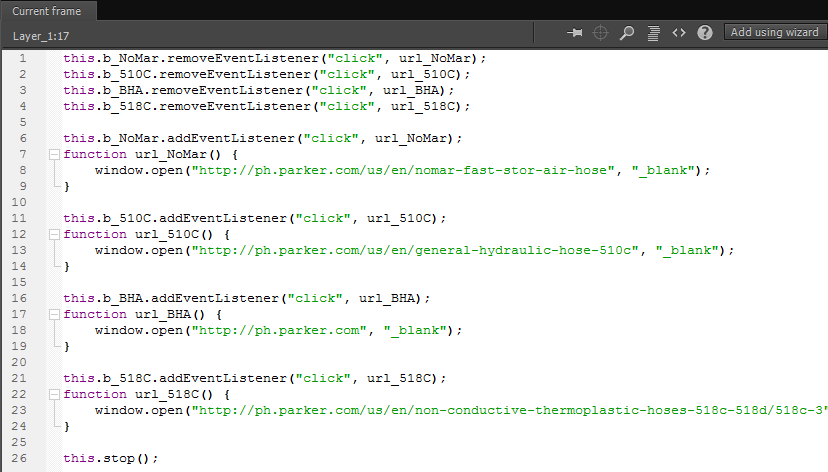
Shouldn't this successfully remove the functions of the buttons before adding them, removing whatever is causing the window.open commands to pile up causing the browser to open multiple tabs of the same url when the button is clicked?
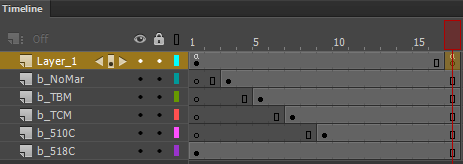
The code fires on the last frame of the clip:
Copy link to clipboard
Copied
I am not the expert here, but if you are sure this is a bug, you can log it using the wishlist form. Provide the team with all the info required to reproduce the issue or redirect them to this post.
Copy link to clipboard
Copied
For what it is worth I logged the Bug report, with a link to download the source file to examine.
Are there Adobe AnCC experts here, and how does one attract their attention to an issue here?
The very weird part is that the bug only appears when it is viewed by a normal web url... but when you view the canvas by Adobe's http://127.0.0.1:8090/ local server, it behaves just fine.
How bizarre is that?
Thanks!
Copy link to clipboard
Copied
I think I'm going to make this button issue its own thread - it's distracting from the original purpose.
So, no one has any ideas why the canvas I made does not scale on Android phones?
Is this another Bug to log?
Copy link to clipboard
Copied
jeffery wright wrote
I added buttons that link to product pages, in Scrubbers and Brushes sections, here's a bug:
If I click back and forth between the sections, which displays the buttons a number of times of course, when I click on one of the buttons, it opens numerous pages of the same link.
Do I have to Remove the button Listeners every time a new section is clicked?
If so, is there an easy way to Remove all the Listeners except for the Section buttons?
Thanks.
This issue with button navigation happens because whenever a frame is visited, its frame scripts are also executed. If the frame script contains code for adding any event handler, that too gets added again every time the frame is visited.
To prevent this, you can script your event handling code in such a way that they are executed only once.. something like below:
if (!this.skip) {
//------------Add your event handling code---------------
this.skip = true; //This is to ensure that the handlers are added only once even if the timeline loops over.
}
Hope this helps.
Regarding the original problem, it looks like some rendering issue on the mobile browser.
Please share your FLA file and we can look into it.


Get ready! An upgraded Adobe Community experience is coming in January.
Learn more
 AdChoices