


- Home
- Animate
- Discussions
- Re: exit button for ActionScript 3.0 class
- Re: exit button for ActionScript 3.0 class
exit button for ActionScript 3.0 class

Copy link to clipboard
Copied
Hi
I want to exit my swf or exe file using the exit button, I try this code but its not working
package {
import flash.display.SimpleButton;
import flash.display.MovieClip;
import flash.events.MouseEvent;
import flash.system.fscommand;
public class b_exit extends SimpleButton {
public function b_exit() {
this.addEventListener(MouseEvent.CLICK,clickF);
}
private function clickF(e:MouseEvent):void{
fscommand("quit");
}
}
}


 5
Replies
5
5
Replies
5


Copy link to clipboard
Copied
I got the solution
package {
import flash.display.SimpleButton;
import flash.display.MovieClip;
import flash.events.MouseEvent;
import flash.system.fscommand;
public class b_exit extends SimpleButton {
public function b_exit() {
this.addEventListener(MouseEvent.CLICK,clickF);
}
private function clickF(event:MouseEvent):void {
fscommand("quit");
}
}
}

Copy link to clipboard
Copied
This one work when you hit the back or home button:
| import flash.system.Capabilities; | |
| import flash.desktop.SystemIdleMode; |
| if (Capabilities.cpuArchitecture == "ARM") | ||||
| { | ||||
| NativeApplication.nativeApplication.addEventListener(Event.ACTIVATE, handleActivate, false, 0, true); | ||||
| NativeApplication.nativeApplication.addEventListener(Event.DEACTIVATE, handleDeactivate, false, 0, true); | ||||
| NativeApplication.nativeApplication.addEventListener(KeyboardEvent.KEY_DOWN, handleKeys, false, 0, true); | ||||
| } |
| //================================================================== | |||
| public function handleActivate(event:Event):void | |||
| { | |||
| NativeApplication.nativeApplication.systemIdleMode = SystemIdleMode.KEEP_AWAKE; | |||
| } | |||
| //================================================================== | |||
| public function handleDeactivate(event:Event):void | |||
| { | |||
| NativeApplication.nativeApplication.exit(); | |||
| } |
| //================================================================== | ||||
| public function handleKeys(event:KeyboardEvent):void | ||||
| { | ||||
| if (event.keyCode == Keyboard.BACK) | ||||
| { | ||||
| NativeApplication.nativeApplication.exit(); | ||||
| } | ||||
| } |
Copy link to clipboard
Copied
thx boss

Copy link to clipboard
Copied
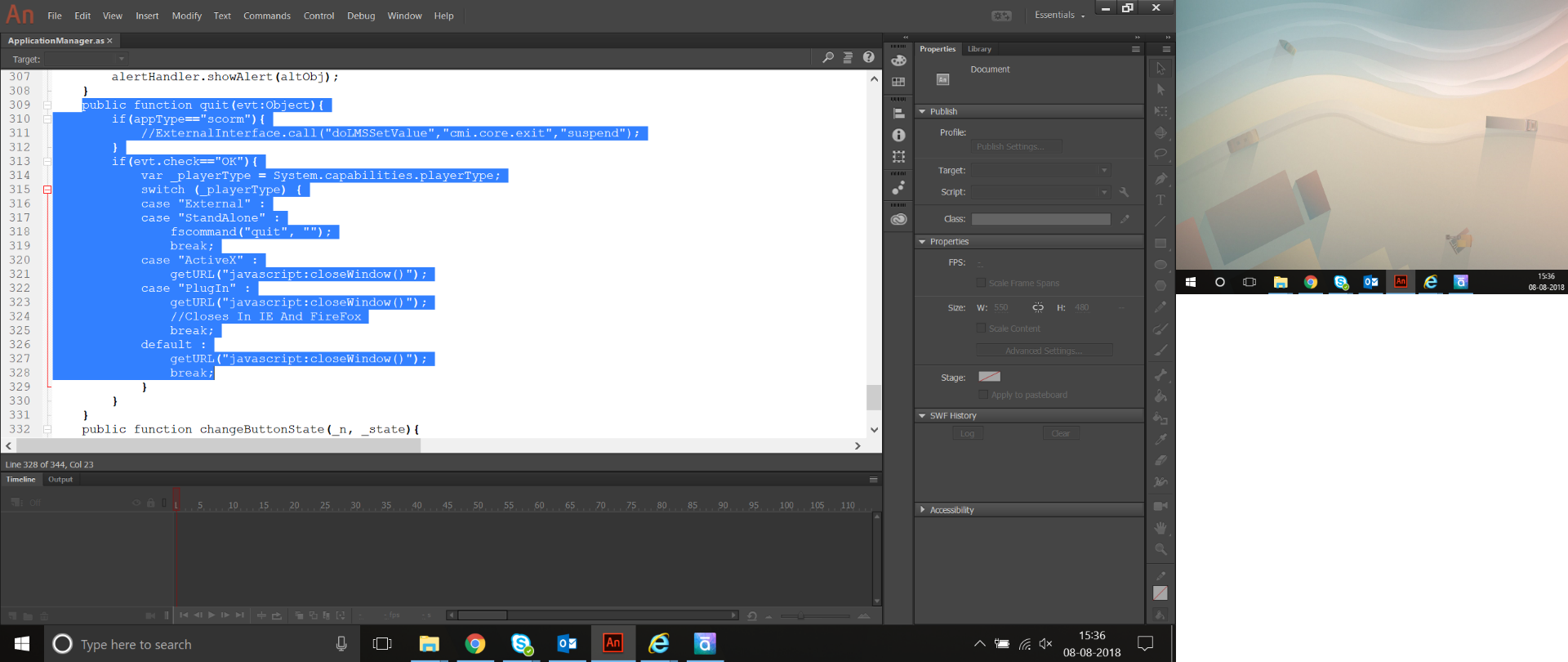
Action script_ Exit button- quit pop- yes or no button not working in e learning !
Hi
in my e learning offline exit button working fine but once i uploaded to server that exit button not working. E learning completely created in action script and jss. can any one find the solution for this?


Copy link to clipboard
Copied
Hi.
I think this will only work with stand-alone projector applications.
flash.system - Details Adobe ActionScript® 3 (AS3) API Reference
Maybe one of these answers is what you are looking for:
actionscript 3 - AS3.0 Quit the flash player - Stack Overflow
Regards,
JC


Get ready! An upgraded Adobe Community experience is coming in January.
Learn more
 AdChoices