Exit
  • Global community
    • Language:
      • Deutsch
      • English
      • Español
      • Français
      • Português
  • 日本語コミュニティ
  • 한국 커뮤니티
0

Front back Macromedia flash 8

Community Beginner ,
May 14, 2023 May 14, 2023

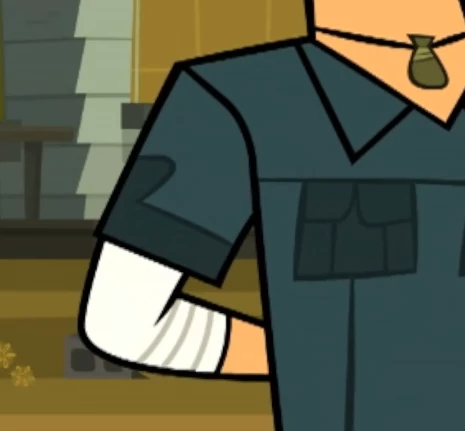
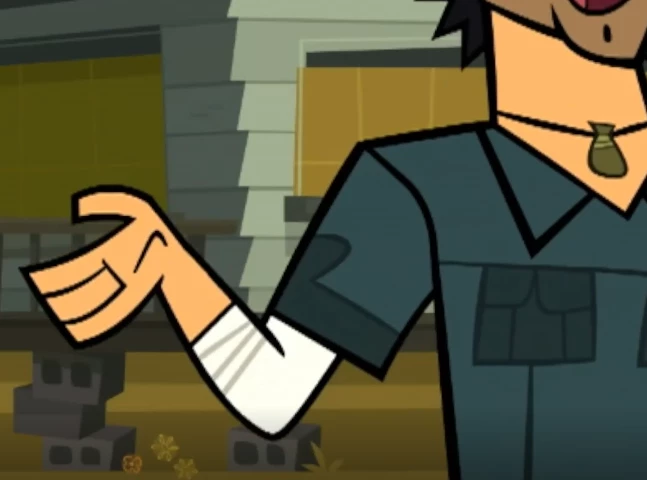
Tyymusa290275741jsd_0-1684098417695.pngTyymusa290275741jsd_1-1684098444092.png

How can i make the symbols change position. like back and front. while animating. In macromedia flash 8 because i would need it for the animations 

1.3K
Translate
Report
Community guidelines
Be kind and respectful, give credit to the original source of content, and search for duplicates before posting. Learn more
community guidelines
Valorous Hero ,
May 14, 2023 May 14, 2023

You have to re-layer, i.e. change the stacking order of the elements in the rig.


For the wrinkle, you can use a multi-frame patch:


Nick - Character Designer and Animator, Flash user since 1998
Member of the Flanimate Power Tools team - extensions for character animation
Translate
Report
Community guidelines
Be kind and respectful, give credit to the original source of content, and search for duplicates before posting. Learn more
community guidelines
Community Beginner ,
May 14, 2023 May 14, 2023

Do i need any addons, plugins. for this?

Translate
Report
Community guidelines
Be kind and respectful, give credit to the original source of content, and search for duplicates before posting. Learn more
community guidelines
Valorous Hero ,
May 14, 2023 May 14, 2023

Up to you.

If you want to be able to do advanced rigging, you can use SMR.


Nick - Character Designer and Animator, Flash user since 1998
Member of the Flanimate Power Tools team - extensions for character animation
Translate
Report
Community guidelines
Be kind and respectful, give credit to the original source of content, and search for duplicates before posting. Learn more
community guidelines
Community Beginner ,
May 15, 2023 May 15, 2023

Okayy QThank you!

Translate
Report
Community guidelines
Be kind and respectful, give credit to the original source of content, and search for duplicates before posting. Learn more
community guidelines
Community Beginner ,
May 15, 2023 May 15, 2023

i tried watching the tutorial. but i dont know how to make this patch. where did it came from. its hard for me. i just dont understand the patch thing

Translate
Report
Community guidelines
Be kind and respectful, give credit to the original source of content, and search for duplicates before posting. Learn more
community guidelines
Valorous Hero ,
May 15, 2023 May 15, 2023
LATEST

You may start here:

https://flash-powertools.com/character-rigging-for-flash-animation/

then proceed:

https://flash-powertools.com/character-rigs-with-outlines/


Good luck!


Nick - Character Designer and Animator, Flash user since 1998
Member of the Flanimate Power Tools team - extensions for character animation
Translate
Report
Community guidelines
Be kind and respectful, give credit to the original source of content, and search for duplicates before posting. Learn more
community guidelines