
Copiar vínculo al Portapapeles
Copiado
Hi i just bought the Ship Console and plugged it in my Windows USB.
In Animate i use the GamingInput API
public var gameInput:GameInput = new GameInput();
myDevice = GameInput.getDeviceAt(0);
myDevice.enabled = true;
The Ship console is detected and i can also check how much controls it has supported
so i trace through all controls in an ENTER_FRAME to see if it is working
for (var i:int = 0; i < myDevice.numControls-1 ; i++) {
var cont = myDevice.getControlAt(i)
trace(i+":" + cont.value + " Name:" + cont.id )
}
And it works, every button, also the Steering Wheel works
But, and what is frustrating me is:
The Ship Consiole has two throttles for steering boats with two engines.
When i try the trottles the values on my output are not changing at all. The rest of the Ship console, every single Button is working also the steering is working .
Here is a picture of the ship console
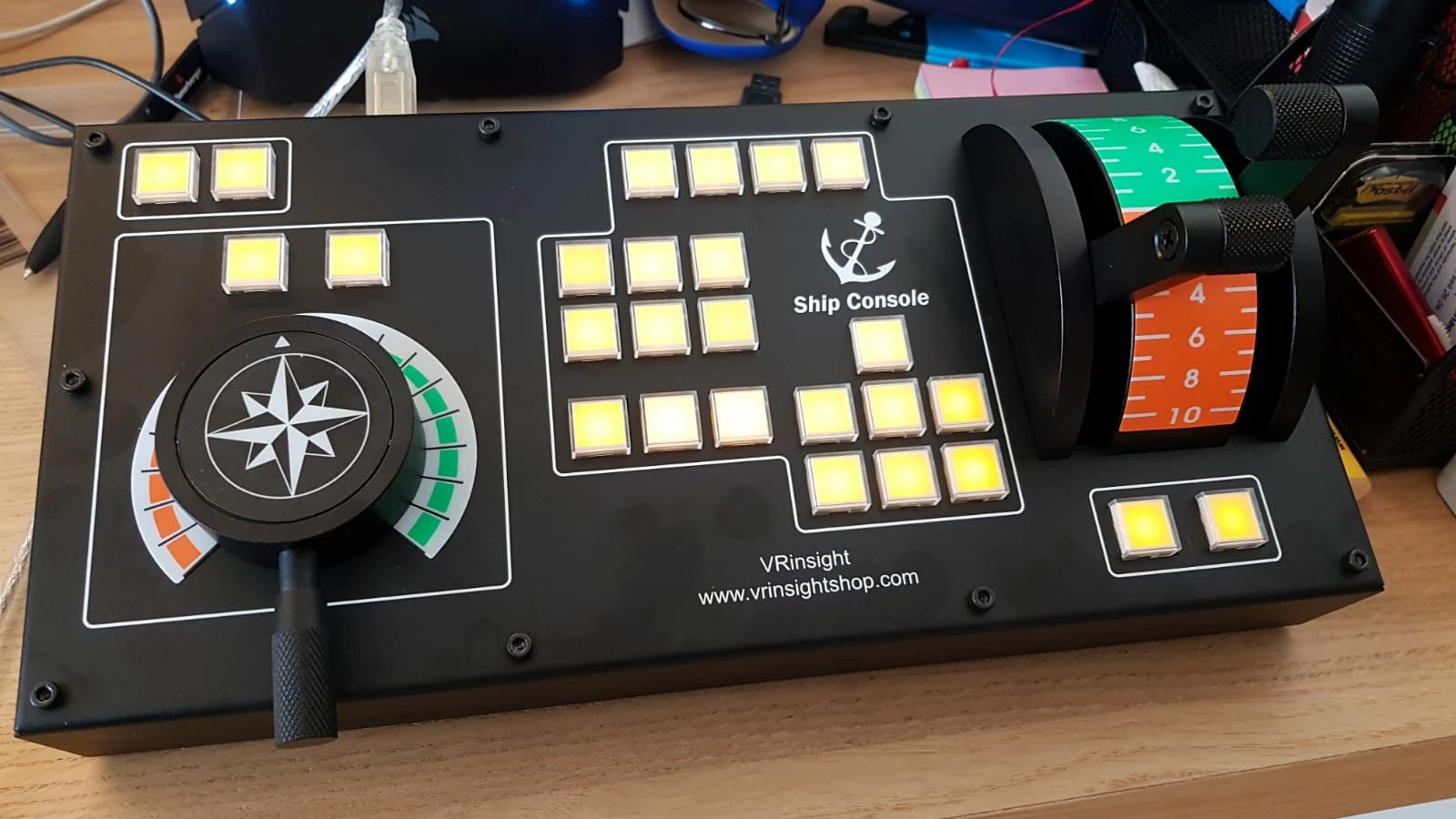
and here is a picture from the trace output. So i am lost as everything works except these 2 throttles.
And in windows the two throttles works. I can see it in the properties of the Throttle where you can test the ship simulator.
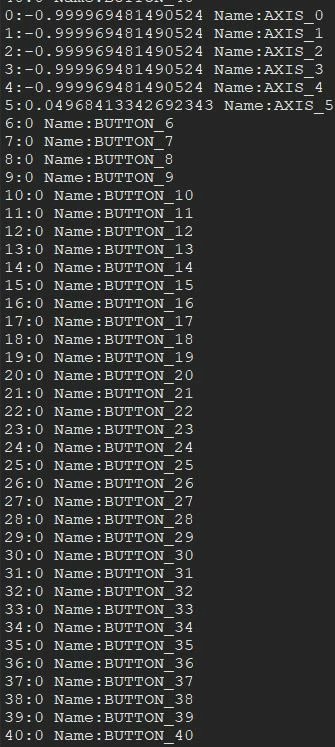
You see that there are 40 controls
Please help.
Michael
Copiar vínculo al Portapapeles
Copiado
that looks like 26 buttons, a rudder and two engine controls. what's causing the discrepancy?
Copiar vínculo al Portapapeles
Copiado
I dont know maybe ther are internal 40 but ob the Device itself only 26 are used.
Copiar vínculo al Portapapeles
Copiado
well, test. or don't and hope someone else that has that console has already done this and will post a solution for you.
Copiar vínculo al Portapapeles
Copiado
The controller is wrking on the Testscreen with comes with the controller. So why is Adobe Gameinput just dont read or communicate with the two throttles. with ALL other buttons and steering its working. So waiting is no choice for me. Maybe Haramn can look if this is a problem in Adobe Air ?
Copiar vínculo al Portapapeles
Copiado
it seems a lot quicker to me for you to test, but if you want to see if harman will answer you, go for it.
Copiar vínculo al Portapapeles
Copiado
What should I test. Do you gave an idea what I should do ?
Copiar vínculo al Portapapeles
Copiado
you could start by pressing each button and noting what actionscript is using to reference it. then try your rudder.
those all work (i assume) so you can map those if you want or just note them and use an enterframe loop to check the values of the remaining inputs. ie, you should have a clear understand for each i of what getControlAt(i) is referencing.
Copiar vínculo al Portapapeles
Copiado
That is what i did from beginning
I loop through the buttons but the Trottle is not delivering values
Copiar vínculo al Portapapeles
Copiado
i would loop through all the properties of the controls that aren't known controls.
Copiar vínculo al Portapapeles
Copiado
can you give me a hint how to iterate through unknown controls ??
Maybe thats the solution.
Copiar vínculo al Portapapeles
Copiado
for example, to investigate BUTTON_6, i would use:
for (var s:String in myDevice.getControlAt(6)){
trace(s+" "+ myDevice.getControlAt(6)[s]);
}
actually, you could do them all:
for (var i:int = 0; i < myDevice.numControls-1 ; i++) {
var cont = myDevice.getControlAt(i)
trace("\n"+i+" ****");
for(var s:String in cont){
trace(s+" : "+cont[s{);
}
}
Copiar vínculo al Portapapeles
Copiado
Ok i made a loop and i controlled in the debugger every control.
They all have the same metods and variables.
The producer of the STICK said, that they have Axis_6 and Axis_7 for the trottles, but Adobe is obnly showing until Axis_5. So can it be that thewre is a mailfunction inn the driver ? or Firmware of the joystick ?
so i checked all 41 controls like this.
Copiar vínculo al Portapapeles
Copiado
why do they all have value 0?
during testing did you move your rudder off the zero mark? did you move your throttles off the zero mark?
Copiar vínculo al Portapapeles
Copiado
The buttons have always 0 when you press it then they have 1.
I assume htat the first 4 axis are not used, so the first Axis_5 is the rudder which is working.
According to the company woho creates the ship console there should be an axis_6 and an axis_7 which i am not able to read out the device.
Copiar vínculo al Portapapeles
Copiado
Hi SirRookie,
Can yu please provide me the program code files or github links for communicating with the ship console.
Like you got some output on console (in the above picture you pasted).Can you share me that program files or github links.
Thanks!
Naveen Kumar
¡Prepárate! En enero llega una experiencia mejorada de Adobe Community.
Más información