


- Home
- Animate
- Discussions
- Re: Is there a way to simulate Elastic.easeOut eff...
- Re: Is there a way to simulate Elastic.easeOut eff...

Copy link to clipboard
Copied
Hi, I may be missing a very simple piece or I may be trying something that isn't possible. A client wants me to replicate a previously made HTML5 ad and looking at the JS, the effect they want to reproduce is the Elastic.easeOut effect (the bounce in and out). I know I can do tweens from frame to frame and manually create it but I'm wondering if there's an easier way I'm missing that may smooth out and simplify the code for this ad.
Thanks.


 1 Correct answer

1. Create your animation on the timeline.
2. Set a Classic Tween to the first keyframe.
3. With the first keyframe selected in the timeline, go to the Properties window and select EaseOut from the Tweening option.
4. Double click on that EaseOut selection. A new sub window will open.
5. Double click on Elastic from that window to select it.
Yes, it's pretty well hidden.

 5
Replies
5
5
Replies
5

Copy link to clipboard
Copied
1. Create your animation on the timeline.
2. Set a Classic Tween to the first keyframe.
3. With the first keyframe selected in the timeline, go to the Properties window and select EaseOut from the Tweening option.
4. Double click on that EaseOut selection. A new sub window will open.
5. Double click on Elastic from that window to select it.
Yes, it's pretty well hidden.
Copy link to clipboard
Copied
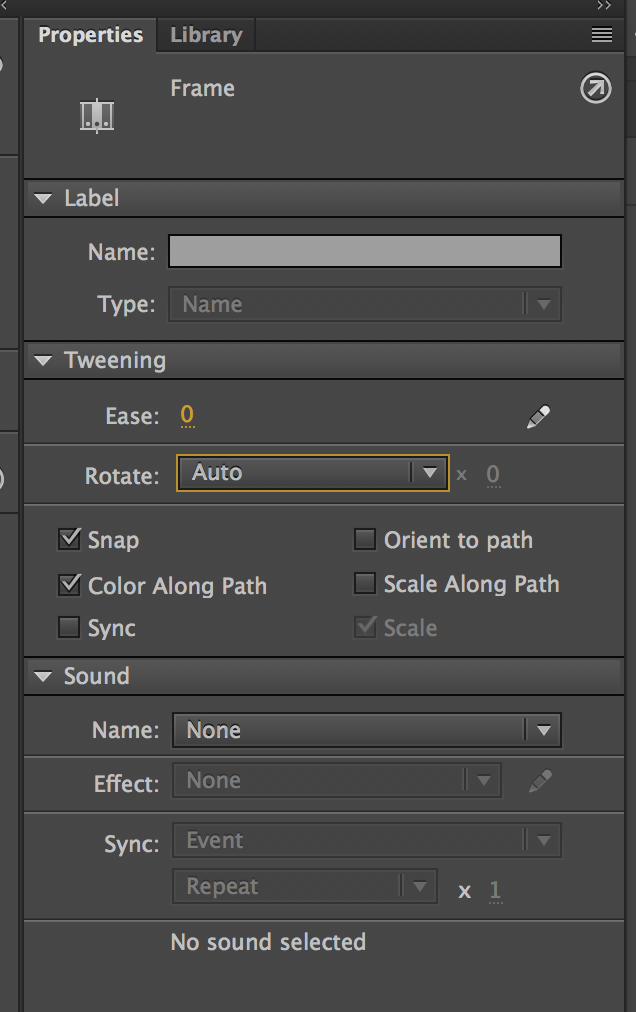
Hi Robdillon, I was excited with your reply but I just got deep into this project today and I don't have any ease presets and no EaseOut at all. I've attached a screenshot here. Following your instructions I did a classic tween, selected the first keyframe and went to the properties panel. I've double clicked, right clicked and every combination and can't find the ease/tween options.
Any thoughts?
. 
Copy link to clipboard
Copied
Nevermind. My Adobe CC didn't recognize that I needed to update Animate so I was evidently running an old version. I've done a reinstall and it seems to be there.
Thanks.
Copy link to clipboard
Copied
Glad that you sorted it out. Good luck with the rest of your project.

Copy link to clipboard
Copied
yes look into using Greensock I believe they have exactly what your looking for.
GSAP, the standard for JavaScript HTML5 animation | GreenSock


Get ready! An upgraded Adobe Community experience is coming in January.
Learn more
 AdChoices