


- Home
- Animate
- Discussions
- Re: Missing Code Library from Actions Panel
- Re: Missing Code Library from Actions Panel

Copy link to clipboard
Copied
Hello,
Previously in Flash CS6 I could browse through ActionScript 3.0 code via a sidebar on the left, as shown in red below:
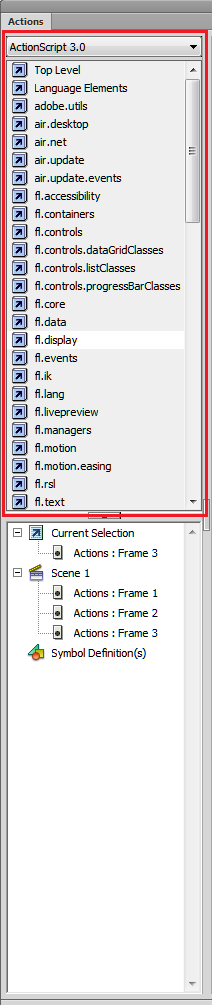
However, after upgrading to Animate, I have noticed that the code has disappeared from the sidebar, and I cannot find it after searching thoroughly.
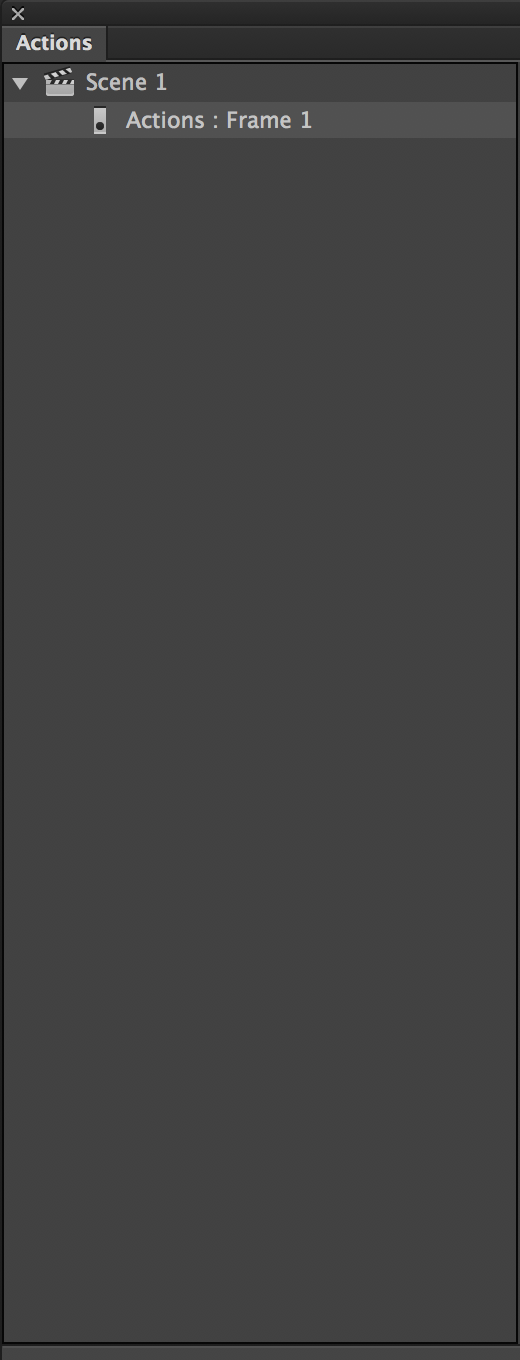
Is there any way to get this code panel back? It is very helpful to look through the properties and methods of the available classes.
Thank you


 1 Correct answer


Not within the application, but you can access the same data from the web: Adobe ActionScript® 3 (AS3) API Reference

 4
Replies
4
4
Replies
4

Copy link to clipboard
Copied
Not within the application, but you can access the same data from the web: Adobe ActionScript® 3 (AS3) API Reference
Copy link to clipboard
Copied
Thank you, Joseph. I was afraid I'd have to use the web reference.
Has the in-application version been completely removed, and if so, do you know why? It was very handy to be able to access Flash's code from the sidebar whilst writing in actions.
Copy link to clipboard
Copied
A LOT of stuff was removed during the massive rewrite between CS6 and CC. IK, Motion Editor, and the like... those two have both made it back in though. I sort of doubt they'd add back AS3 Reference like that since it only covers the single platform but who knows. It was helpful - yes!
Copy link to clipboard
Copied
Thank you for your help - here's hoping they consider adding it back in the future!


Get ready! An upgraded Adobe Community experience is coming in January.
Learn more
 AdChoices