So, one has to generate the 16/44.1 tone as 32 bit floating, rather than 16 bit and then go to save as, and then change it to 16/ 44.1? I will try that shortly. However, there are no instructions anywhere that tell the user to generate 16 bit tones as 32 bit first. You have to admit this is definitely not an intuitive user interface. I assume that 24 bit tones also have to be generated as 32 bit floating to end up with undithered 24 bit tones? I am using undithered tones of 16 bits and 24 bits to use as a basis for comparing undithered and dithered bench test signals. I assume you used CS6 for your tests, since that is what I used. I know 24 bit signals don't necessarily require dithering, but I still need to show 24 bit undithered signals for comparison with dithered 24 bit signals, even if there is no difference.
Hi John,
Nothing _should_ have changed (that I recall) around this area between CS6 and current CC versions. I did a quick test on both CS6 (Mac) and CC 2017.1.0 (also Mac).
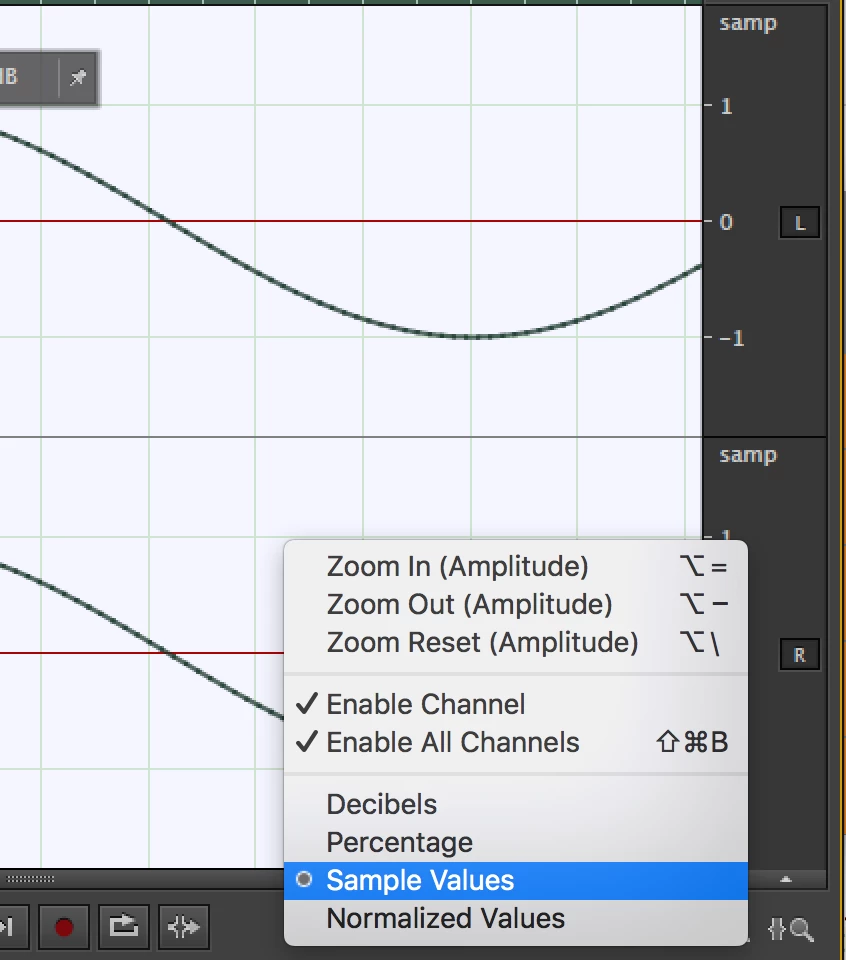
For the purposes of analysis, I think it is helpful to view the vertical (amplitude) ruler in Sample Values as opposed to dB.
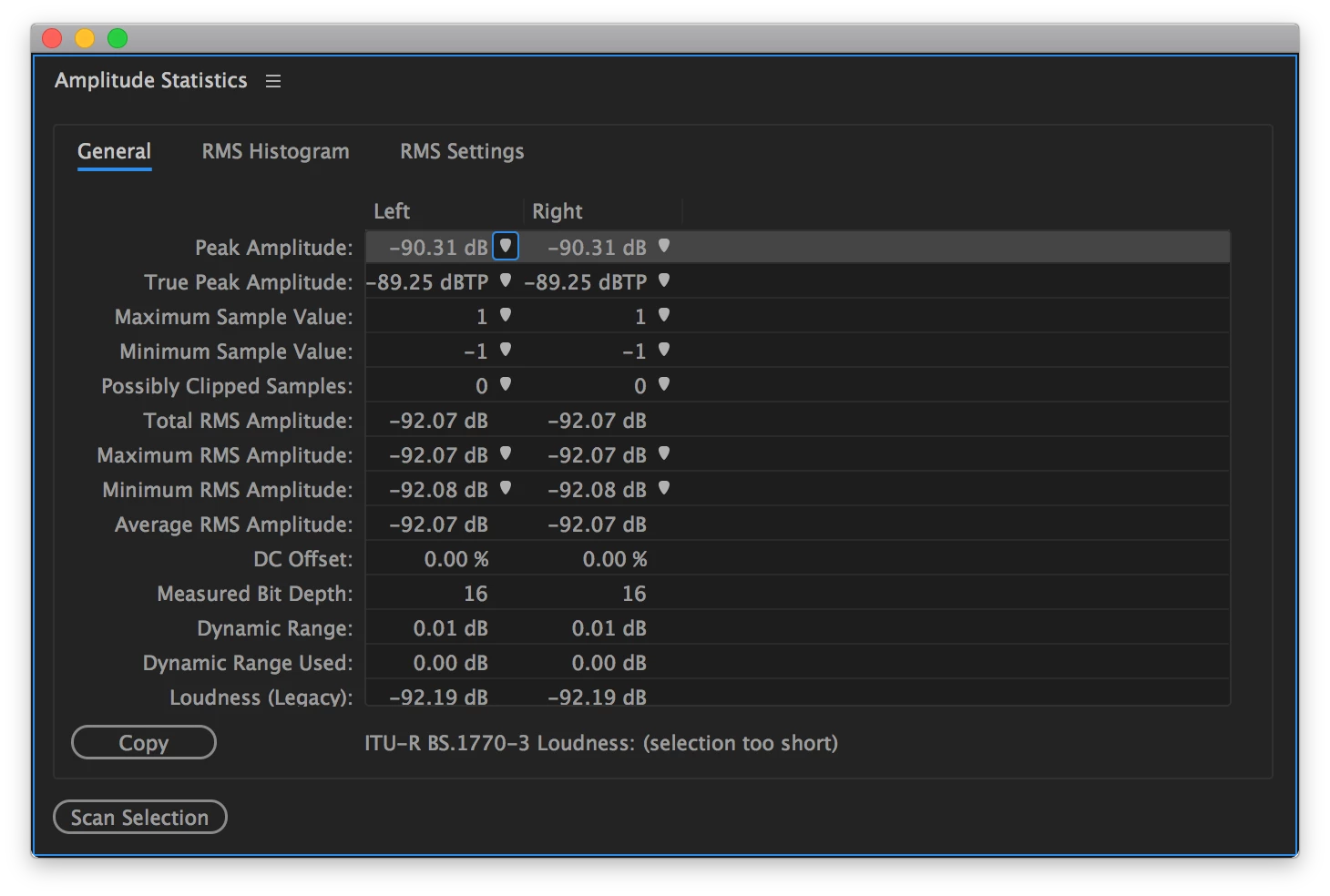
Also, the Amplitude Statistics Panel can give an accurate measurement of the number of PCM bits used, even when opening a file that is in a 32-bit float container (see "Measured Bit Depth").
I think what you're looking for is to get a signal that is quantized to 16-bit or 24-bit PCM without dither. I tried this out a few ways, and I think I came across what I would agree with is a bug. Nonetheless, you can accomplish what you want. Here's the two paths where I think it makes a difference:
(A) Create a new file, but choose the bit depth to be 16-bit. What this does is automatically choose "16-bit" when you do File > Save, for the data type of the file, but also shows you 16-bit-quantized sample values in the vertical ruler (shown above). When you then Generate Tones, the signal will always be generated with 32-bit floats (we don't know what the user will save as later or what sort of processing they want to do, so we choose the highest precision we have). Upon saving, or even File > Save As... and checking that dither was disabled, I noticed that the resulting file still seemed to be dithered. I would consider this a bug when doing File > Save As... and explicitly checking that dither was disabled.
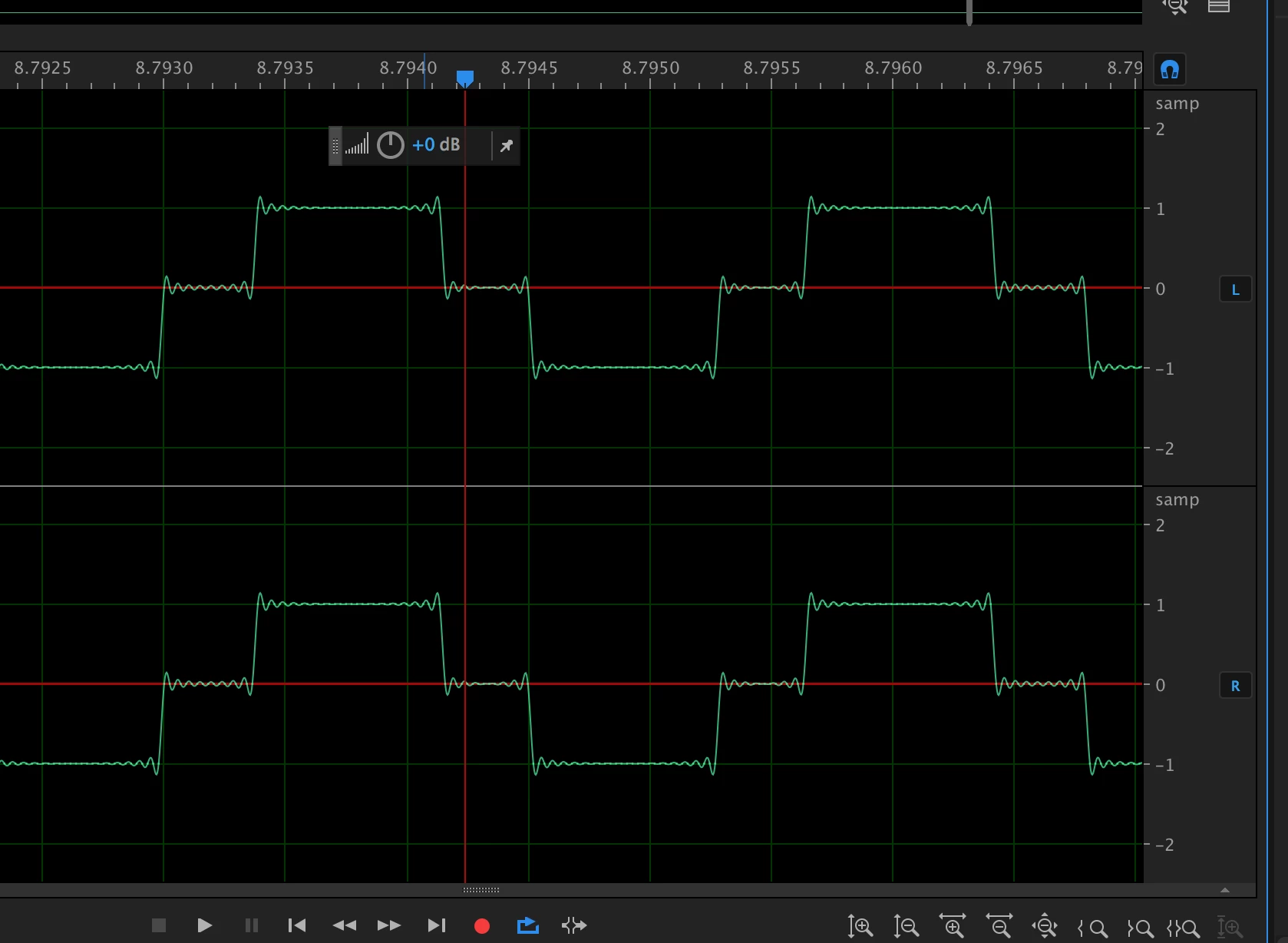
(B) Instead of creating a new file labeled 16-bit, just choose 32-bit Float (I agree that this is non-intuitive). Then save as you wish (or use Convert Sample Type) and ensure in either case that dither is disabled. In this workflow, we honor the no-dither setting and I end up with 16-bit quantized sample values when I generate a 440 Hz sine wave at -90.308998699194359 dBFS (about 15-bits of precision). I end up with what I think you're going for.
Please send a bug report here: Feature Request/Bug Report Form , you can paste in a link to this forum thread for information.
Lastly, SteveG and ryclark are usually on top of their game and are super-helpful here. I think this was a matter of not having concrete repro steps (do this, then this, then this...) to replicate what you were doing and to recommend an alternative. It was one little option that needed to be changed and it makes a world of difference.

 AdChoices