Participating Frequently
January 23, 2020
Frage

Adobe Audition Not Recording: I'm stumped!

  • January 23, 2020
  • 1 Antwort
  • 1585 Ansichten

Hey folks!


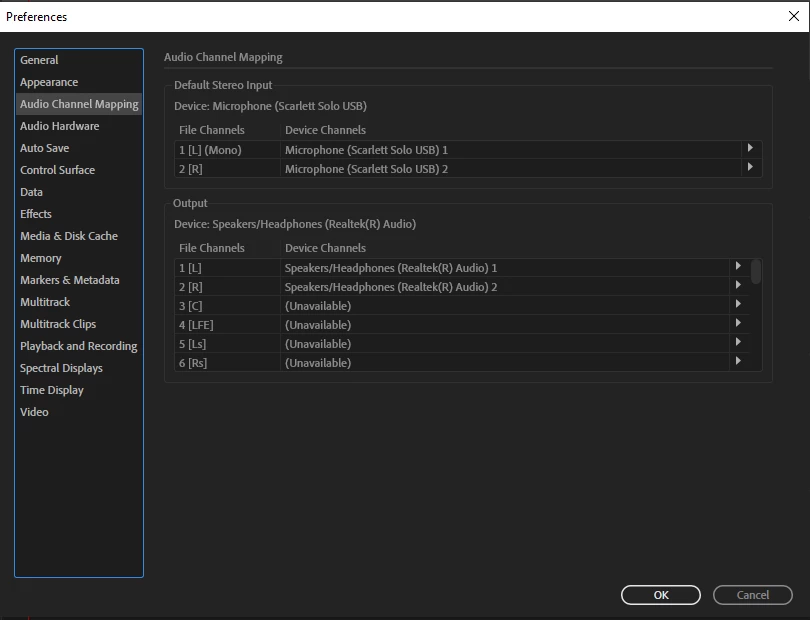
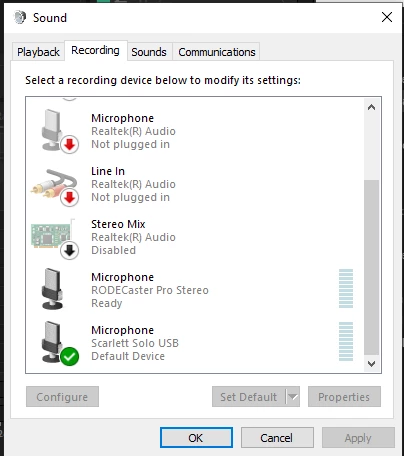
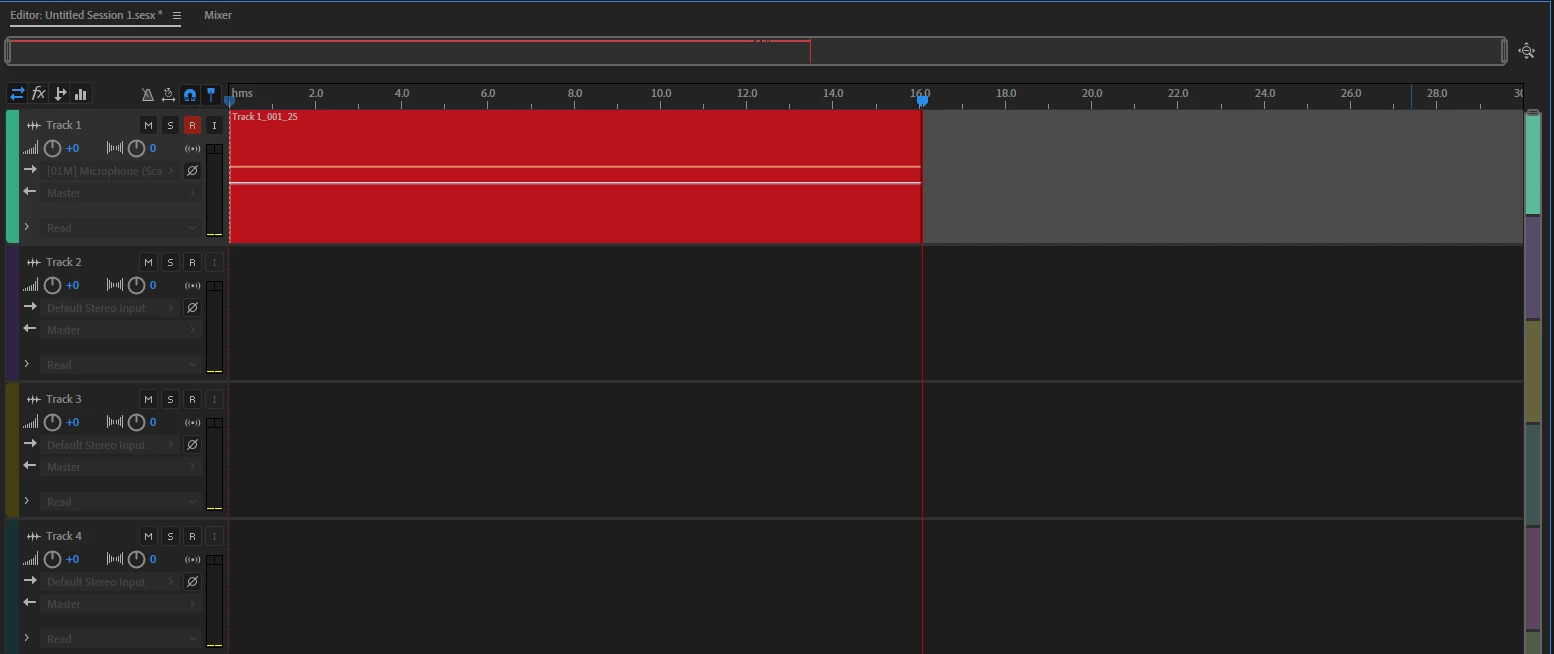
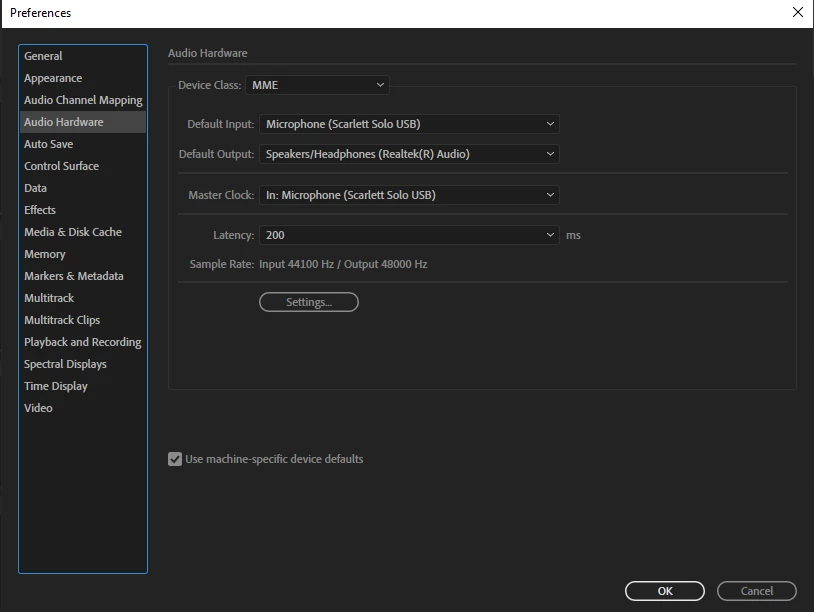
I can't for the life of me figure this one out. I recently switched my preamp and interface to the DBX286S and the Focusrite Solo 3rd Gen. Everything works fine in the free software Audacity, but I get no recording levels whatsoever in Audition. I have attached some photos to show you what my hardware settings are like. Ive been using audition since it was Cool Edit, and I'm stumped. It looks like it's all set up correctly.   


Any insight would be greatly appreciated. Thanks so much!


Dave. 
 

Dieses Thema wurde für Antworten geschlossen.

1 Antwort

SteveG_AudioMasters_
Community Expert
Community Expert
January 23, 2020

In the Device Class window, select Focusrite USB ASIO. I don't thing you'll be able to use the internal speakers for playback though; ASIO only allows one interface to be used with an app. Also, read the manual carefully - especially the stuff about getting it out of mass storage mode.

Participating Frequently
January 23, 2020

Hey Steve! Thanks so much for the speedy reply, much appreciated. 

When I clicked on Device Class Window, It just says ASIO, and not Focusrite USB ASIO. When I clicked on ASIO, it only gives me two options. Realtek ASIO and Steinberg ASIO. The Steinberg CI2 was my old interface. I don't see any options for Focusrite USB ASIO. Thoughts? 

Participating Frequently
January 23, 2020

Step one: Ignore the DBX and plug the mic straight into the left hand channel on the Focusrite, and make sure that the 48v phantom power is on. Does it work then?


Indeed it does work! Perfectly fine. It's weird because when it IS plugged into the DBX, it works fine in Audacity, but I can't figure this Audition thing out. I keep thinking it something simple, but I can't get it.