

Audio Short not being removed by Noise Reduction
I am making some sales videos for work and I have a major audio issue. I think there is an electrical short in my microphone or something happened to it between the studio and location. I am NOT an audio engineer by any standards, in fact it is my weak point. I extracted the audio from the clip in After Effects and brought the WAV into Audition. I have learned how to reduce noise, clicks/hiss, and other basics in Audition, however none of this tackles these blips.
The ones between spoken words I can cut, but is there a way to smooth the waveform where it gets deformed by the electricity? Not looking for someone to do the work, just tell me what tool I should be using.
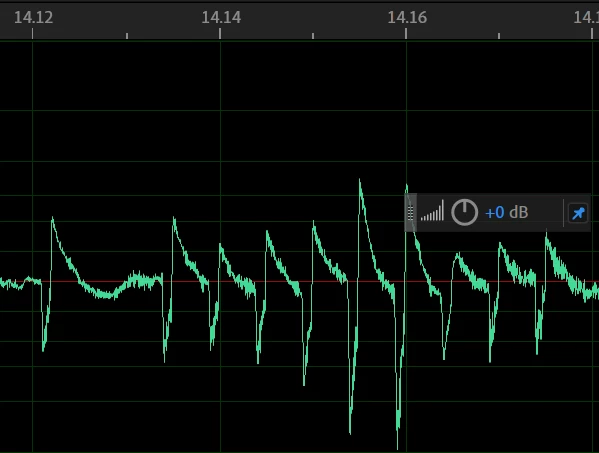
The green shows the regular waveform look to the speaker's speech patter. The gred X shows where it is destroyed in the glitch. The question mark is another unidentified anomlous sound or glitch. I work with video, so I know what I can see, not neccessarily what I can hear.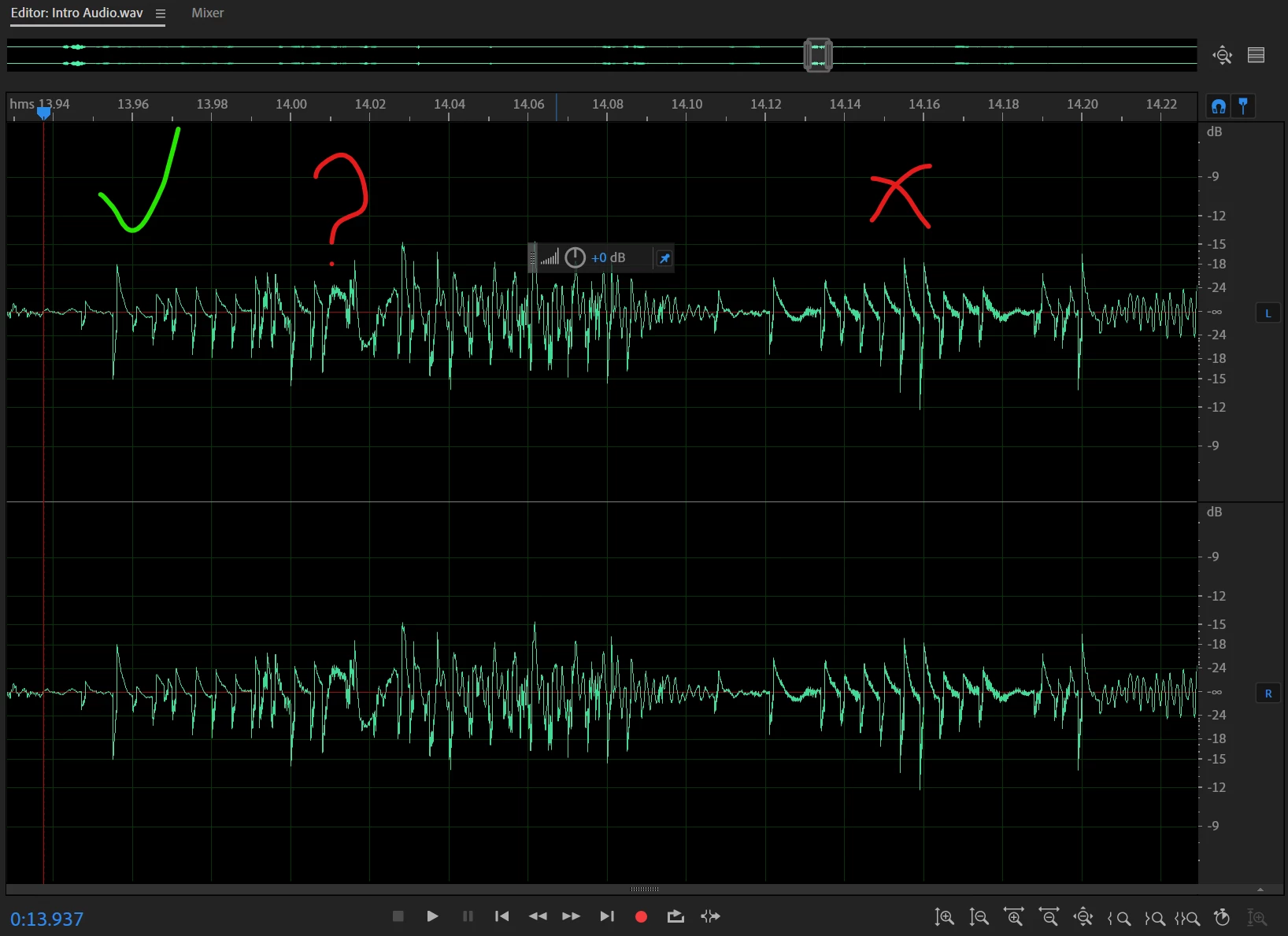
 AdChoices