
Participant
June 3, 2018
Answered

Audio Won't Play - Hardware Settings?

  • June 3, 2018
  • 1 reply
  • 6426 views

I'm attempting to edit using Audition for the first time on this computer (I've used it before on other devices). But it won't play. It keeps telling me my hardware is not configured properly. But my speakers, headphones, etc. work perfectly with other applications (including Audacity).
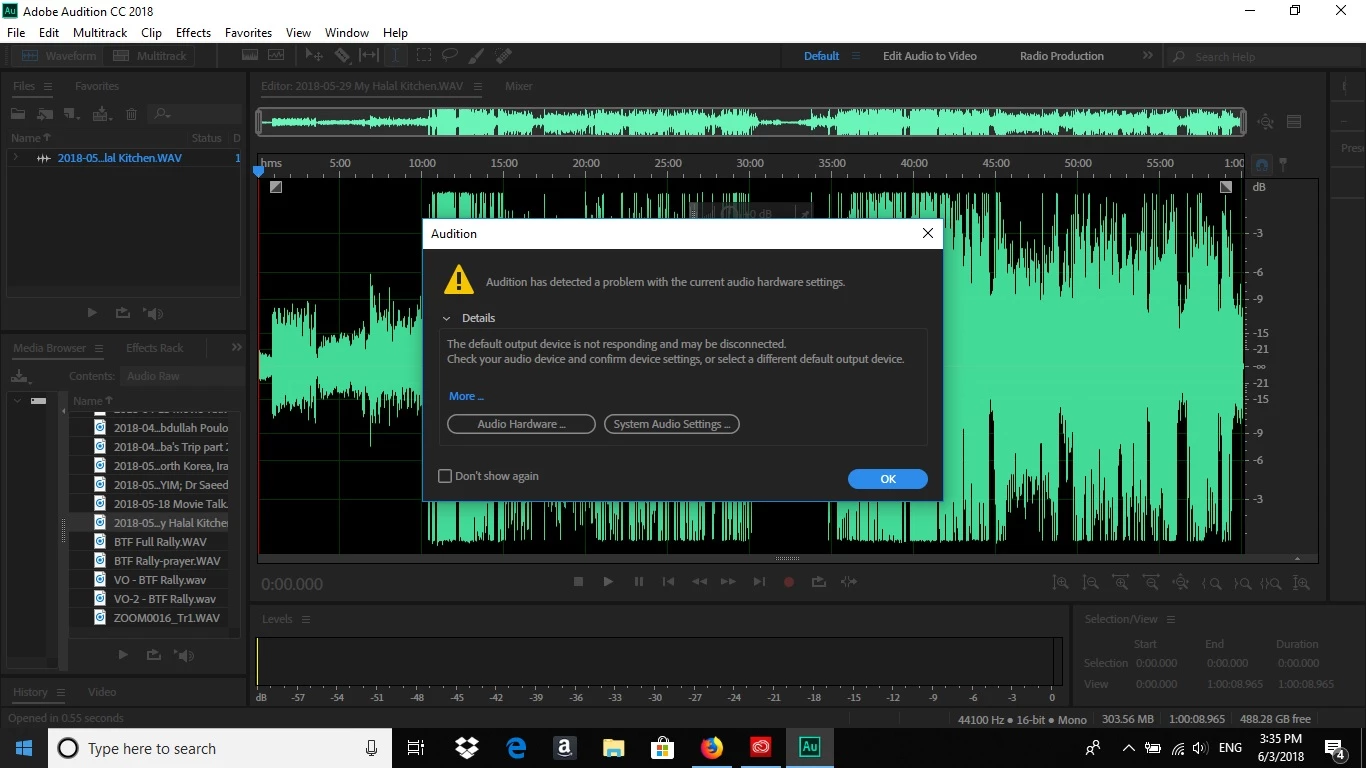
It's telling me my Realtek Audio isn't working. As I mentioned, the audio is working just fine with everything else.
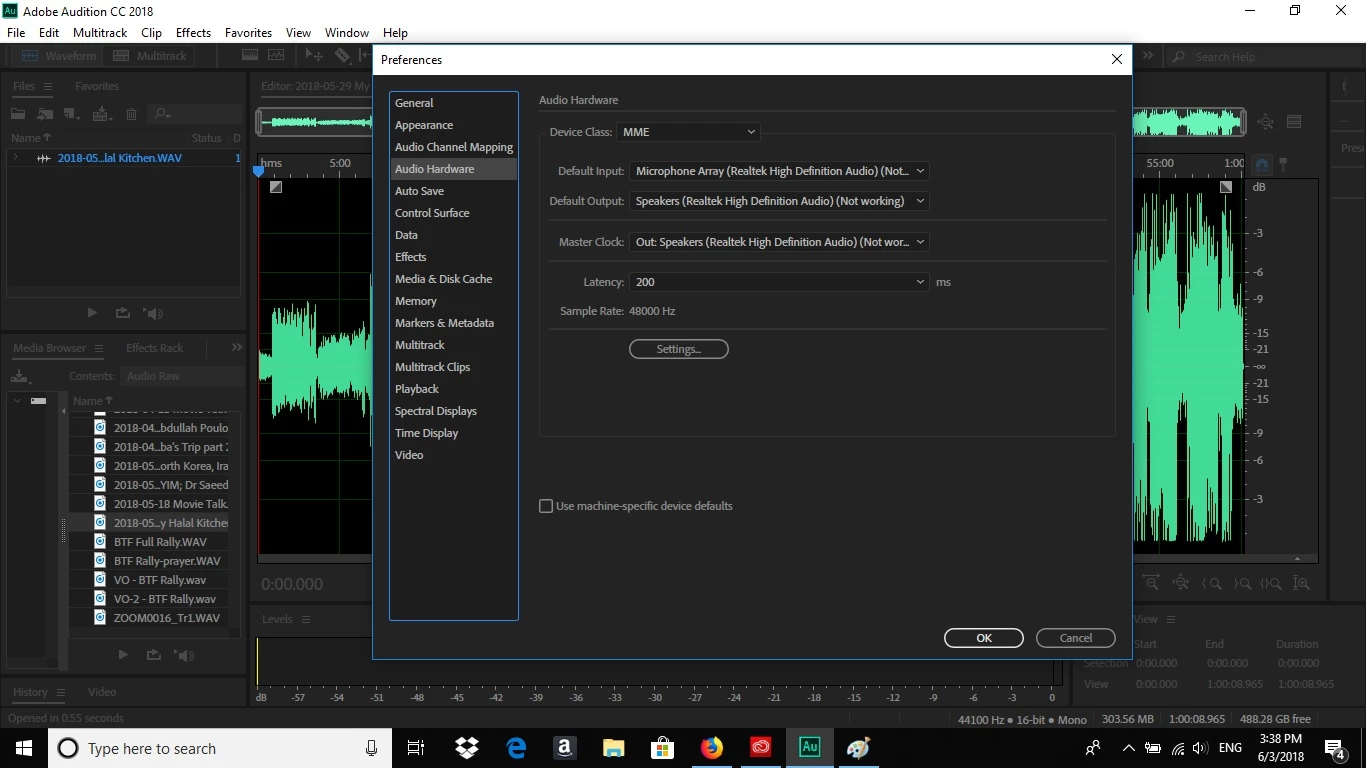
What could be the problem here?

This topic has been closed for replies.
Correct answer SteveG_AudioMasters_

Okay... try closing Audition and restarting it with the shift key held down.

1 reply

SteveG_AudioMasters_
Community Expert
Community Expert
June 3, 2018

Try going to the Device Class option and selecting WASAPI, and see if it works then...

Participant
June 4, 2018

I actually tried that already, and it didn't work.

SteveG_AudioMasters_
Community Expert
SteveG_AudioMasters_Community ExpertCorrect answer
Community Expert
June 4, 2018

Okay... try closing Audition and restarting it with the shift key held down.