PaddyPatPat
Participant
May 11, 2017
Answered

Audition 5.1 input?

  • May 11, 2017
  • 2 replies
  • 2093 views

Hi there,

I have a MADI device connected to my laptop and I would like to record 5.1 sources to my laptop. I have successfully recorded days of stereo and mono tracks (30+ at once without issue), however I have not been able to find a way to set up an input for a 5.1 audio track.

Does anyone know how? Is it possible?

I realise that I can record the channels separately and I've done that before (Stereo FL FR, Mono Centre, Mono LFE, Stereo SL SR).

Any ideas?

Patrick

This topic has been closed for replies.
Correct answer SteveG_AudioMasters_

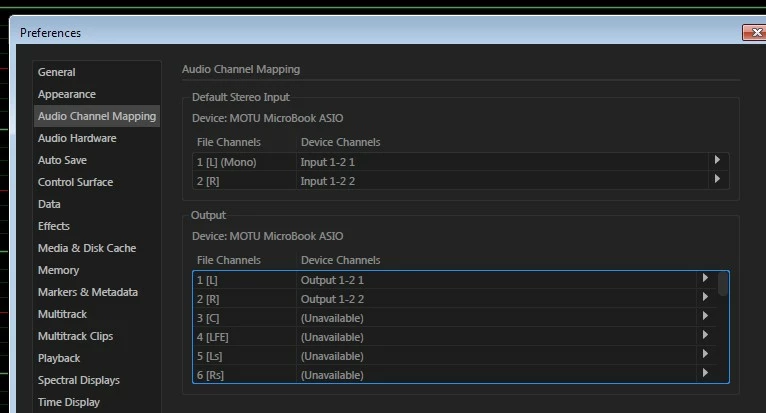
On my Windows installation if I open a new multichannel audio file Audition's Audio Channel Mapping only shows Default Stereo Input. There appears to be no multichannel input mapping although the drop down menu allows me to select any two of the four available inputs from my Microbooks ASIO driver.

So how do you get Audition to map more than two inputs at once for a surround recording?


ryclark  wrote

So how do you get Audition to map more than two inputs at once for a surround recording?

Okay, I give in - I can't get this to work by any means.

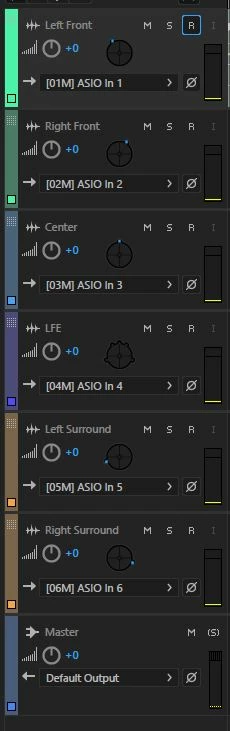
But I can record 5.1 though with ASIO in multitrack view - no problem. Start with the 5.1 session, and allocate ASIO channels appropriately:

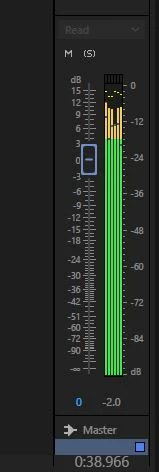
The session mixer will look like this:

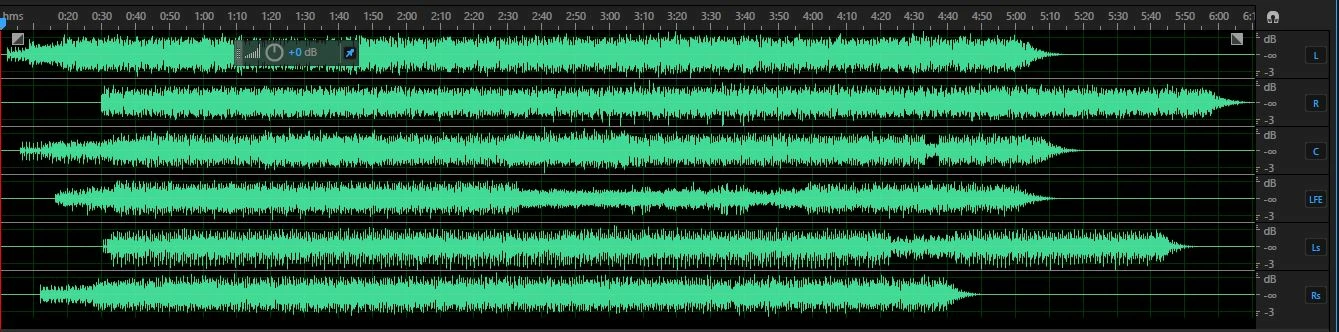
And when you open the mixdown in Waveform view, those channels you can't record in are all filled up!

So it definitely works with ASIO. You can't set up a single input as such, but if you record into the 5.1 surround template, you get a 5.1 file as a result.

2 replies

PaddyPatPat
Participant
May 15, 2017

Thanks to both of your for your input ryclark and SteveG.

ryclark
Participating Frequently
May 15, 2017

I have put in a feature request for better handling of multichannel channel selection and input routing for recording now that the latest version of Audition has better handling for playback/editing of multichannel files.

Participant
January 4, 2022

Any news about this? I'm trying to record audio from a Zylia microphone (19 channels) using the Waveform view but Audio Channel Mapping still only shows stereo as input option (Audition version 22).


ryclark
Participating Frequently
May 11, 2017

You should be able to record 5.1 in both the Multitrack view and in Waveform view. In the Multitrack view you will, of course, have to start with a new 5.1 session. There are template already within Audition for that. And then any particular track you will have to set the track inputs to the appropriate inputs from your MADI card. Similarly in the Waveform view you will have to open a new blank 5.1 file. But in this case you will have to set up the default audio input channels in Audition's Audio Hardware and Mapping Preferences pages.

The latest version of Audition also offers you much more multichannel audio file control. So you are not just limited to 5.1 channels anymore but can have custom multichannel audio files to record and edit.

PaddyPatPat
Participant
May 11, 2017

Thanks for your reply.

i've been trying in multitrack view. I create a new 5.1 session and then a add mono, stereo and a 5.1 track to this (not buses). I can then expand the track height enough to see the input and select any of the MADI inputs and record successfully to them. The 5.1 track though never gives me the input selection dropdown box. It offers me the output dropdown box and I can select the default 5.1 output but again I can't select any of my MADI outputs here either.

At least from what you're saying, it sounds like what I am trying to do should be possible.  Something must be incorrectly configured I guess?

ryclark
Participating Frequently
May 12, 2017

ryclark  wrote

So how do you get Audition to map more than two inputs at once for a surround recording?

Okay, I give in - I can't get this to work by any means.

But I can record 5.1 though with ASIO in multitrack view - no problem. Start with the 5.1 session, and allocate ASIO channels appropriately:

The session mixer will look like this:

And when you open the mixdown in Waveform view, those channels you can't record in are all filled up!

So it definitely works with ASIO. You can't set up a single input as such, but if you record into the 5.1 surround template, you get a 5.1 file as a result.


That was sort of what I had concluded. But I hadn't got as far as actually recording anything and thus seeing the multichannel file in the Waveform view.

It is amazing what I still don't know about Audition/CoolEdit even after using it for 20 odd years.