
bmx3engineer
Participant
August 20, 2019
Question

Audition and Behringer UMC404HD Setup

  • August 20, 2019
  • 1 reply
  • 4339 views

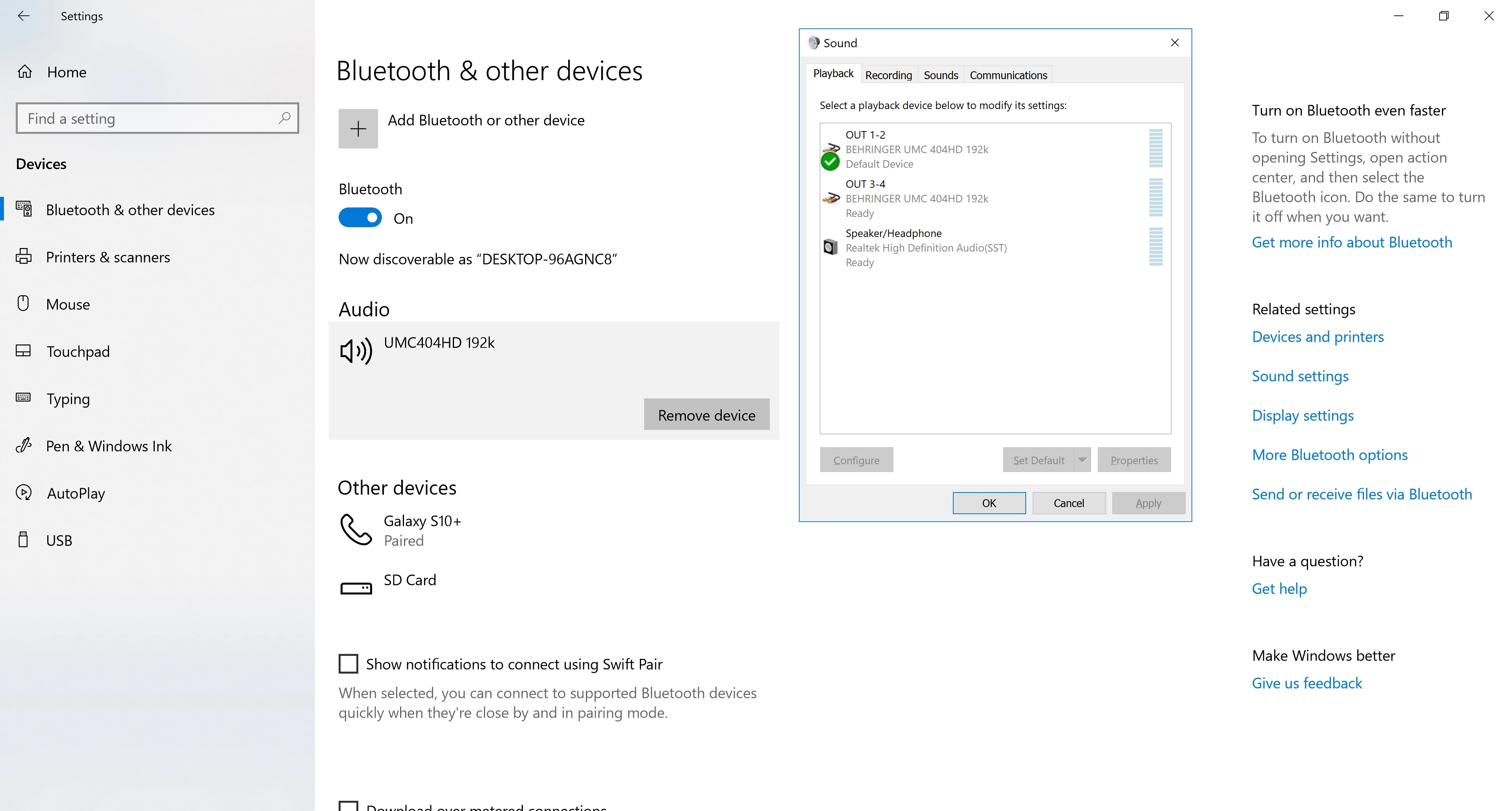
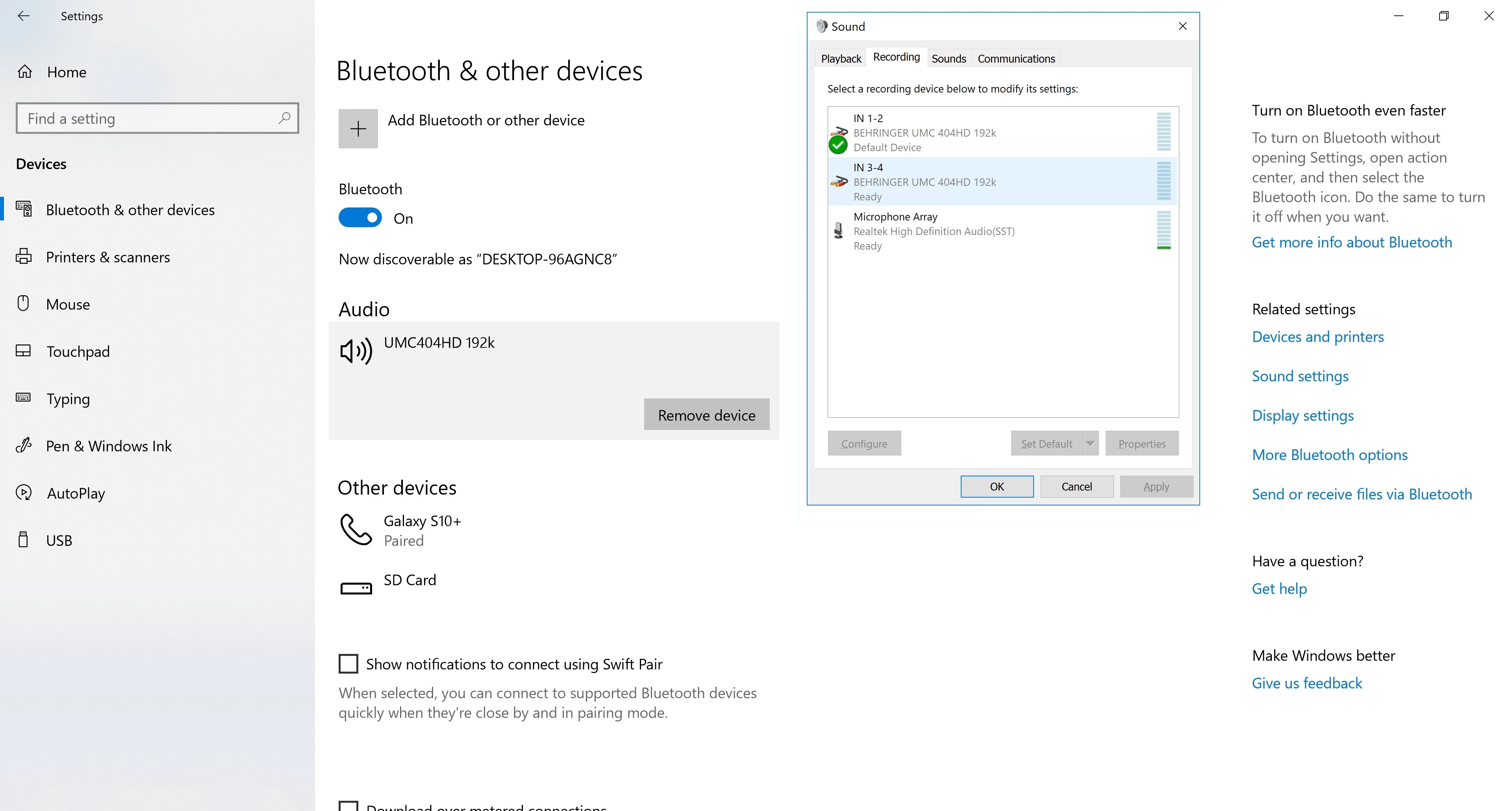
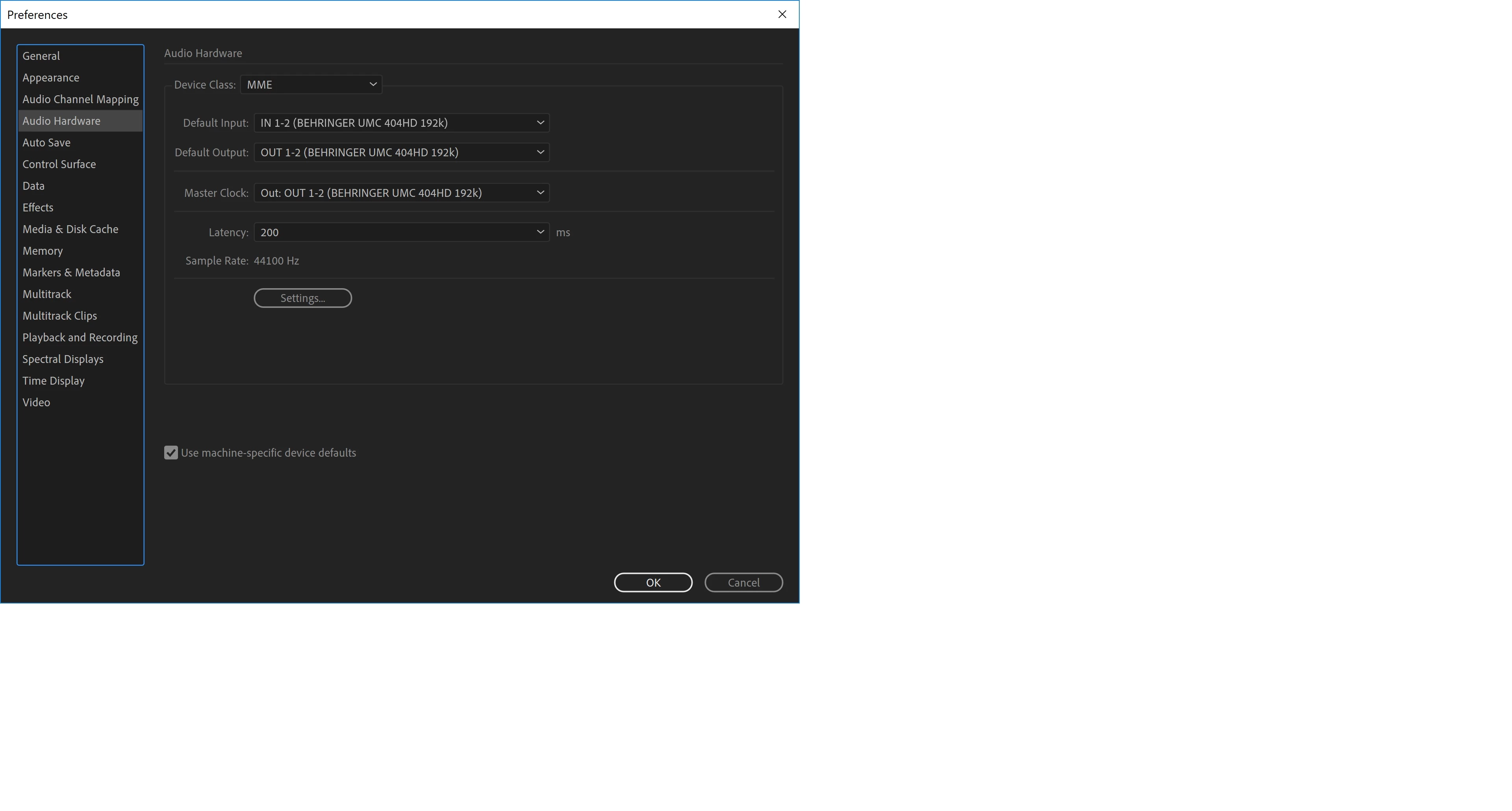
I'm trying to setup my Behringer UMC404HD with a Neewer NW-700 condenser microphone to my laptop (USB 3.0) running Windows 10 in Adobe Audition. I currently have my microphone plugged into input 1, phantom power switch on, all knobs pointing straight up (just used as a reference point), none of the buttons depressed, and nothing connected to the back of the unit besides the power and usb. I found a couple youtube videos on the setup, but I'm not getting the same result as them. I don't know if it's a new driver or my settings. See attached pictures for my current settings. Thank you in advance.
This topic has been closed for replies.

1 reply

SteveG_AudioMasters_
Community Expert
Community Expert
August 21, 2019

The UMC404 has an ASIO driver, and that's the one you should be using - it bypasses all that Windows rubbish completely. If you've downloaded the Windows driver from here: https://www.behringer.com/Categories/Behringer/Computer-Audio/Interfaces/UMC404HD/p/P0BK1/Downloads then what you need to do is select ASIO instead of MME. If you ever need to record all four channels at once, this is likely to be the only way you'll be able to do it - MME drivers are usually no more than stereo, and since they operate through the OS, you're at the mercy of M$ all the way.

ASIO also has much lower latency, and in general behaves better. Also it's worth noting that Audition has at its heart an ASIO engine - so it all makes sense, really!