unauthorizedrob
Inspiring
October 23, 2018
Answered

AUDITION CC 2019: Edits to WAVE file suddenly vanished

  • October 23, 2018
  • 1 reply
  • 1677 views


New problem. 


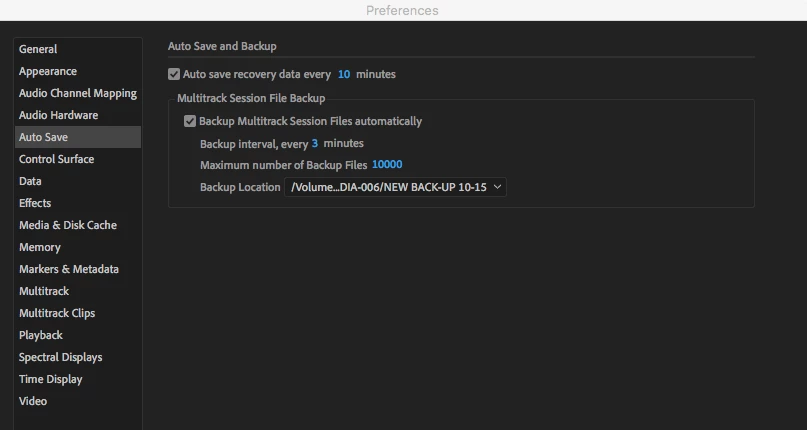
I am editing an audiobook.  I have good 32-bit FP stereo files, on which I just do some basic clean-up, replacing noises with silence, removing mouth clicks, etc.  I have been saving manually every five minutes, and also have preferences set to auto-save every 10 minutes.

Just now, as I was saving the chapter I was finishing up, got the beach ball, then the program popped way back to a very early point, and seems to have lost all the edits from that point on.

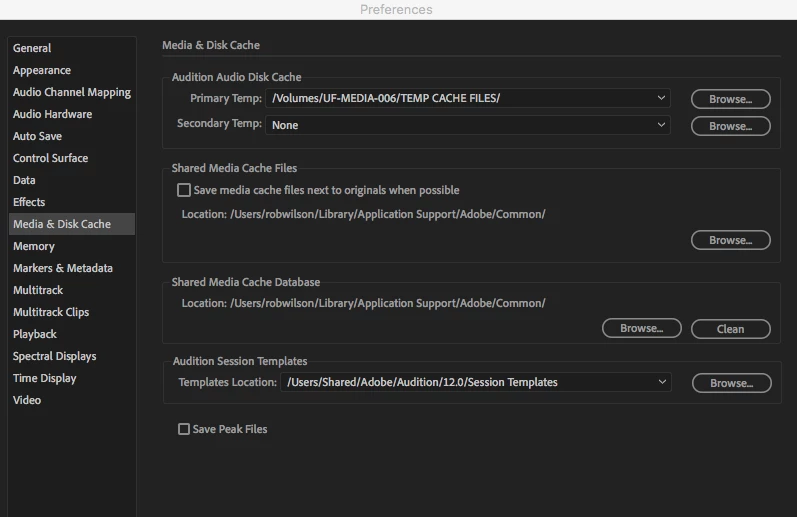
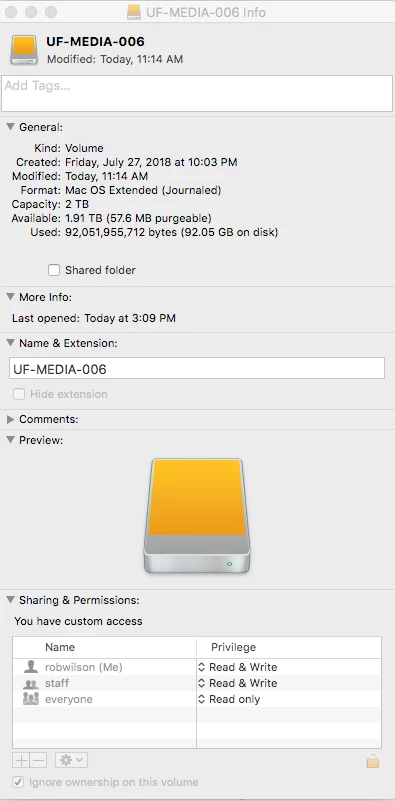
Customer support did some tweaking last night, in the remote share-screen mode, and I see where he re-directed my back-ups.   I'm keeping my files on a removable 2TB drive, and also uploading to Dropbox.

Weary.  Will try customer service again, and any help here, very welcome as always.

Thanks

r


    This topic has been closed for replies.
    Correct answer SteveG_AudioMasters_

    Well, the size of the file is correct. FYI, here's how it goes:

    44.1kSamples/sec x2 (it's stereo) = 88.2kSamples. Each sample is 32 bits, so that's 88.2 x 32 = 2822.4 bits/second. Divide this by 8 gives you  352 KBytes per second. Multiply this by 60 gives you 21.168MBytes per minute. Multiply that by your 15 minutes gives you 317.52Mbytes for your file size - so you've gone around 15 or so seconds over 15 minutes! In a nutshell, the more bits, the bigger the file - and it's directly proportional to the number of them.

    But I'm still not clear - are you editing this bounced-down file (I still don't see why you need that, incidentally) in Waveform or Multitrack? It would be perfectly possible to do most, if not all of that, in multitrack view using the automation system. But what exactly are you doing with the file once you've created it? This file, in it's unedited form, is effectively your new master, and that's the one you should be keeping at least two copies of, and editing only one of them. So initially do a Save, and a Save as, in another location, and don't touch it. If you open up the copy of this file in Waveform view, nothing actually gets altered, whatever you do, until you re-save the file. Until that point, it's stored in a series of temp file locations. Each time you make an edit, it's stored again - the whole thing. If you do a load of edits before saving, then the temp file will become enormous. And, with a big file, it's perfectly possible to run out of temp file space and crash the file... so, if anything at all goes wrong, then yes, I could see the file saving the previous (incorrect) temp location, which would certainly give you a file that's appeared to revert.

    And it's that, with large files, that would incline me very much to do as much of that editing in Multitrack view as possible, as you'd only need to be saving changes to the session file - much less likely to have space problems.


    1 reply

    SteveG_AudioMasters_
    Community Expert
    Community Expert
    October 23, 2018

    I'm not quite clear - is this the session file that appears to be reverting to a previous version?

    unauthorizedrob
    Inspiring
    October 23, 2018

    Not in a Session per se -- this is a single Audio File.   I had to do the initial recording in Multitrack because Travis Baldree's Punch&Roll extension required that.  Once I completed the chapter, I then bounced it down to a new track and exported that into 32 bit FP Stereo, per your advice.  THAT is the file I am now editing.

    The work is tedious -- removing mouth noises, bringing up quiet spots, some very minor eq to notch out whistles, etc.    I got to the end of the 15 minute file, and went to save -- as I had been doing every five minutes or so -- but this time it hung up, and when the beach ball went away, the play head had popped all the way back to 30 seconds, and all the work from there forward is gone.

    I also have the program set to auto-save every 10 minutes to a separate location.   However.... checking that ... I do not see any back-ups of the WAVE file. And now I see that that function only applies to Multitrack sessions. 

    Also -- weird thing -- everything I have done since I upgraded to Audition CC2019 is roughly twice as big as it was before.  Like -- this one 15 minute file is 323 mb.

    unauthorized
    Inspiring
    October 24, 2018

    It is not quite clear from the above whether you have all 52 chapters each saved as a separate .wav file or as one very long single file of the whole book. Also when you say 'giant' wav files what sort of size are these? Are they the 323Mb file you mentioned earlier as that isn't all that large for a longish uncompressed audio .wav file.


    I have 52 separate files.  The largest so far is 323mb. 

      I am trying to figure out how to edit in Multitrack mode as Steve suggested, but at the moment unsure of the best approach.  I am able to convert my files to 32 bit MONO, which is all the clients require ... and would save space.   But I am very nervous about yesterday’s wipeout.

    My  task at the moment is to figure out how to re-route my audio map so i can actually monitor this Bounced Track.  For some reason, I only hear it in Waveform view..... very new at this, obviously.  (And struggling through a recovery from back surgery, on some nasty steroid regimen, so a bit unsteady, not sleeping., etc.)

    Question:  if I cut these back to 32bit Mono, Can I edit safely in Waveform view?

    ....and is there a correct recovery data file I can hunt down to restore the work i thought I lost yesterday?

    Thanks.