
Inspiring
September 4, 2017
Question

Audition CC keeps crashing

  • September 4, 2017
  • 1 reply
  • 1836 views

Hello.

Recently, I've using Audition CC for quite some time and experienced no problems, until now. Every time I attempt to launch the program, it crashes. There are two notifications that keep popping up.

Here's the first one:
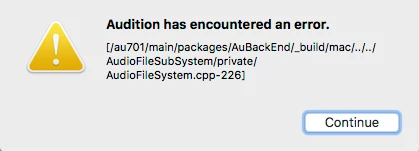
Followed by the second one:
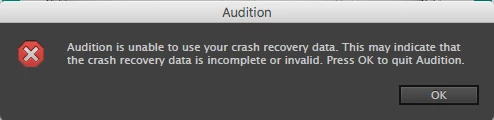
What does this mean and how can I fix this? Thanks in advance! 

    This topic has been closed for replies.

    1 reply

    SteveG_AudioMasters_
    Community Expert
    Community Expert
    September 5, 2017

    Well, normally I'd suggest doing what it says here:

    Audition Crashed. Now what?

    But in view of both messages, I'd suggest a complete uninstall and reinstall first, just to see if it's an error that's occurred since you installed it. If it happens again, then you need to do what it says in the FAQ link above, and send everything to audbugs@adobe.com.

    Inspiring
    September 5, 2017

    I followed your instructions based on the link you provided, but it did not allow me to access the "Reveal Log Files" section.

    Then I attempted to uninstall and reinstall and this notice came up:

    Inline image 1

    When I clicked on "Open", it quit.

    What's the next step?

    SteveG_AudioMasters_
    Community Expert
    Community Expert
    September 5, 2017

    I can't see the inline image 1, I'm afraid...