Participant
February 22, 2024
Question

Audition Error

  • February 22, 2024
  • 2 replies
  • 463 views

I'm facing this issue "the file is in use by another application and cannot be overwritten"
It happen when i save the video in audition through premiere pro.
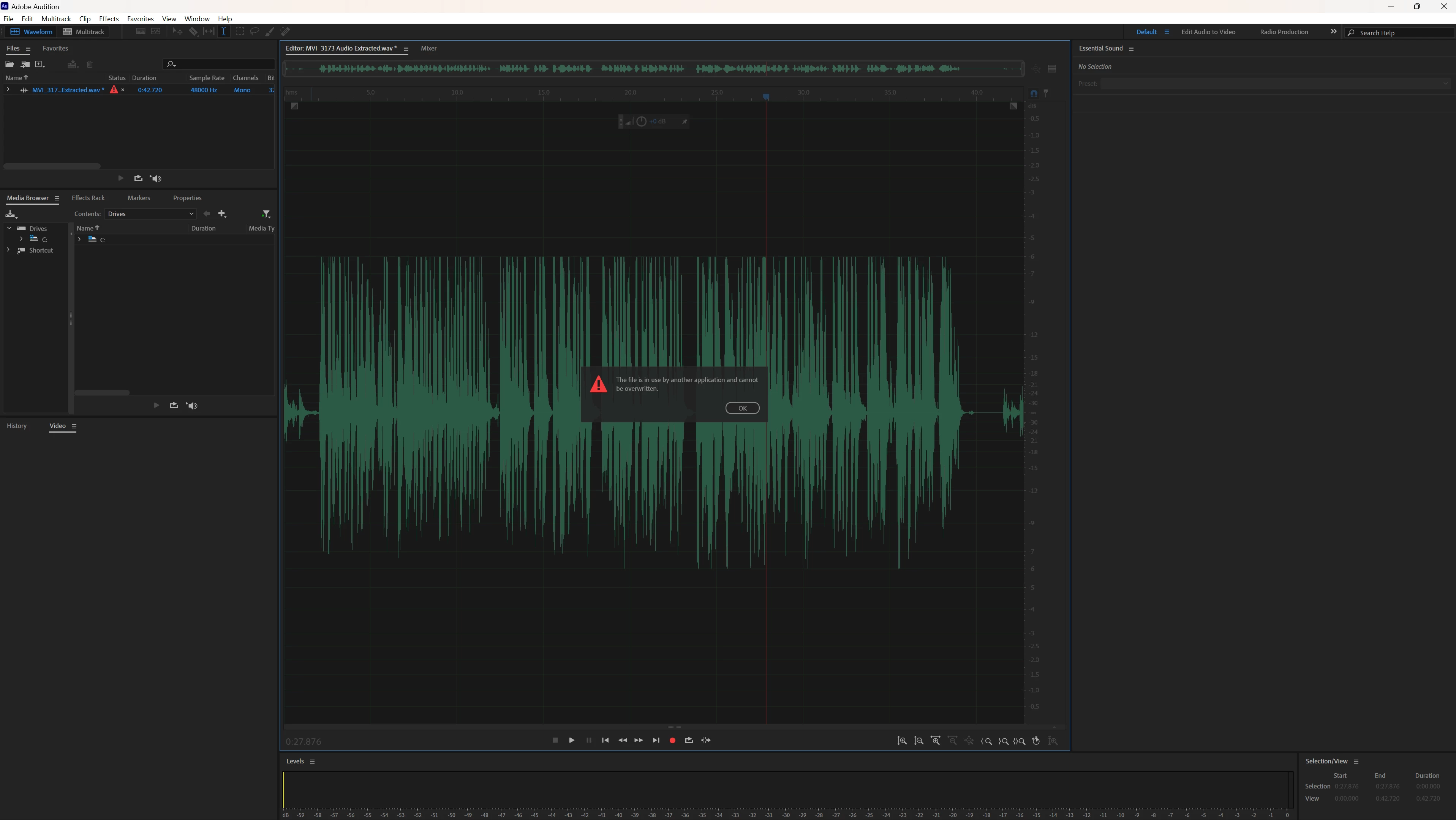

This topic has been closed for replies.

2 replies

Participant
July 2, 2024

This was a simple question!
I've been going through the same problem and thinking about it,

In the process of moving from 'Premier Pro' to 'Adobe Audition', there was a process of saving audio files in the cloud.

Maybe the storage method automatically enabled it to be stored in the cloud.

The larger the audio file, the longer it will take to store it in the cloud.

If you're still saving the audio file in the cloud when you finished modifying it in the 'Adobe Audition', it seems like an 'overwritten error' will occur.

So I canceled the audio file work I was saving in 'Premier Pro', and it was solved simply.

I'm Korean, so I used a translator, so my English grammar might be weird. Please read it with consideration.

I hope it's solved!

SteveG_AudioMasters_
Community Expert
Community Expert
February 22, 2024

I think you may need to explain exactly what you have open, and where. Is this part of a round trip between Premiere and Audition? Audition on its own cannot save video files; there is no mechanism for this. And are you trying to do a Save or a Save As?